GOHIGHLEVEL ANSWERS & PROMPTS: PLAYBOOK T110 · SUB-ACCOUNT WALLET REBILLING, BOT REPLY CAPS & MAX CALL-DURATION LIMITS
AUTHOR: DANIEL HALLMAN
KEYWORD: AI REBILLING
STEP-BY-STEP INSTRUCTIONS + ANNOTATED GHL SCREENSHOTS
Steps in GoHighLevel
-
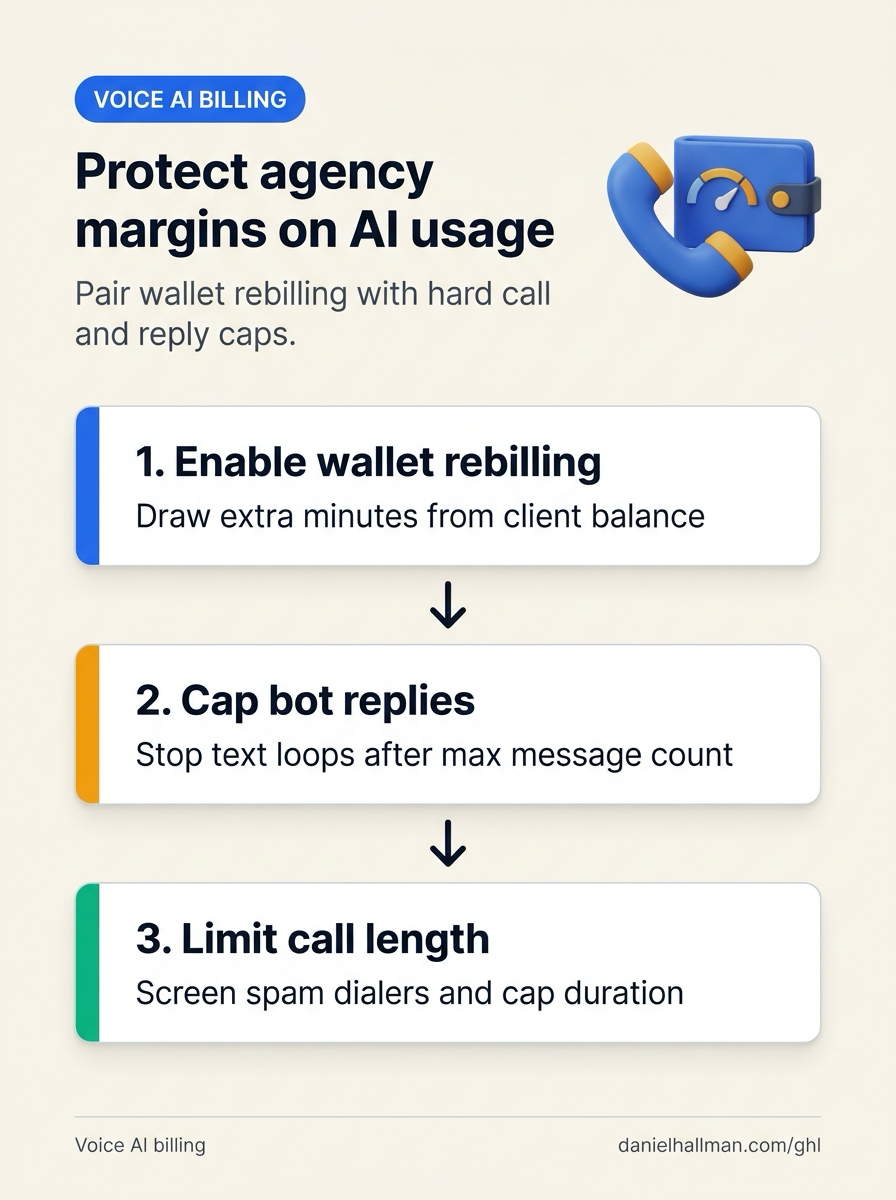
STEP 1In Agency View > Account Snapshots (and SaaS Configurator > Rebilling), turn on Voice AI, Conversation AI, and LC Phone wallet rebilling for each client sub-account so any usage beyond their included monthly credit bundle draws directly from the client's wallet balance.
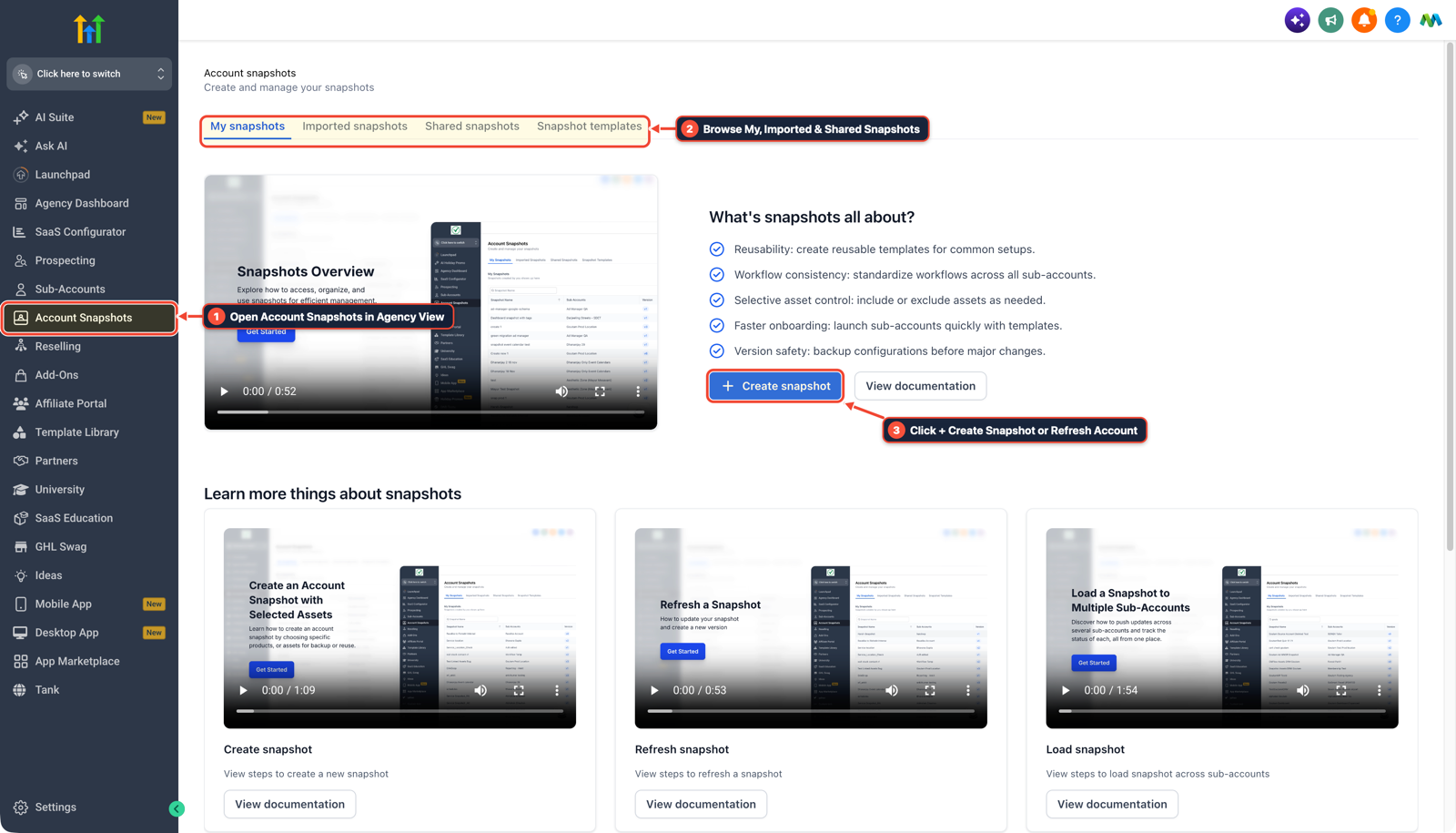
1Open Account Snapshots in Agency View 2Browse My, Imported & Shared Snapshots 3Click + Create Snapshot or Refresh Account -
STEP 2In AI Agents > Conversation AI, set a hard cap on Maximum Replies Per Contact and turn on Stop on Response when a rep steps in so two automated SMS numbers cannot loop hundreds of paid replies overnight.
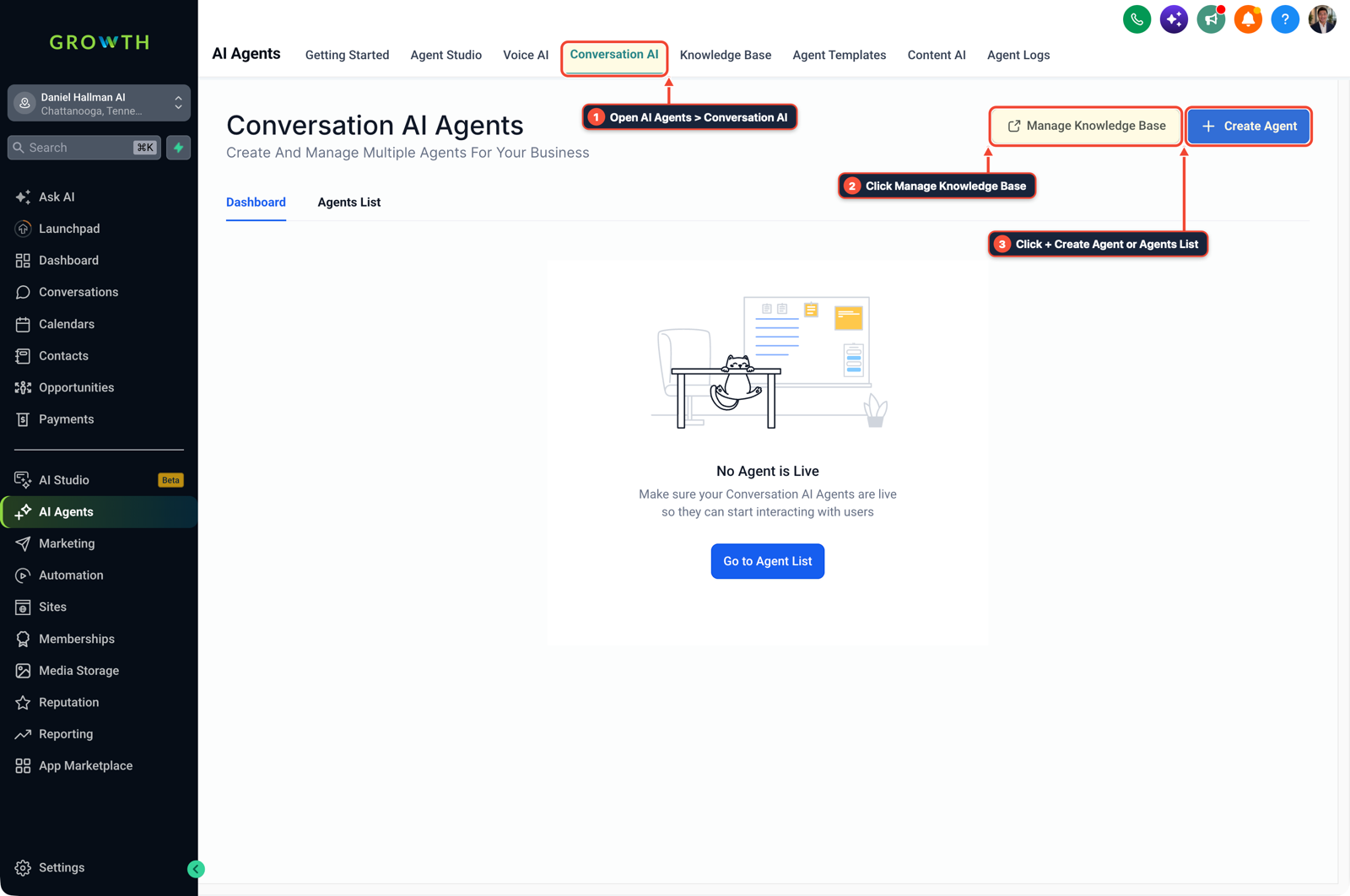
1Open AI Agents > Conversation AI 2Click Manage Knowledge Base 3Click + Create Agent or Agents List -
STEP 3In AI Agents > Voice AI (and Settings > Phone System), set a maximum call duration per session and put a quick
'Press 1 to connect'screen in front of unknown callers so automated spam dialers drop before burning voice minutes.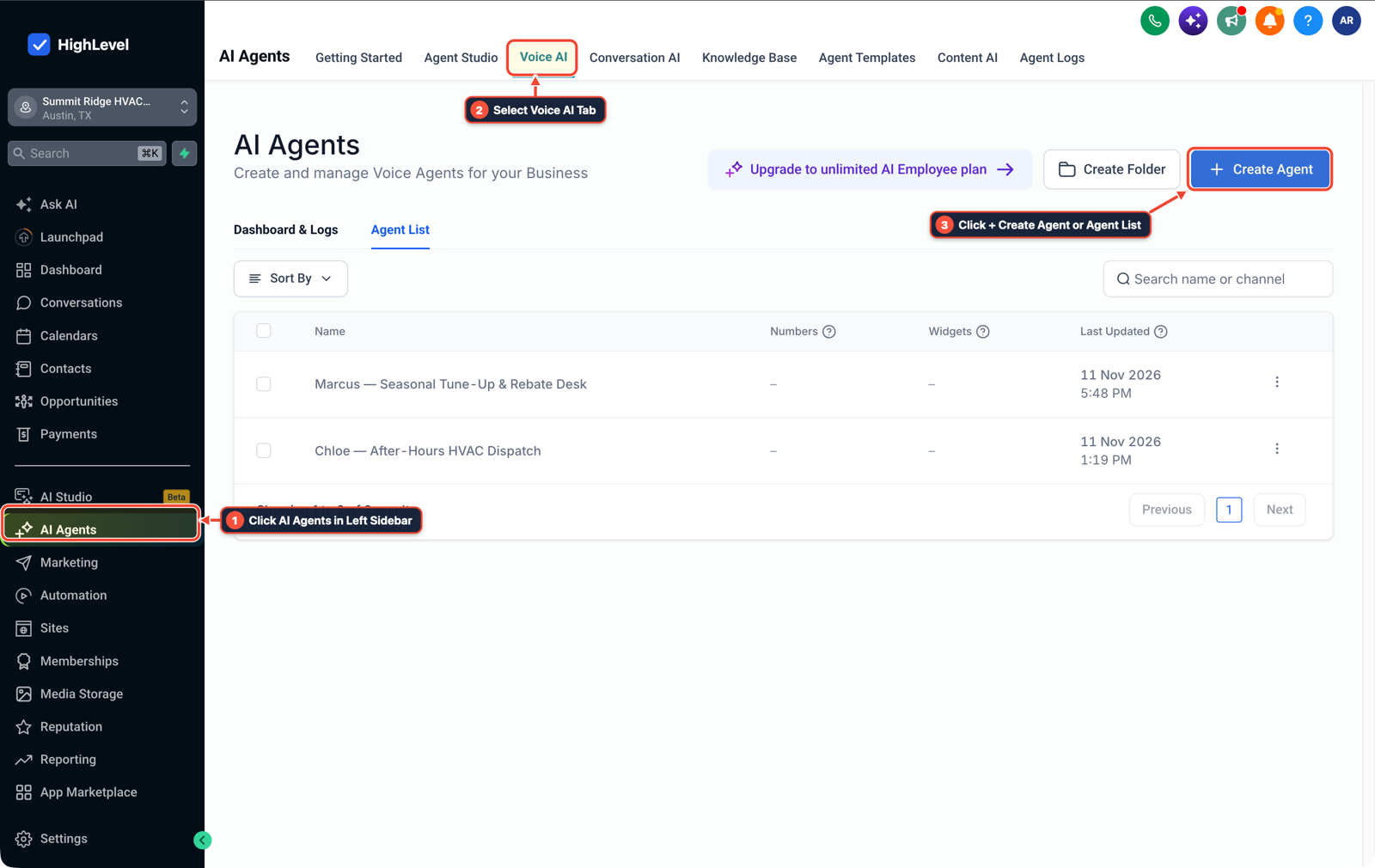
1Click AI Agents in Left Sidebar 2Select Voice AI Tab 3Click + Create Agent or Agent List
MODE: AGENT PROMPT
PASTE INTO CLAUDE CODE, CURSOR, CHATGPT, OR GOHIGHLEVEL ASK AI
AGENT PROMPT
Configure Voice AI and Conversation AI rebilling and loop-protection caps in sub-account <YOUR_LOCATION_ID>:
1. In Agency View and SaaS Rebilling, verify that Voice AI, Conversation AI, and LC Phone draw from the client sub-account wallet balance after included monthly credits.
2. In AI Agents > Conversation AI, cap Maximum Replies Per Contact to prevent bot-to-bot SMS loops.
3. In AI Agents > Voice AI and Settings > Phone System, set a max call duration and enable a quick 'Press 1' call screen for unknown numbers.
GHL-TOOLS MCP SERVER & CLI (DANIELHALLMAN.COM/MCP)
BUILDER + SUB-ACCOUNT TOOLS
# Inspect sub-account rebilling configuration, phone numbers, and AI agent workflows
ghl-agency locations get --context <YOUR_CONTEXT> --location <YOUR_LOCATION_ID>
ghl-crm workflows list --context <YOUR_CONTEXT> --location <YOUR_LOCATION_ID>
Official GHL MCP vs. ghl-tools: HighLevel’s official hosted MCP (services.leadconnectorhq.com/mcp) covers public v2 CRM records (contacts, opportunities, appointments, conversations). ghl-tools MCP complements it with workflow graph inspection & recipes, funnel/form builders, DNS/BIMI checks, and ghl-crm doctor audits.
Cause
- If you absorb Voice AI minutes and Conversation AI messages under an uncapped flat monthly fee or leave sub-account wallet rebilling turned off, one bot-to-bot SMS loop or a weekend robocall spike charges your agency card more than the client pays for the entire month.
GoHighLevel Configuration
- Enable sub-account wallet rebilling in Agency View > Account Snapshots and SaaS billing settings, cap per-contact reply counts in AI Agents > Conversation AI
- and enforce call duration limits in AI Agents > Voice AI.
GoHighLevel Menu Paths
| Step | Menu Path in GHL | Action |
|---|---|---|
| Step 1 | Agency View > Account Snapshots | In Agency View > Account Snapshots (and SaaS Configurator > Rebilling), turn on Voice AI, Conversation AI, and LC Phone wallet rebilling for each client sub-account so any usage beyond their included monthly credit bundle draws directly from the client's wallet balance. |
| Step 2 | AI Agents > Conversation AI | Set a hard cap on Maximum Replies Per Contact and turn on Stop on Response when a rep steps in so two automated SMS numbers cannot loop hundreds of paid replies overnight. |
| Step 3 | AI Agents > Voice AI | Set a maximum call duration per session and put a quick 'Press 1 to connect' screen in front of unknown callers so automated spam dialers drop before burning voice minutes. |
DEFAULT SETUP VS. AUTOMATED WORKFLOW
Operational Comparison
After-Hours & Missed Call Capture
Qualified Jobs Booked 24/7
Related Questions
- Are White-Label AI Receptionist Margins Actually Worth It in GoHighLevel?
- Is Voice AI Actually Worth the Cost for a Small Service Business (Or Is Missed-Call Text-Back Enough for 15 to 20 Calls a Week)?
- Why Does a GoHighLevel Custom Payment Provider Iframe Require Two "Add Card" Clicks in SaaS Billing (And How Do You Streamline Card-on-File Setup)?
- How Do You Stop a Client's Make.com Bill From Creeping Up on Green Scenarios With GoHighLevel Webhooks?
BUILD FASTER IN GOHIGHLEVEL · FREE TRIAL BONUSES + MCP SERVER
Build this directly inside your GoHighLevel sub-account
Connect Claude Code, Cursor, or OpenAI Codex to our ghl-tools MCP Server & Rust CLI to build workflows, forms, and funnels from your editor, or start your GoHighLevel plan through our partner link to unlock $612+ in ready-to-import kits (including GHL Voice AI Rebilling & Loop Guard Kit) and weekly live clinics.