GOHIGHLEVEL ANSWERS & PROMPTS: PLAYBOOK T06 · SAAS MODE & SNAPSHOTS
AUTHOR: DANIEL HALLMAN
KEYWORD: MCP
STEP-BY-STEP INSTRUCTIONS + ANNOTATED GHL SCREENSHOTS
Steps in GoHighLevel
-
STEP 1Prefix Client-Edited Workflows with [Custom]: In Automation > Workflows, duplicate any snapshot workflow you customize for a specific client and add
[Custom]to the workflow name so master snapshot updates skip it.
1Add If/Else Condition & Tag Guard 2Chain Priority & Wait Steps 3Switch to Settings or Execution Logs -
STEP 2Diff the Target Sub-Account Against Master: In your terminal, run
ghl-agency snapshots diff --snapshot-id <MASTER_SNAPSHOT_ID> --location-id <YOUR_LOCATION_ID>to list differing workflows, custom fields, and funnels.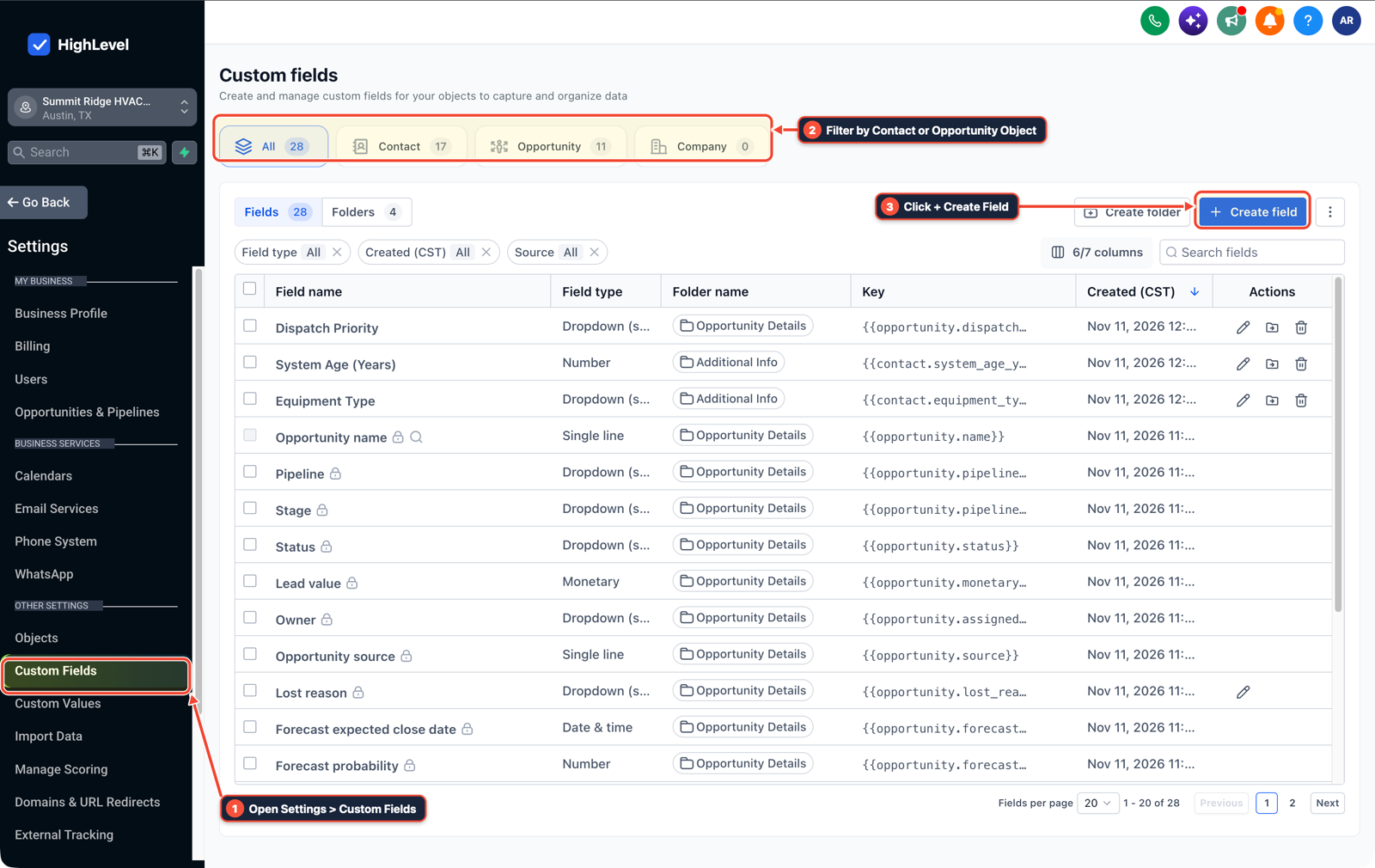
1Open Settings > Custom Fields 2Filter by Contact or Opportunity Object 3Click + Create Field -
STEP 3Push Only Additive Assets in Account Snapshots: In Agency View > Account Snapshots > Push Update, uncheck Custom Values and Funnels, and select only the new or updated workflow you want to ship.
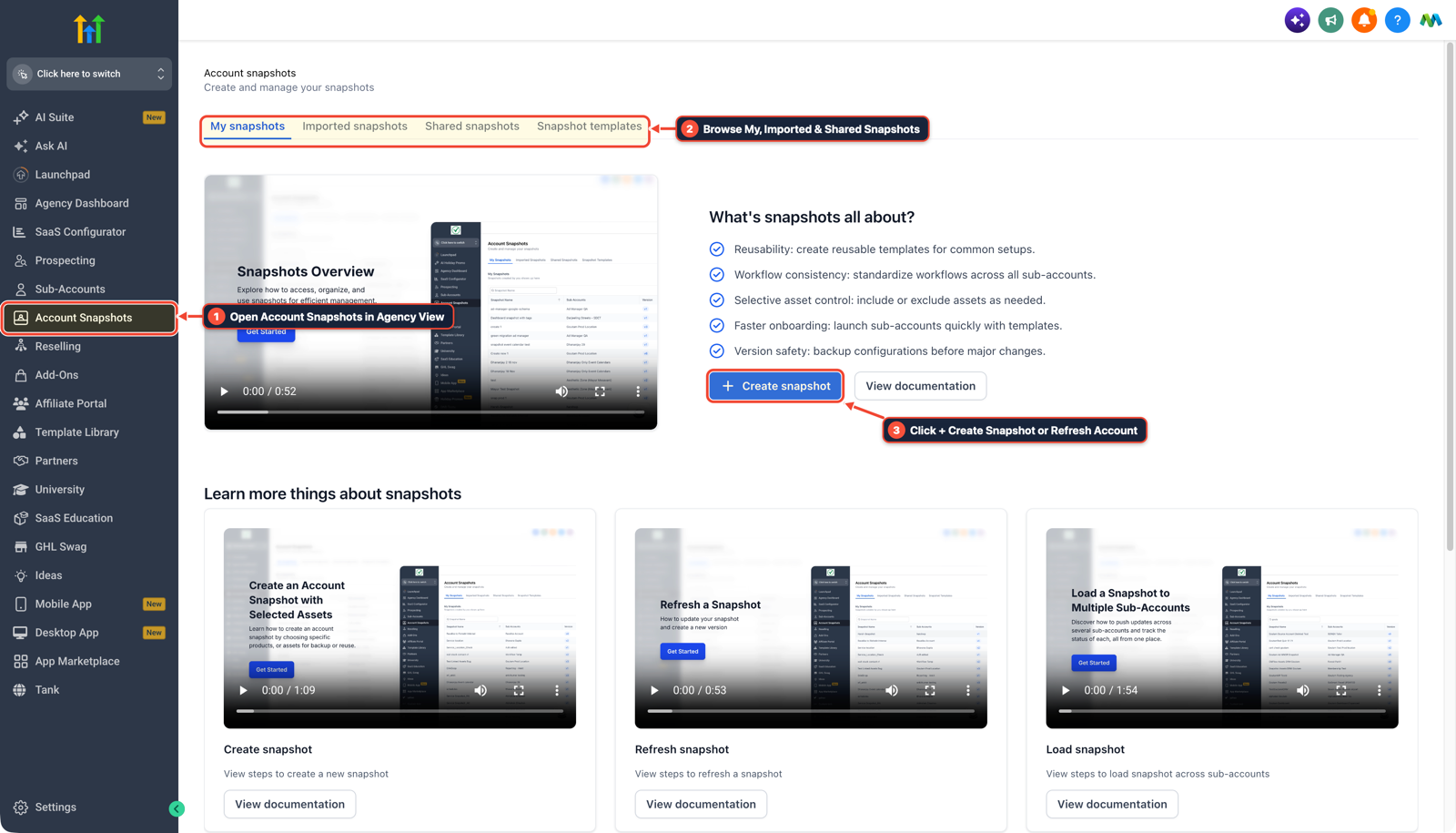
1Open Account Snapshots in Agency View 2Browse My, Imported & Shared Snapshots 3Click + Create Snapshot or Refresh Account
MODE: AGENT PROMPT
PASTE INTO CLAUDE CODE, CURSOR, CHATGPT, OR GOHIGHLEVEL ASK AI
AGENT PROMPT
Compare our GoHighLevel client sub-account against our master snapshot before we push an update:
1. List all workflows, funnels, and custom values in the target sub-account and compare them against our master agency snapshot.
2. Flag any active workflow that has been edited locally inside the client sub-account and recommend renaming it with a "[Custom]" prefix before pushing.
3. Generate an additive-only push checklist that excludes existing Custom Values and live client funnels.
GHL-TOOLS MCP SERVER & CLI (DANIELHALLMAN.COM/MCP)
BUILDER + SUB-ACCOUNT TOOLS
# 1. MCP Tool Call (ghl-agency-mcp)
{
  "tool": "snapshots_diff_subaccount",
  "arguments": {
    "snapshot_id": "<MASTER_SNAPSHOT_ID>",
    "location_id": "<YOUR_LOCATION_ID>",
    "protect_custom_prefix": "[Custom]"
  }
}

# 2. Or run via ghl-agency Rust CLI
ghl-agency snapshots diff --snapshot-id <MASTER_SNAPSHOT_ID> --location-id <YOUR_LOCATION_ID>
Official GHL MCP vs. ghl-tools: HighLevel’s official hosted MCP (services.leadconnectorhq.com/mcp) covers public v2 CRM records (contacts, opportunities, appointments, conversations). ghl-tools MCP complements it with workflow graph inspection & recipes, funnel/form builders, DNS/BIMI checks, and ghl-crm doctor audits.
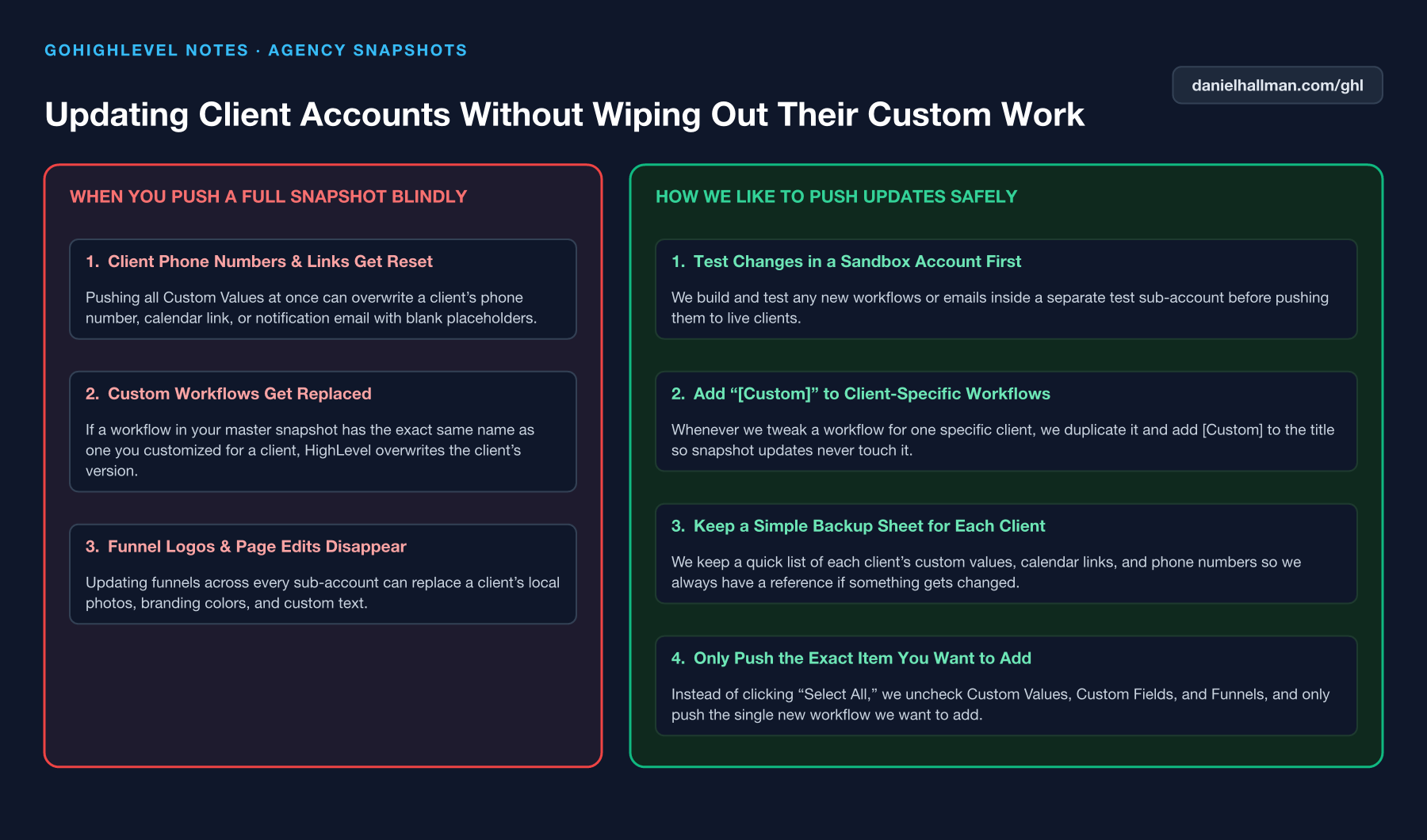
Cause
- Blindly pushing an updated master snapshot across 20 active client sub-accounts overwrites custom calendar links, bespoke SMS copy
- and local custom values whenever assets share the same ID or name.
GoHighLevel Configuration
- Clone and prefix any client-modified asset with
[Custom]so your team knows it is local, compare the sub-account against your master snapshot usingghl-agency snapshots diff - and push only additive workflows with Custom Values unchecked.
GoHighLevel Menu Paths
| Step | Menu Path in GHL | Action |
|---|---|---|
| Step 1 | Automation > Workflows | Duplicate any snapshot workflow you customize for a specific client and add [Custom] to the workflow name so master snapshot updates skip it. |
| Step 2 | MASTER_SNAPSHOT_ID> --location-id | Run ghl-agency snapshots diff --snapshot-id <MASTER_SNAPSHOT_ID> --location-id <YOUR_LOCATION_ID> to list differing workflows, custom fields, and funnels. |
| Step 3 | Agency View > Account Snapshots > Push Update | Uncheck Custom Values and Funnels, and select only the new or updated workflow you want to ship. |
DEFAULT SETUP VS. AUTOMATED WORKFLOW
Operational Comparison
Manual Admin Work Per Client
Lead-to-Booked-Job Conversion
Related Questions
BUILD FASTER IN GOHIGHLEVEL · FREE TRIAL BONUSES + MCP SERVER
Build this directly inside your GoHighLevel sub-account
Connect Claude Code, Cursor, or OpenAI Codex to our ghl-tools MCP Server & Rust CLI to build workflows, forms, and funnels from your editor, or start your GoHighLevel plan through our partner link to unlock $612+ in ready-to-import kits (including ghl-tools MCP Server & Rust CLI) and weekly live clinics.