GOHIGHLEVEL ANSWERS & PROMPTS: PLAYBOOK T09 · SAAS MODE & SNAPSHOTS
AUTHOR: DANIEL HALLMAN
KEYWORD: MCP
What Usually Happens
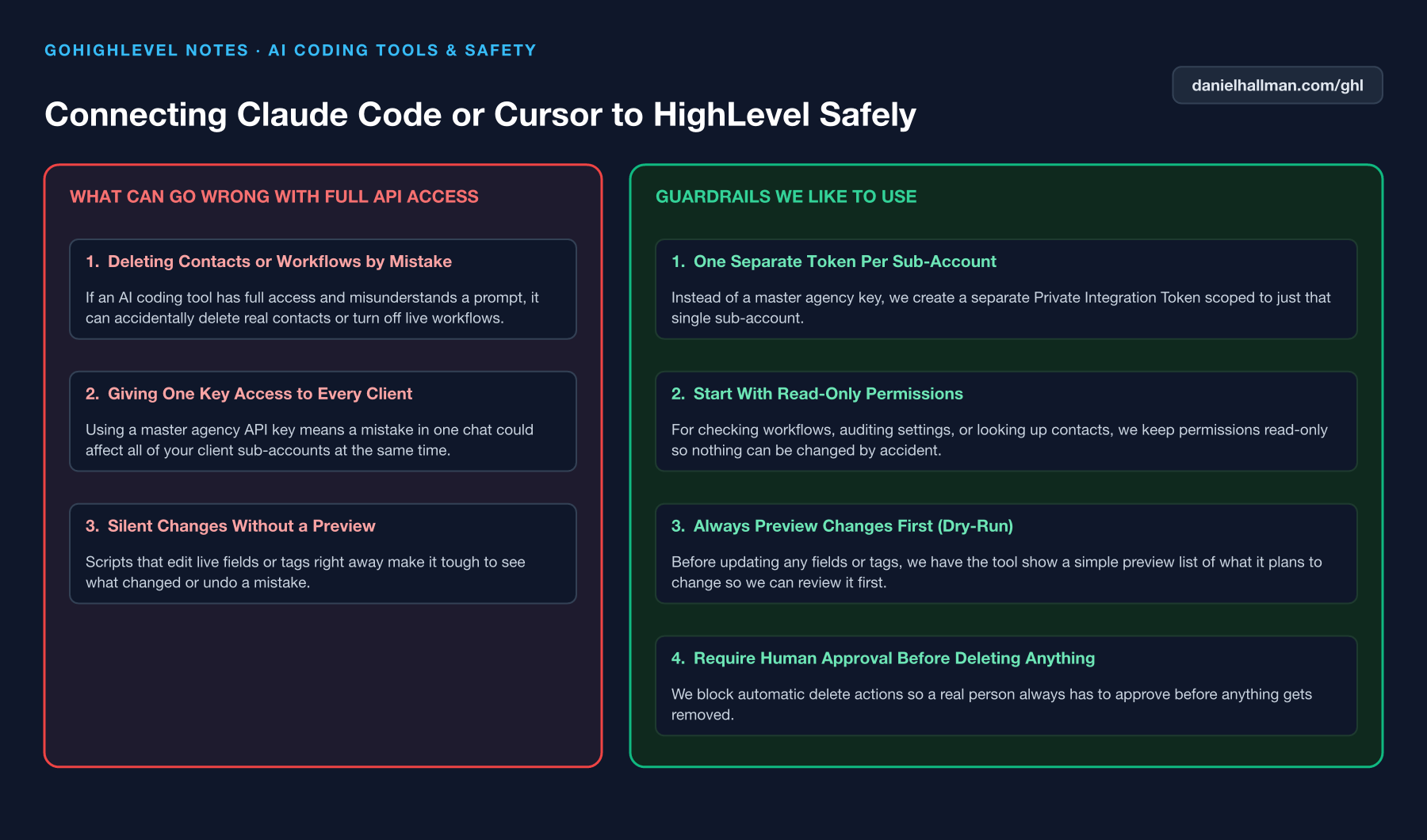
Sharing a single agency-wide API key across multiple client scripts or keeping client tokens in plain text files makes it easy to accidentally run an update against the wrong client location.
How We Fix It in HighLevel
Scope each Private Integration Token to a single sub-account location ID, grant only the exact scopes required for that workflow, and verify the active location name and ID with a read-only preflight call before any write.
3-Step Implementation Checklist
- Inside the client sub-account, go to Settings -> Private Integrations and create a location-scoped token with only the required read/write scopes.
- Bind each token to its explicit Location ID in your local environment config so scripts never guess or inherit an active sub-account.
- Run a read-only location verification check (`ghl-agency contexts`) before applying any funnel, workflow, or contact update.
MODE: AGENT PROMPT
PASTE THIS PROMPT INTO CLAUDE CODE, CURSOR, CHATGPT, OR YOUR GHL ASSISTANT
SAFE READ-FIRST WORKFLOW
Verify our GoHighLevel sub-account token isolation and preflight safety before making any changes:
1. Run a read-only context check to confirm the exact Location ID and Business Name of the target sub-account.
2. Verify that the active Private Integration Token is scoped strictly to this single sub-account and does not carry agency-wide delete permissions.
3. Produce a read-only dry-run diff of proposed changes and wait for approval before writing.
RUN WITH OUR GHL-TOOLS MCP SERVER OR RUST CLI (DANIELHALLMAN.COM/MCP)
SUPPORTS --DRY-RUN PREVIEW
# 1. MCP Tool Call (ghl-agency-mcp)
{
  "tool": "contexts_verify_location",
  "arguments": {
    "location_id": "<YOUR_LOCATION_ID>",
    "require_readback": true
  }
}

# 2. Or run via ghl-agency Rust CLI
ghl-agency contexts --json && ghl-crm doctor --location-id <YOUR_LOCATION_ID>
Similar GoHighLevel Questions & Fixes
PLAYBOOK T07 · SaaS Mode & Snapshots
How do you connect Claude Code or Cursor to GoHighLevel safely with dry-run previews?
Use a location-scoped token with our `ghl-tools` MCP Server so every change generates a read-only `--dry-run` diff first and verifies the live state after writing.
PLAYBOOK T06 · SaaS Mode & SnapshotsHow do you push GoHighLevel snapshot updates without wiping out client customizations?
Prefix any client-customized workflow or funnel with `[Custom]`, diff the target sub-account before pushing, and select only the specific new assets instead of pushing a full snapshot overwrite.
PLAYBOOK T10 · Workflows & AutomationHow do you format data and run math in GoHighLevel Workflows without paying for n8n or Make?
Use HighLevel's built-in Format Data, Math Operation, Goal Events, and Inbound/Outbound Webhook steps inside a single native workflow so contact history and error logs stay in one place.
PLAYBOOK T13 · SaaS Mode & SnapshotsHow do you onboard a new GoHighLevel agency client in 45 minutes instead of a 3-week form?
Skip the 40-question onboarding form: run one 45-minute live Zoom sprint right after payment to connect DNS, Google Business Profile, and call forwarding on the spot.
RUN THIS IN 30 SECONDS · GHL-TOOLS MCP + OPERATOR COMMUNITY
Want your AI agent to inspect and build this inside GoHighLevel automatically?
Connect Claude Code, Cursor, or OpenAI Codex to our ghl-tools MCP Server & Rust CLI for 30-second sub-account doctor checks, --dry-run previews, and snapshot diffs—or start/upgrade your GoHighLevel plan through our partner link to unlock up to $612+ in implementation kits (including ghl-tools MCP Server & Rust CLI) and our weekly live engineering clinics.