GOHIGHLEVEL ANSWERS & PROMPTS: PLAYBOOK T36 · VOICE AI RECEPTIONIST SKILLS & STACK
AUTHOR: DANIEL HALLMAN
KEYWORD: VOICE AI SKILLS
STEP-BY-STEP INSTRUCTIONS + ANNOTATED GHL SCREENSHOTS
Steps in GoHighLevel
-
STEP 1In AI Agents > Knowledge Base, create a focused 20-question trade FAQ (
Service Area ZIPs,Dispatch Fee,Emergency Rules) and define hard transfer rules so the voice agent never guesses custom pricing.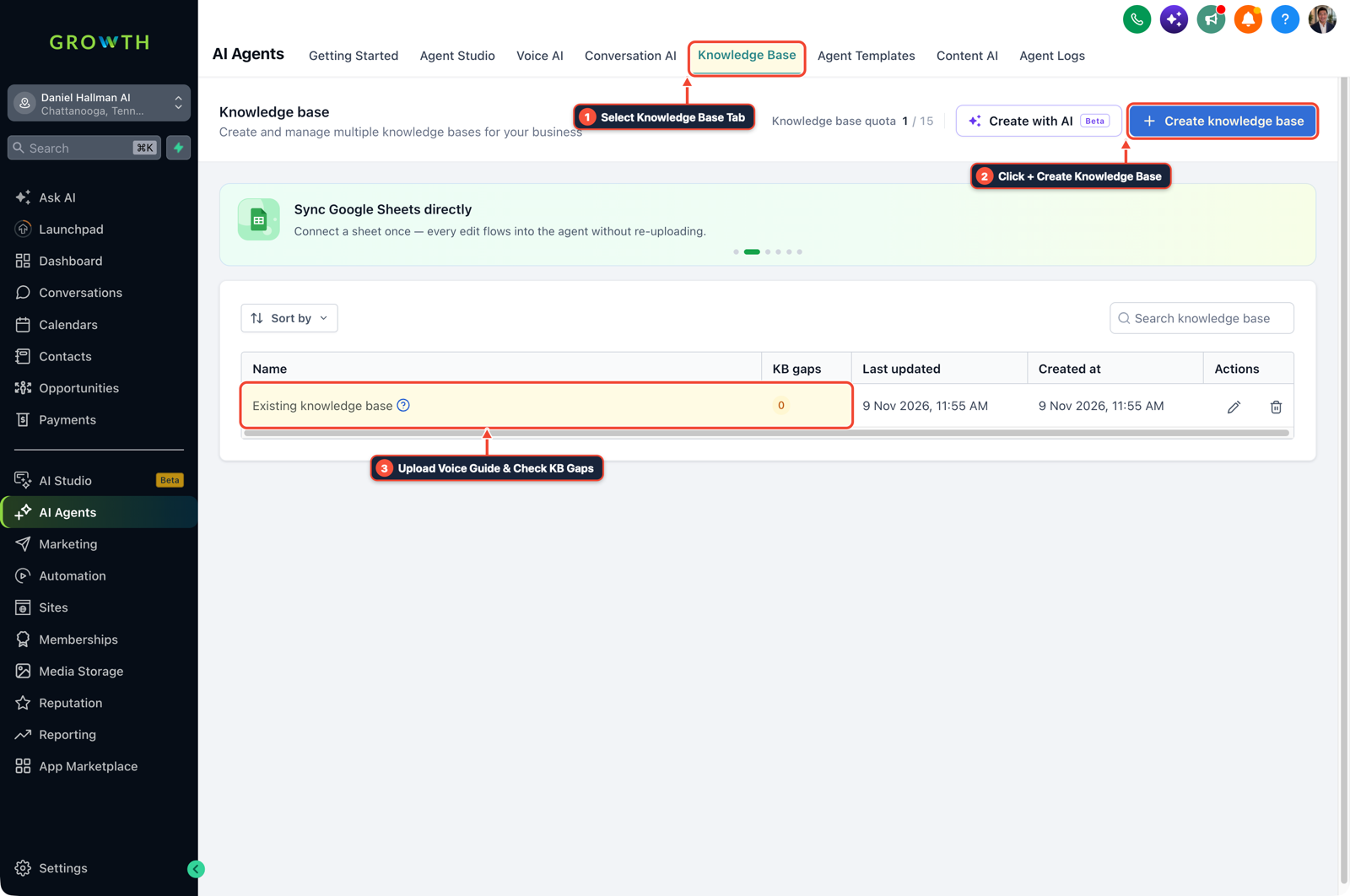
1Select Knowledge Base Tab 2Click + Create Knowledge Base 3Review Industry FAQ & Check KB Gaps -
STEP 2In AI Agents > Voice AI, configure your receptionist agent (or map your external Vapi post-call JSON webhook) to capture
caller_name,service_needed, andcall_summarydirectly onto the GoHighLevel contact record.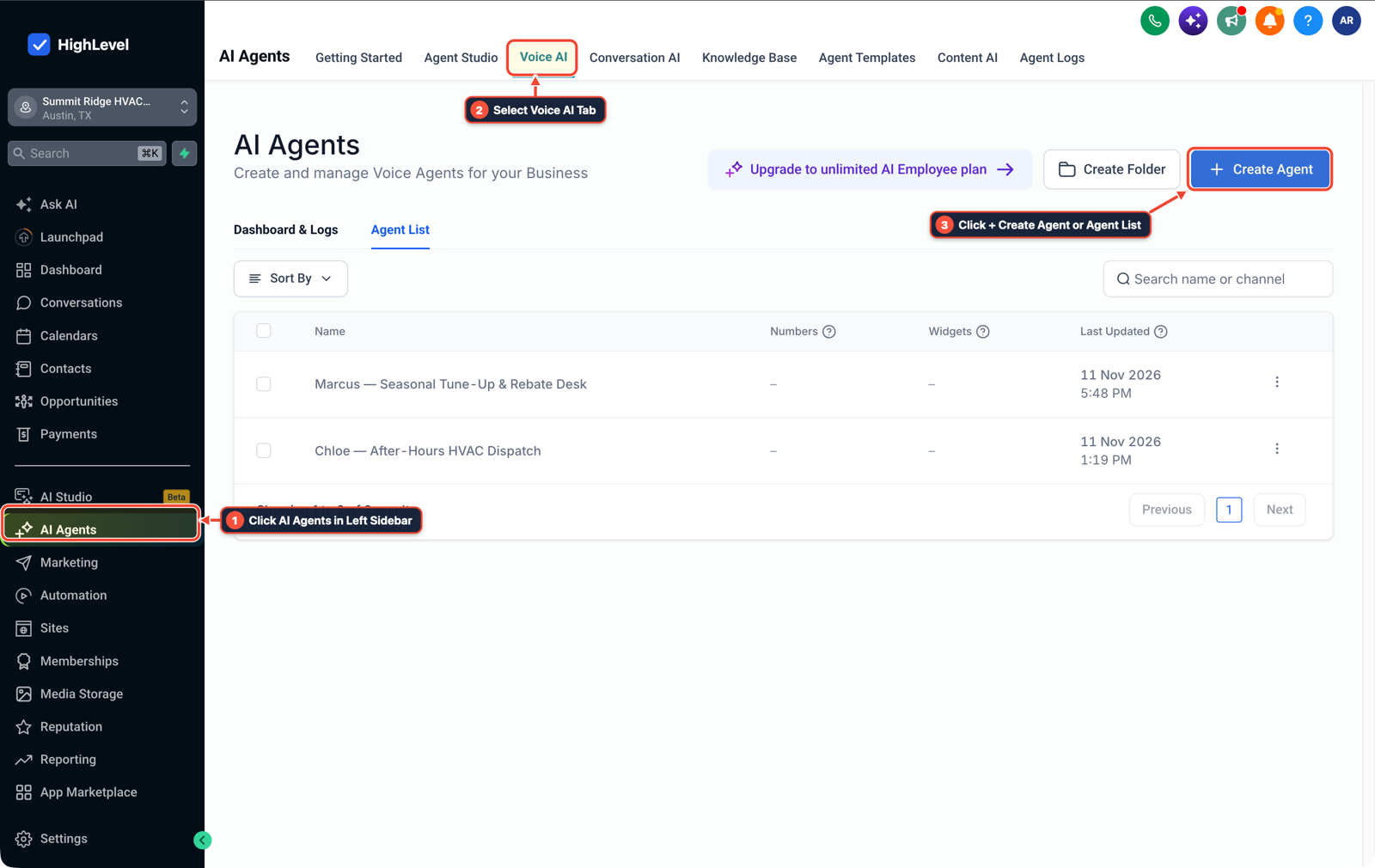
1Click AI Agents in Left Sidebar 2Select Voice AI Tab 3Click + Create Agent or Agent List -
STEP 3In Automation > Workflow Builder, trigger on Call Status or Customer Booked Appointment to send an instant SMS confirmation to the caller and push the call recording and summary to the business owner's mobile app.

1Add If/Else Condition & Tag Guard 2Chain Priority & Wait Steps 3Switch to Settings or Execution Logs
MODE: AGENT PROMPT
PASTE INTO CLAUDE CODE, CURSOR, CHATGPT, OR GOHIGHLEVEL ASK AI
AGENT PROMPT
Set up a production Voice AI receptionist and post-call workflow in sub-account <YOUR_LOCATION_ID>:
1. In AI Agents > Knowledge Base, create a 20-FAQ trade knowledge base covering hours, service ZIP codes, dispatch fees, and emergency human transfer triggers.
2. In AI Agents > Voice AI, attach the knowledge base, set call timeout to 15 seconds, and map captured caller fields onto contact custom fields.
3. In Automation > Workflow Builder, send an immediate SMS booking confirmation to the caller and notify the owner with the call summary and recording link.
GHL-TOOLS MCP SERVER & CLI (DANIELHALLMAN.COM/MCP)
BUILDER + SUB-ACCOUNT TOOLS
# Audit phone numbers, custom fields, and Voice AI workflows in the sub-account
ghl-agency phone-wallet-audit --context <YOUR_CONTEXT> --location <YOUR_LOCATION_ID>
ghl-crm workflows list --context <YOUR_CONTEXT> --location <YOUR_LOCATION_ID>
Official GHL MCP vs. ghl-tools: HighLevel’s official hosted MCP (services.leadconnectorhq.com/mcp) covers public v2 CRM records (contacts, opportunities, appointments, conversations). ghl-tools MCP complements it with workflow graph inspection & recipes, funnel/form builders, DNS/BIMI checks, and ghl-crm doctor audits.
Cause
- New builders often overcomplicate their stack by chaining an external voice platform, an n8n server, a coding CLI like Claude Code, and a Google Sheet just to log a phone call and send a confirmation email.
- Using a coding agent in the live post-call path adds latency and breaks when a session expires, and local business owners will not check a spreadsheet to see who called.
GoHighLevel Configuration
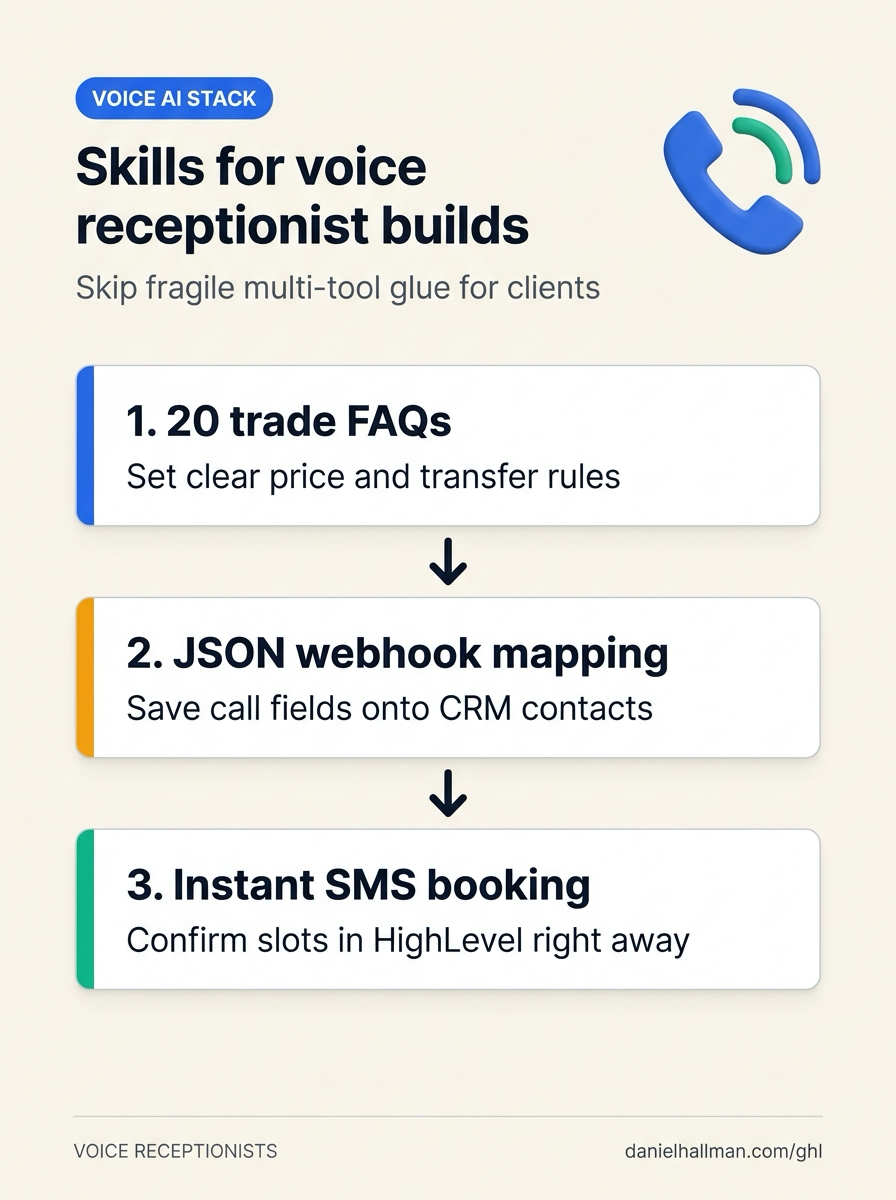
- Focus on three practical skills: writing a 20-FAQ trade Knowledge Base with clear price and transfer boundaries, mapping post-call JSON webhook fields (
caller_phone,call_summary,intent,appointment_time) onto CRM custom fields - and wiring conditional call forwarding (
*71/ 15-second rollover) with instant SMS booking confirmations in GoHighLevel.
GoHighLevel Menu Paths
| Step | Menu Path in GHL | Action |
|---|---|---|
| Step 1 | AI Agents > Knowledge Base | Create a focused 20-question trade FAQ (Service Area ZIPs, Dispatch Fee, Emergency Rules) and define hard transfer rules so the voice agent never guesses custom pricing. |
| Step 2 | AI Agents > Voice AI | Configure your receptionist agent (or map your external Vapi post-call JSON webhook) to capture caller_name, service_needed, and call_summary directly onto the GoHighLevel contact record. |
| Step 3 | Automation > Workflow Builder | Trigger on Call Status or Customer Booked Appointment to send an instant SMS confirmation to the caller and push the call recording and summary to the business owner's mobile app. |
DEFAULT SETUP VS. AUTOMATED WORKFLOW
Operational Comparison
After-Hours & Missed Call Capture
Qualified Jobs Booked 24/7
Related Questions
- How Do You Get AI Receptionist Clients With GoHighLevel Voice AI Instead of Building From Scratch?
- Are White-Label AI Receptionist Margins Actually Worth It in GoHighLevel?
- What Tools and Technical Skills Should You Learn Alongside GoHighLevel?
- How Do You Pitch AI Receptionists to Local Businesses Without Getting Rejected?
BUILD FASTER IN GOHIGHLEVEL · FREE TRIAL BONUSES + MCP SERVER
Build this directly inside your GoHighLevel sub-account
Connect Claude Code, Cursor, or OpenAI Codex to our ghl-tools MCP Server & Rust CLI to build workflows, forms, and funnels from your editor, or start your GoHighLevel plan through our partner link to unlock $612+ in ready-to-import kits (including GHL Voice AI & 80-FAQ Receptionist Kit) and weekly live clinics.