GOHIGHLEVEL ANSWERS & PROMPTS: PLAYBOOK T78 · PIPEDRIVE TO GOHIGHLEVEL SCHEMA, CONTACT & DEAL MIGRATION
AUTHOR: DANIEL HALLMAN
KEYWORD: PIPEDRIVE MIGRATION
STEP-BY-STEP INSTRUCTIONS + ANNOTATED GHL SCREENSHOTS
Steps in GoHighLevel
-
STEP 1In Opportunities > Pipelines and Settings > Custom Fields, recreate your Pipedrive pipeline names, stage names, staff users (Settings > Users), and custom dropdown values character-for-character before touching any CSV export.
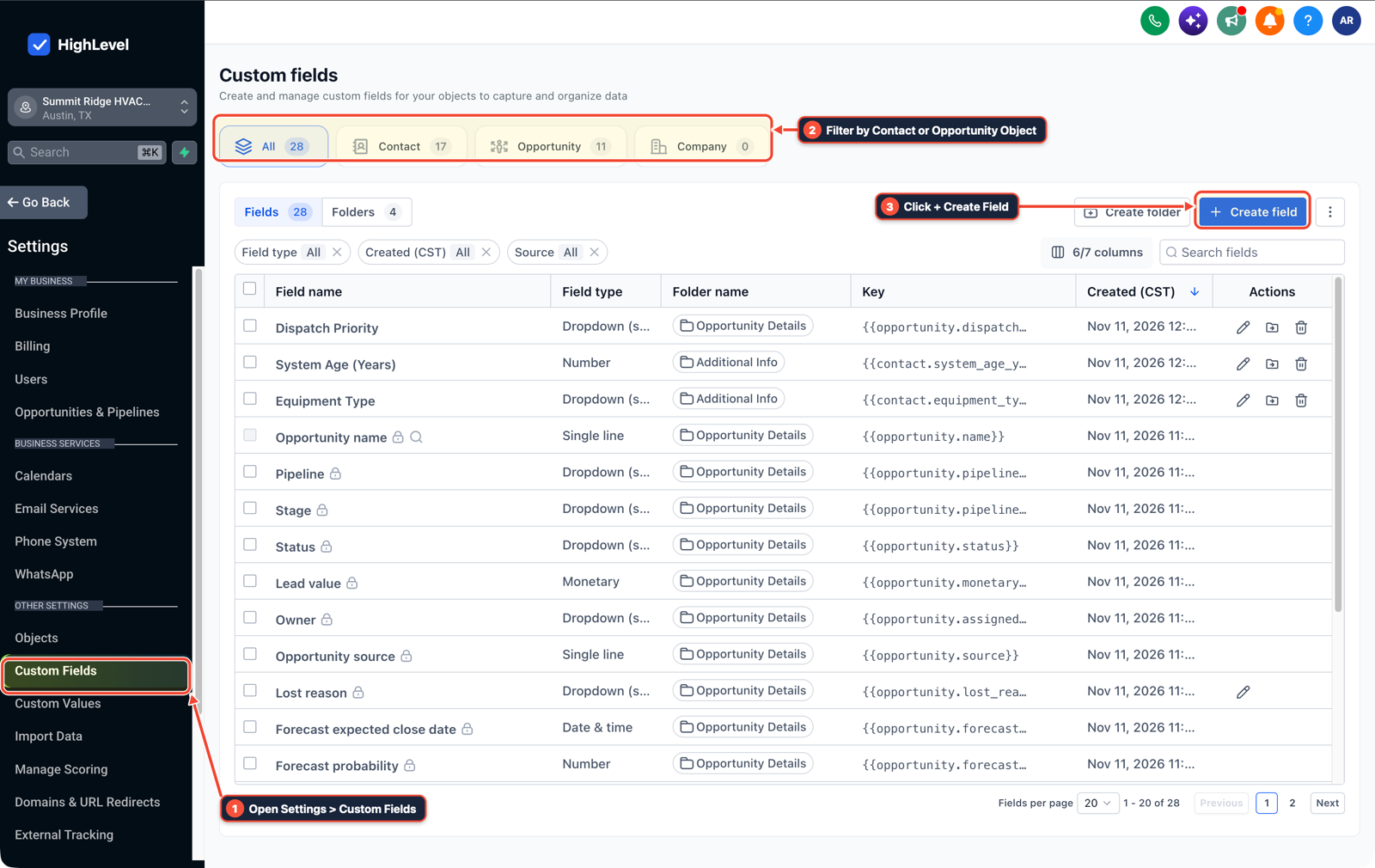
1Open Settings > Custom Fields 2Filter by Contact or Opportunity Object 3Click + Create Field -
STEP 2In Automation > Workflow Builder, switch every workflow triggered by Contact Created, Tag Added, or Pipeline Stage Changed to Draft (or add a tag exclusion guard
import-pipedrive-2026), normalize all CSV phone numbers to+1international E.164 format, and import Contacts first followed by Opportunities mapped to those contacts.
1Add If/Else Condition & Tag Guard 2Chain Priority & Wait Steps 3Switch to Settings or Execution Logs -
STEP 3In Settings > Phone System (
Trust Center) and Settings > Email Services, submit A2P 10DLC registration and connect your dedicated sending domain on day one while running Pipedrive and GoHighLevel side-by-side for 48 hours before a final delta export.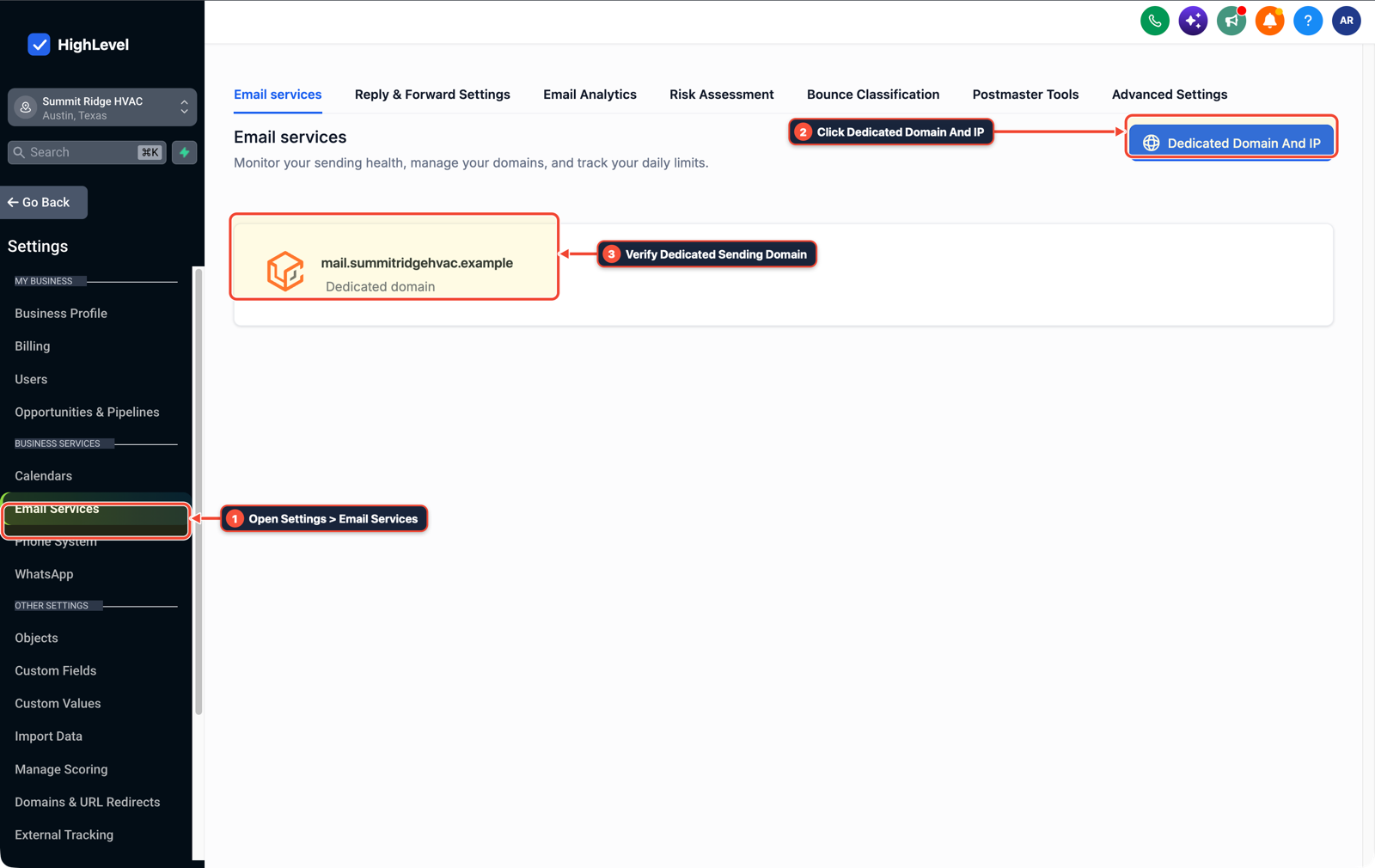
1Open Settings > Email Services 2Click Dedicated Domain And IP 3Verify Dedicated Sending Domain
MODE: AGENT PROMPT
PASTE INTO CLAUDE CODE, CURSOR, CHATGPT, OR GOHIGHLEVEL ASK AI
AGENT PROMPT
Prepare and verify a Pipedrive to GoHighLevel CRM migration in sub-account <YOUR_LOCATION_ID>:
1. In Opportunities > Pipelines and Settings > Custom Fields, create matching pipeline stages, staff users, and custom dropdown options matching the Pipedrive export schema.
2. In Automation > Workflow Builder, confirm all Contact Created, Tag Added, and Pipeline Stage Changed workflows are paused or exclude tag import-pipedrive-2026 before importing Contacts first and Opportunities second.
3. In Settings > Phone System and Settings > Email Services, verify A2P 10DLC status and dedicated email domain DNS before re-enabling live workflows.
GHL-TOOLS MCP SERVER & CLI (DANIELHALLMAN.COM/MCP)
BUILDER + SUB-ACCOUNT TOOLS
# Audit custom fields, pipelines, and active workflows before running a CRM import
ghl-crm custom-fields list --context <YOUR_CONTEXT> --location <YOUR_LOCATION_ID>
ghl-crm workflows list --context <YOUR_CONTEXT> --location <YOUR_LOCATION_ID>
Official GHL MCP vs. ghl-tools: HighLevel’s official hosted MCP (services.leadconnectorhq.com/mcp) covers public v2 CRM records (contacts, opportunities, appointments, conversations). ghl-tools MCP complements it with workflow graph inspection & recipes, funnel/form builders, DNS/BIMI checks, and ghl-crm doctor audits.
Cause
- Pipedrive exports people, organizations, deals, and notes as separate CSV files.
- If you upload the deals CSV before contacts exist, or if a single dropdown option in Pipedrive does not match your GoHighLevel custom field spelling character-for-character, the opportunity import drops those rows.
- Worse, leaving an active welcome workflow turned on during import can fire thousands of unintended texts or emails to three-year-old leads.
GoHighLevel Configuration
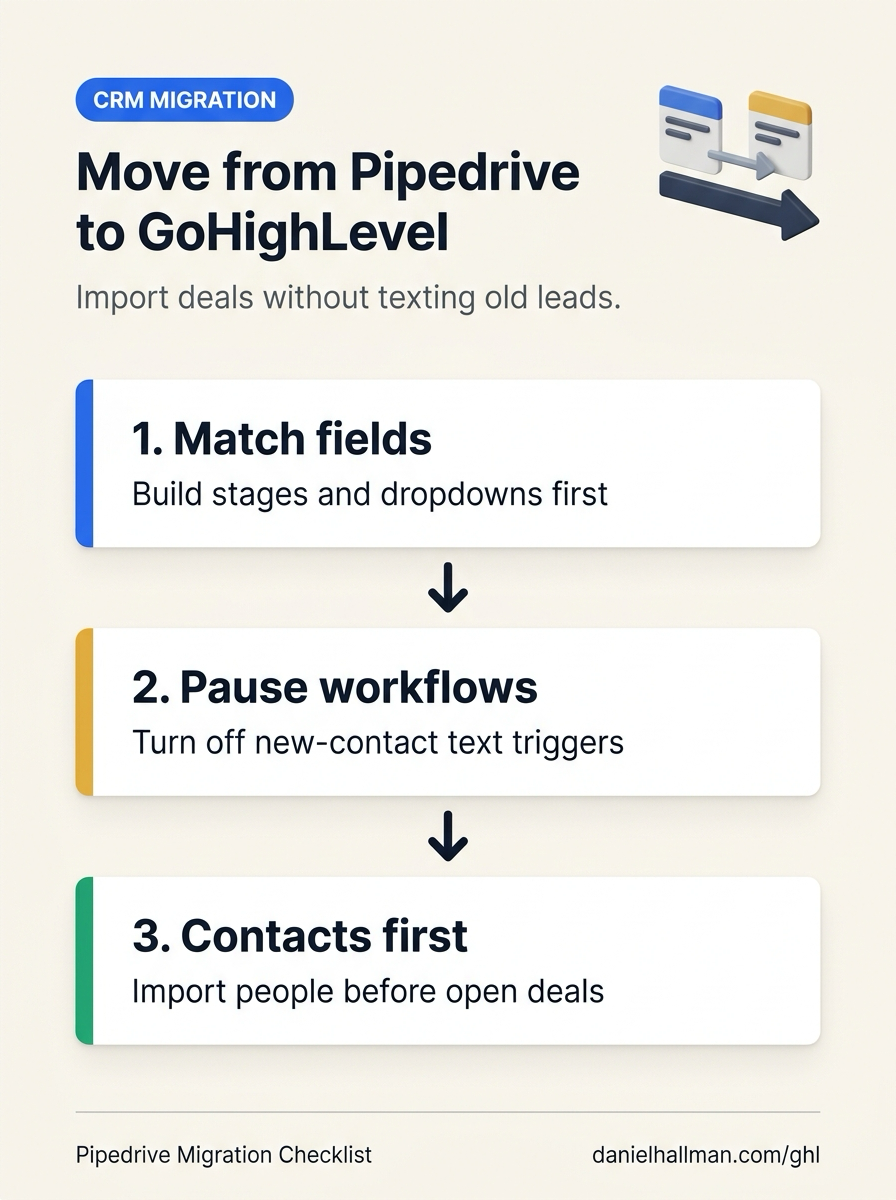
- Build the exact stage and field skeleton first in Opportunities > Pipelines and Settings > Custom Fields, pause trigger workflows in Automation > Workflow Builder while importing Contacts first and Opportunities second (with phone numbers normalized to
+1E.164 format) - and start carrier and domain verification in Settings > Phone System on day one.
GoHighLevel Menu Paths
| Step | Menu Path in GHL | Action |
|---|---|---|
| Step 1 | Opportunities > Pipelines | Recreate your Pipedrive pipeline names, stage names, staff users (Settings > Users), and custom dropdown values character-for-character before touching any CSV export. |
| Step 2 | Automation > Workflow Builder | Switch every workflow triggered by Contact Created, Tag Added, or Pipeline Stage Changed to Draft (or add a tag exclusion guard import-pipedrive-2026), normalize all CSV phone numbers to +1 international E.164 format, and import Contacts first followed by Opportunities mapped to those contacts. |
| Step 3 | Settings > Phone System | In Settings > Phone System (Trust Center) and Settings > Email Services, submit A2P 10DLC registration and connect your dedicated sending domain on day one while running Pipedrive and GoHighLevel side-by-side for 48 hours before a final delta export. |
DEFAULT SETUP VS. AUTOMATED WORKFLOW
Operational Comparison
Speed to Lead & Callback Safety
Caller Reply & Booking Rate
Related Questions
- How Long Does a New GoHighLevel Account Take to Build With Automations?
- How Do You Structure a Real Estate Wholesale Acquisitions Pipeline and Stage Follow-Ups in GoHighLevel?
- How do you get GoHighLevel A2P 10DLC campaign registration approved on the first try?
- Is GoHighLevel a Good Fit for an In-House Service Business (With WhatsApp, QuickBooks, and 3/6/12-Month Maintenance Reminders)?
BUILD FASTER IN GOHIGHLEVEL · FREE TRIAL BONUSES + MCP SERVER
Build this directly inside your GoHighLevel sub-account
Connect Claude Code, Cursor, or OpenAI Codex to our ghl-tools MCP Server & Rust CLI to build workflows, forms, and funnels from your editor, or start your GoHighLevel plan through our partner link to unlock $612+ in ready-to-import kits (including GHL CRM Migration & Import Guard Checklist) and weekly live clinics.