GOHIGHLEVEL ANSWERS & PROMPTS: PLAYBOOK T83 · CUSTOM PAYMENT PROVIDER IFRAME HANDSHAKE & ONE-CLICK FUNNEL CARD SETUP
AUTHOR: DANIEL HALLMAN
KEYWORD: CUSTOM PAYMENTS
STEP-BY-STEP INSTRUCTIONS + ANNOTATED GHL SCREENSHOTS
Steps in GoHighLevel
-
STEP 1In Settings > Private Integrations (and your Marketplace Custom Payment Provider
paymentsUrlintegration), post{ type: "custom_element_ready_for_payment" }towindow.parentonDOMContentLoadedbefore loading heavy UI scripts, and render the card input fields the momentsetup_initiate_propsarrives.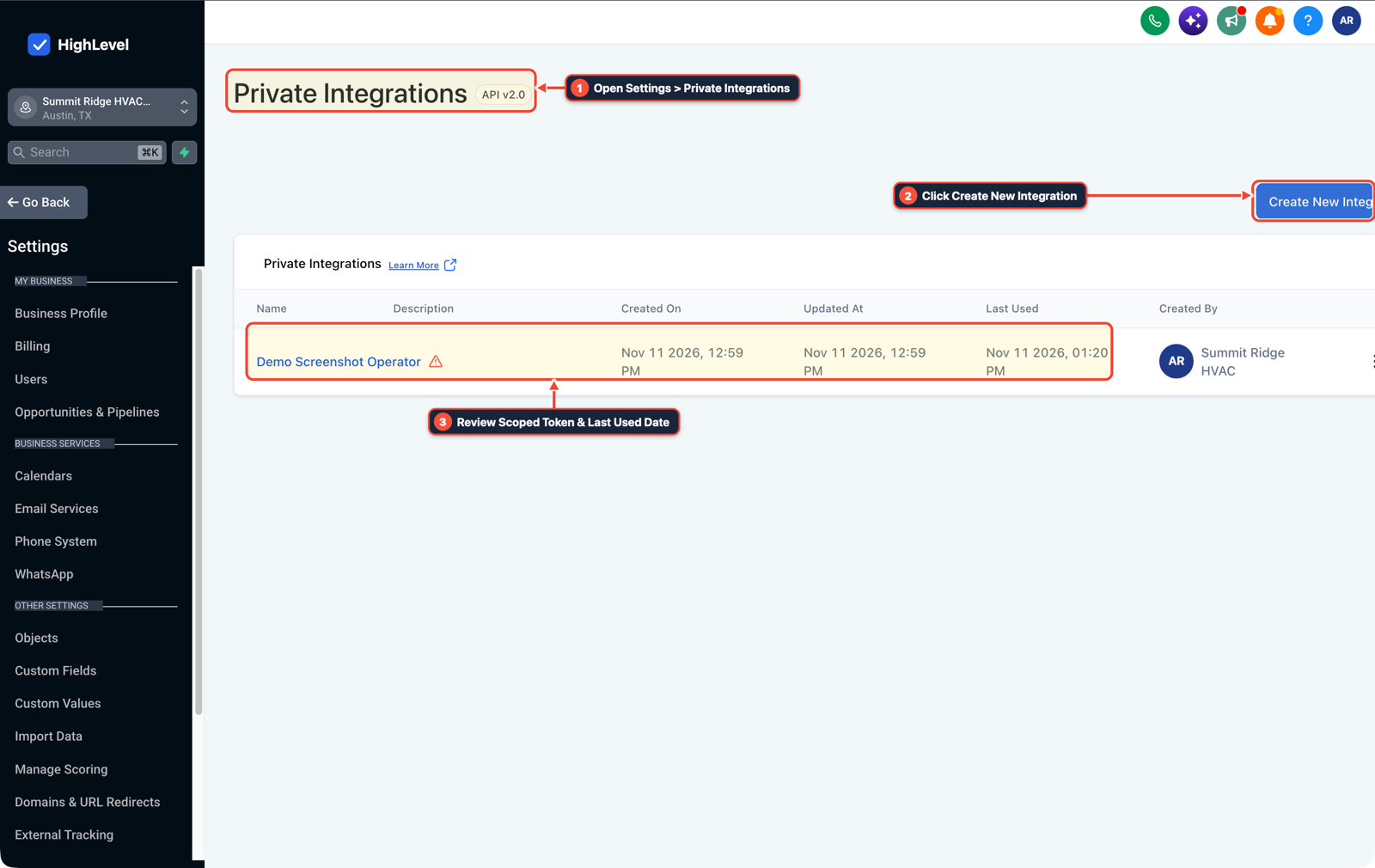
1Open Settings > Private Integrations 2Click Create New Integration 3Review Scoped Token & Last Used Date -
STEP 2In Sites > Funnels (Order Forms), collect the client's SaaS card on file during onboarding using a 1-step order form or Payments > Invoices (
Text2Pay) link where your Custom Payment Provider iframe mounts directly on the checkout page instead of routing new clients throughBilling Dashboard>Payments.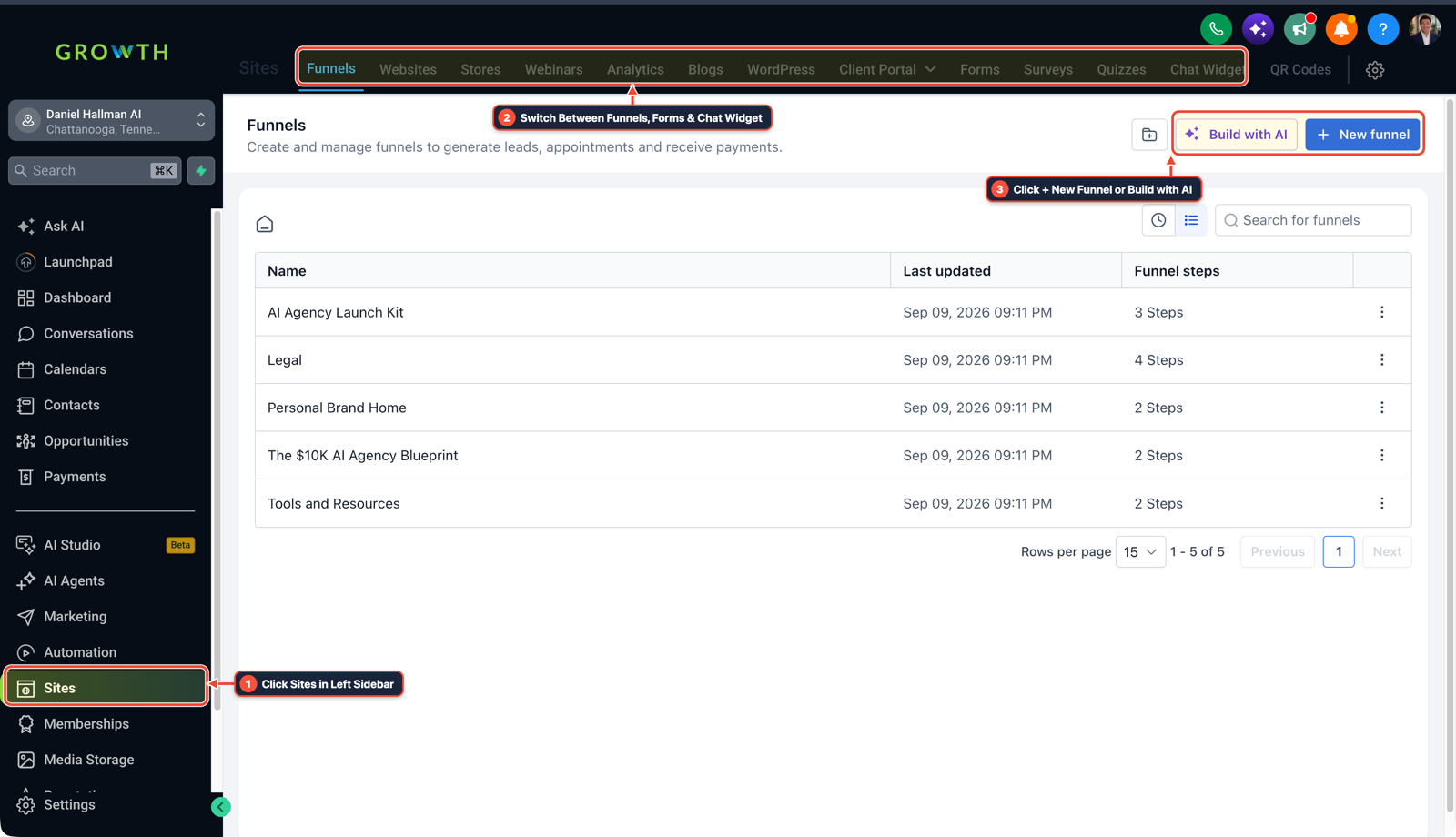
1Click Sites in Left Sidebar 2Switch Between Funnels, Forms & Chat Widget 3Click + New Funnel or Build with AI -
STEP 3In Automation > Workflow Builder, trigger a workflow on Subscription or Invoice (
Payment Failed) that texts or emails the client a direct card-update checkout link so they can replace an expired card on one screen.
1Add If/Else Condition & Tag Guard 2Chain Priority & Wait Steps 3Switch to Settings or Execution Logs
MODE: AGENT PROMPT
PASTE INTO CLAUDE CODE, CURSOR, CHATGPT, OR GOHIGHLEVEL ASK AI
AGENT PROMPT
Configure a one-screen card-on-file onboarding and recovery flow for a Custom Payment Provider in sub-account <YOUR_LOCATION_ID>:
1. In Settings > Private Integrations and your paymentsUrl iframe handler, emit custom_element_ready_for_payment on DOMContentLoaded and mount card inputs immediately upon receiving setup_initiate_props.
2. In Sites > Funnels, route SaaS card-on-file onboarding through a hosted order form where the payment iframe loads directly on the page.
3. In Automation > Workflow Builder, send a direct card-update checkout link whenever an invoice or subscription payment fails.
GHL-TOOLS MCP SERVER & CLI (DANIELHALLMAN.COM/MCP)
BUILDER + SUB-ACCOUNT TOOLS
# Audit funnel order forms and payment failure workflows in the sub-account
ghl-crm workflows list --context <YOUR_CONTEXT> --location <YOUR_LOCATION_ID>
ghl-crm custom-fields list --context <YOUR_CONTEXT> --location <YOUR_LOCATION_ID>
Official GHL MCP vs. ghl-tools: HighLevel’s official hosted MCP (services.leadconnectorhq.com/mcp) covers public v2 CRM records (contacts, opportunities, appointments, conversations). ghl-tools MCP complements it with workflow graph inspection & recipes, funnel/form builders, DNS/BIMI checks, and ghl-crm doctor audits.
Cause
- Teams building a Custom Payment Provider in card-on-file setup mode often see no server request to their paymentsUrl when a sub-account user first clicks the pencil icon and Add New Card under Billing Dashboard > Payments.
- HighLevel's outer billing shell renders an intermediate drawer with its own Add Card button and only mounts the provider iframe and posts setup_initiate_props after that second click.
GoHighLevel Configuration
- Emit
custom_element_ready_for_paymentonDOMContentLoadedin your Settings > Private Integrations custom payment iframe sosetup_initiate_propsarrives immediately when the frame mounts, collect initial SaaS cards on a Sites > Funnels order form where the iframe mounts on page load - and trigger failed-payment card update links from Automation > Workflow Builder.
GoHighLevel Menu Paths
| Step | Menu Path in GHL | Action |
|---|---|---|
| Step 1 | Settings > Private Integrations | In Settings > Private Integrations (and your Marketplace Custom Payment Provider paymentsUrl integration), post { type: "custom_element_ready_for_payment" } to window.parent on DOMContentLoaded before loading heavy UI scripts, and render the card input fields the moment setup_initiate_props arrives. |
| Step 2 | Sites > Funnels | Collect the client's SaaS card on file during onboarding using a 1-step order form or Payments > Invoices (Text2Pay) link where your Custom Payment Provider iframe mounts directly on the checkout page instead of routing new clients through Billing Dashboard > Payments. |
| Step 3 | Automation > Workflow Builder | Trigger a workflow on Subscription or Invoice (Payment Failed) that texts or emails the client a direct card-update checkout link so they can replace an expired card on one screen. |
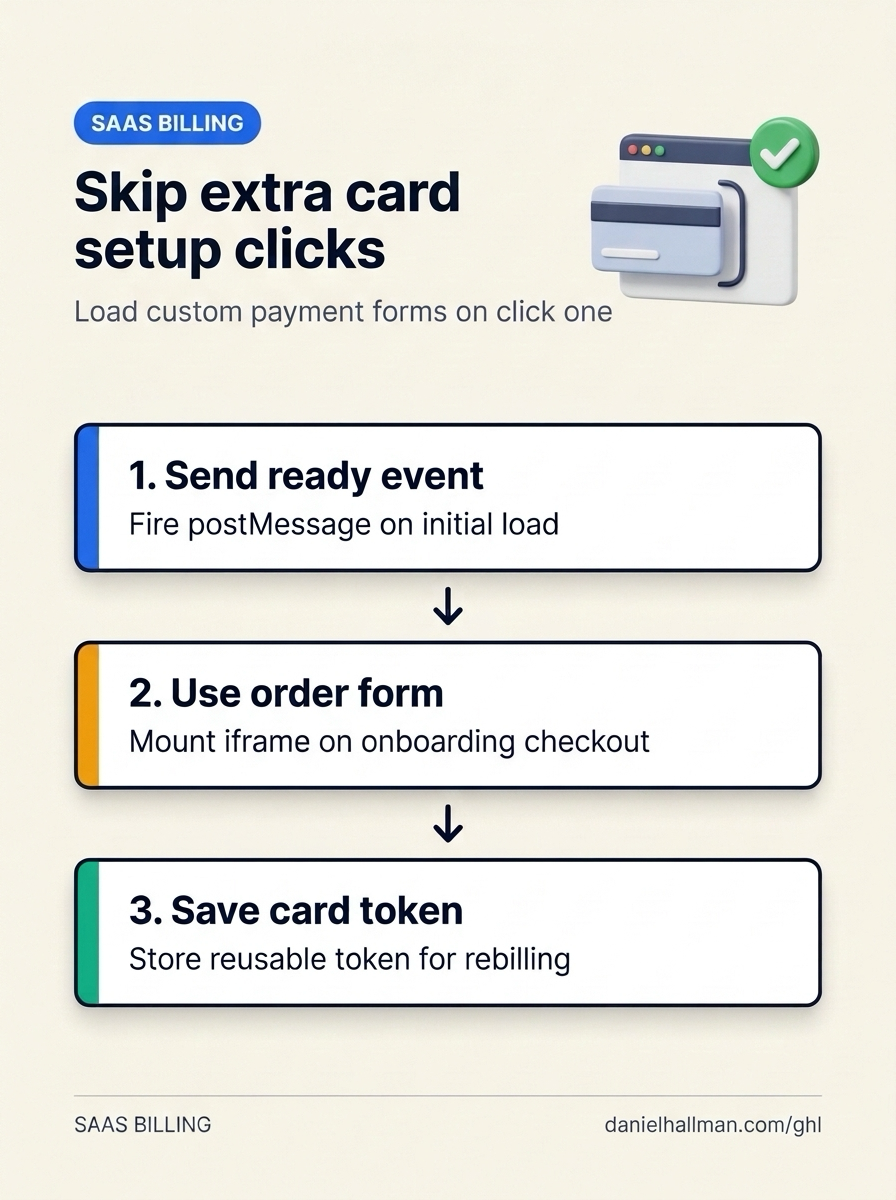
DEFAULT SETUP VS. AUTOMATED WORKFLOW
Operational Comparison
Manual Admin Work Per Client
Lead-to-Booked-Job Conversion
Related Questions
- How Do You Connect an External Webflow Cart to a GoHighLevel Checkout Without Making Customers Re-Select Items?
- Why Is GoHighLevel Charging $10 Every Few Hours and How Do You Stop It?
- How Do You Structure a $97/Month GoHighLevel DIY SaaS Offer That Local Businesses Actually Keep?
- What Is the Best Process for Transferring a Client From an Agency Account to Their Own GoHighLevel Sub-Account?
BUILD FASTER IN GOHIGHLEVEL · FREE TRIAL BONUSES + MCP SERVER
Build this directly inside your GoHighLevel sub-account
Connect Claude Code, Cursor, or OpenAI Codex to our ghl-tools MCP Server & Rust CLI to build workflows, forms, and funnels from your editor, or start your GoHighLevel plan through our partner link to unlock $612+ in ready-to-import kits (including GHL Custom Payment Provider & SaaS Billing Kit) and weekly live clinics.