GOHIGHLEVEL ANSWERS & PROMPTS: PLAYBOOK T64 · FIELD YARD & INVENTORY LOOKUP AI AGENTS OVER TEAM CHAT & SMS
AUTHOR: DANIEL HALLMAN
KEYWORD: YARD AGENT
STEP-BY-STEP INSTRUCTIONS + ANNOTATED GHL SCREENSHOTS
Steps in GoHighLevel
-
STEP 1In Settings > Custom Fields (or Opportunities > Pipelines with one card per unit), create fields for
Unit Stock ID,Current Lot Spot,Previous Lot Spot,Moved By Rep, andLast Moved Timestampso every move keeps a one-step undo history instead of overwriting a single spreadsheet cell.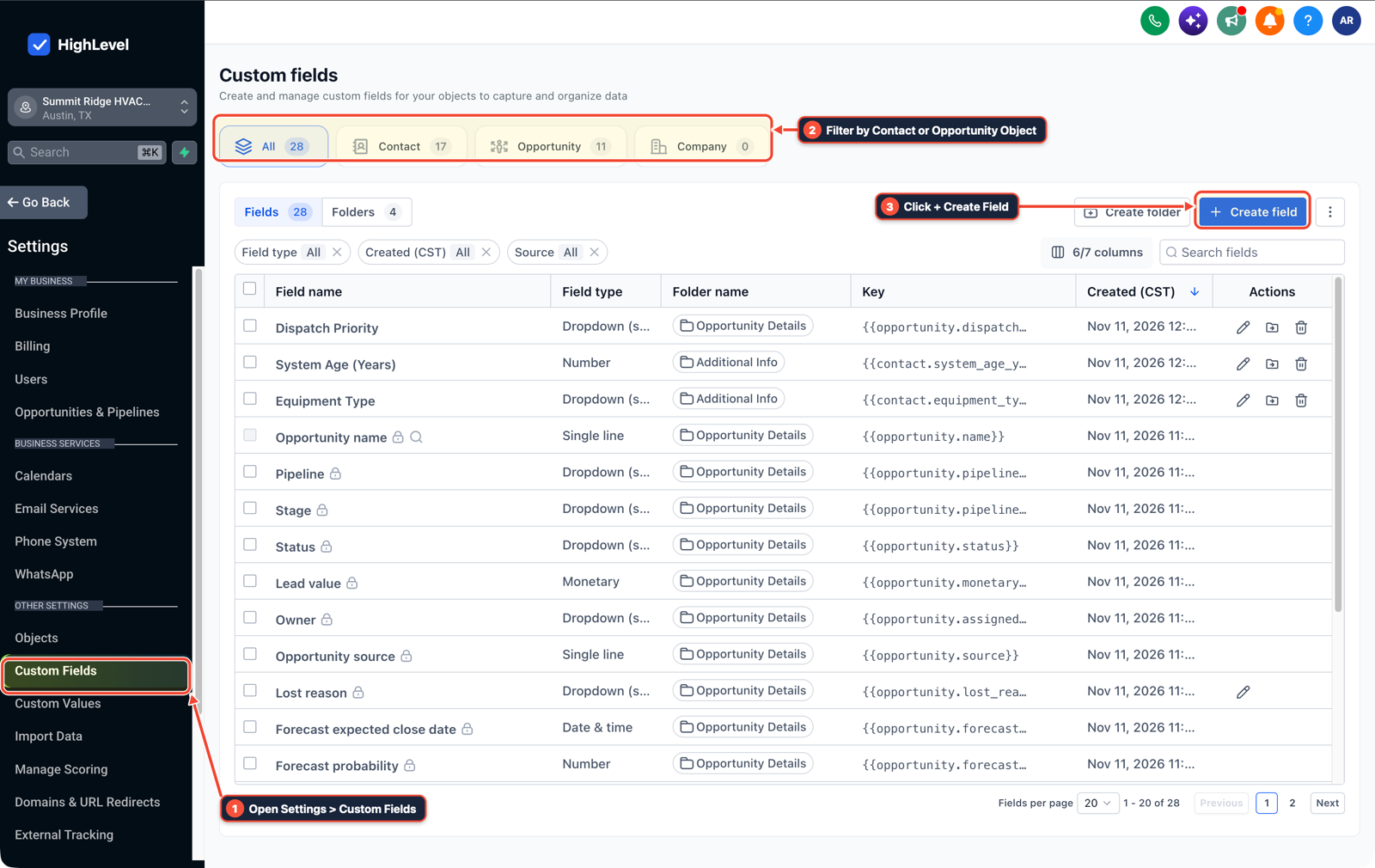
1Open Settings > Custom Fields 2Filter by Contact or Opportunity Object 3Click + Create Field -
STEP 2In Automation > Workflow Builder, check incoming team chat or SMS move updates with an If/Else step: only overwrite
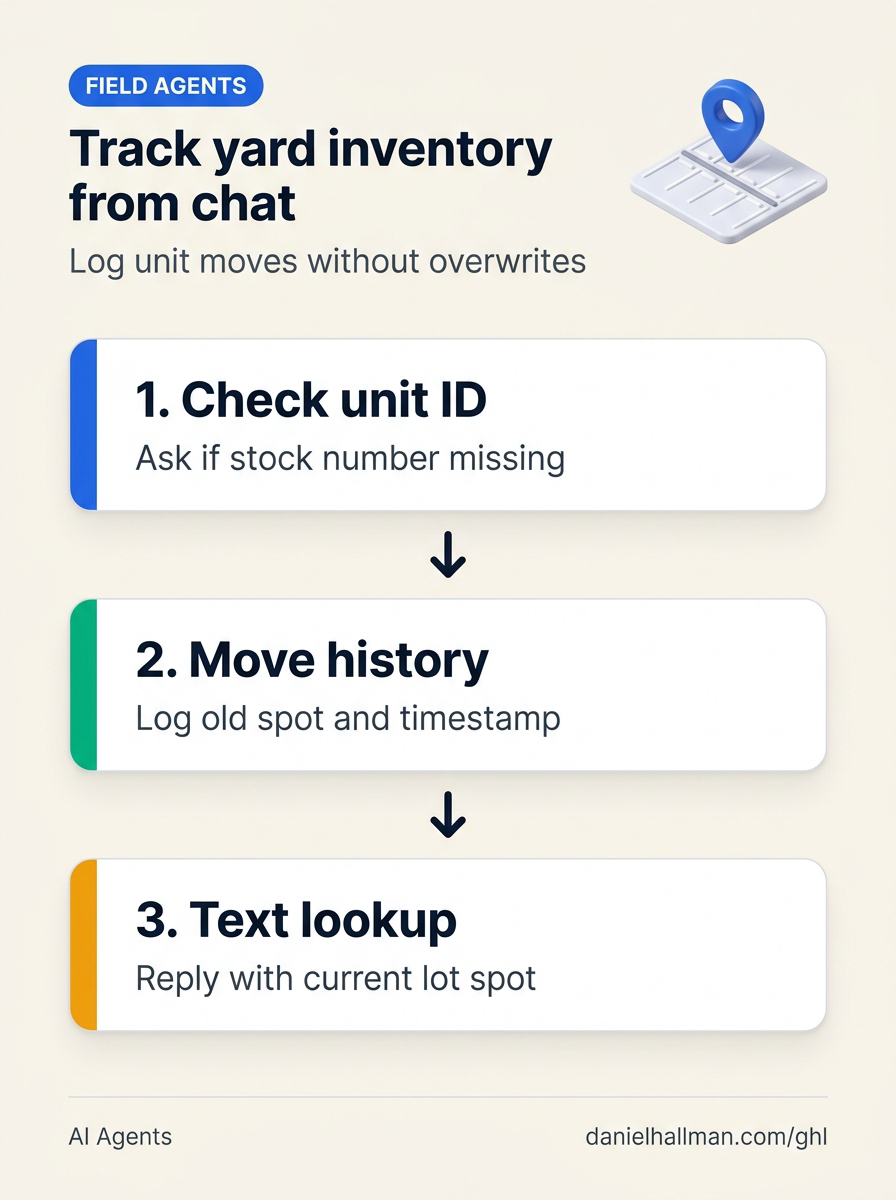
Current Lot Spot(and copy the old spot intoPrevious Lot Spot) when both an exactUnit Stock IDand a validLot Spotare extracted; if the message says 'moved the Jayco to row C' without a stock number, have the agent reply in-thread asking which unit ID they moved.
1Add If/Else Condition & Tag Guard 2Chain Priority & Wait Steps 3Switch to Settings or Execution Logs -
STEP 3In Conversations > Team Inbox, wire a lookup keyword or Conversation AI intent so any driver or office admin can text a stock number (
4812) and immediately get back the current spot, previous spot, and who parked it.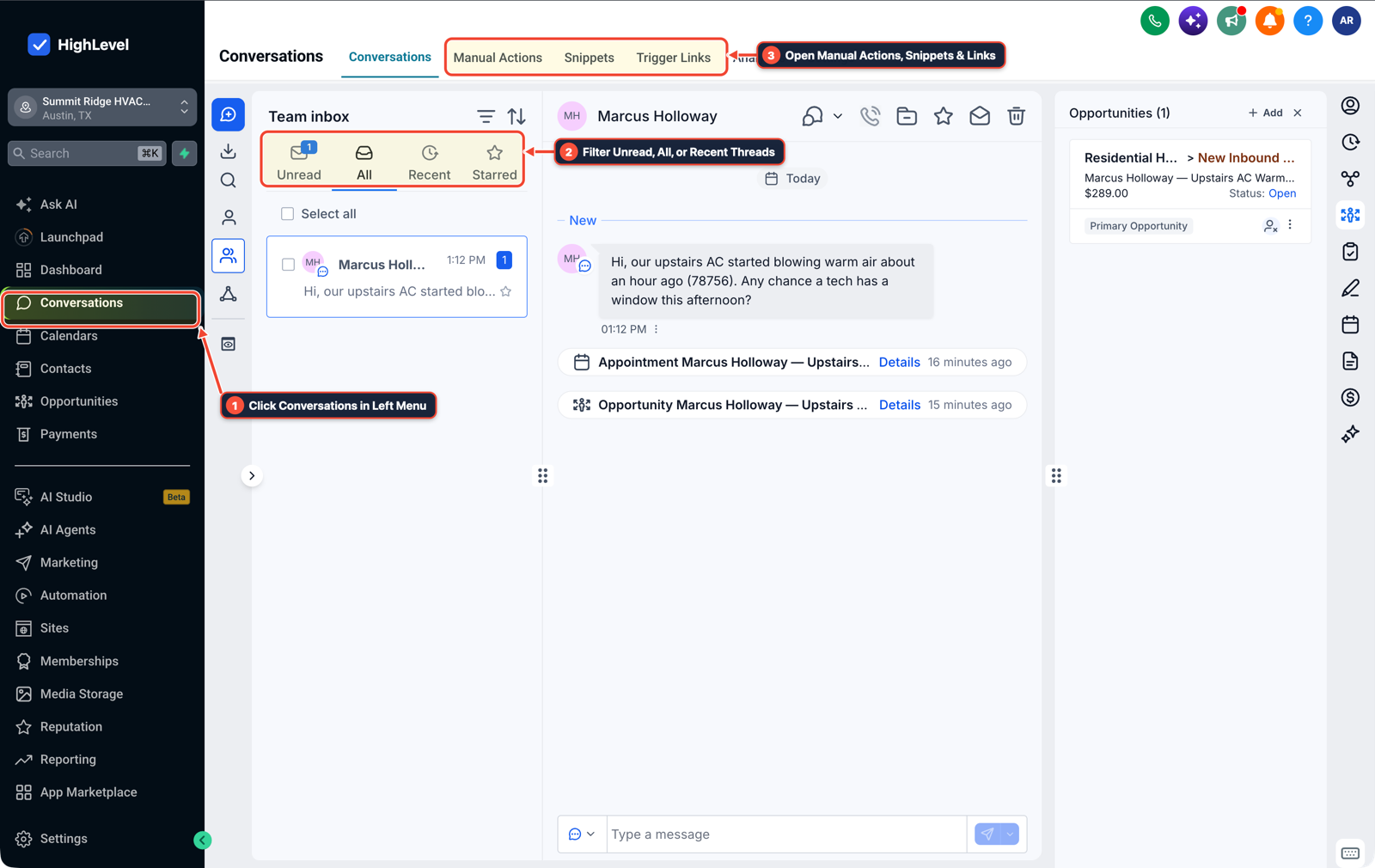
1Click Conversations in Left Menu 2Filter Unread, All, or Recent Threads 3Open Manual Actions, Snippets & Links
MODE: AGENT PROMPT
PASTE INTO CLAUDE CODE, CURSOR, CHATGPT, OR GOHIGHLEVEL ASK AI
AGENT PROMPT
Configure a field yard and equipment location tracking workflow in sub-account <YOUR_LOCATION_ID>:
1. In Settings > Custom Fields, create Opportunity fields for Unit Stock ID, Current Lot Spot, Previous Lot Spot, Moved By Rep, and Last Moved Timestamp.
2. In Automation > Workflow Builder, validate that inbound SMS or chat move reports contain an exact Unit Stock ID and Lot Spot before shifting Current Lot Spot into Previous Lot Spot; reply asking for the stock number when ambiguous.
3. In Conversations > Team Inbox, configure an instant SMS lookup reply returning Current Lot Spot, Previous Lot Spot, and Last Moved Timestamp when a team member texts a Unit Stock ID.
GHL-TOOLS MCP SERVER & CLI (DANIELHALLMAN.COM/MCP)
BUILDER + SUB-ACCOUNT TOOLS
# Inspect unit tracking custom fields and inventory lookup workflows
ghl-crm custom-fields list --context <YOUR_CONTEXT> --location <YOUR_LOCATION_ID>
ghl-crm workflows list --context <YOUR_CONTEXT> --location <YOUR_LOCATION_ID>
Official GHL MCP vs. ghl-tools: HighLevel’s official hosted MCP (services.leadconnectorhq.com/mcp) covers public v2 CRM records (contacts, opportunities, appointments, conversations). ghl-tools MCP complements it with workflow graph inspection & recipes, funnel/form builders, DNS/BIMI checks, and ghl-crm doctor audits.
Cause
- When a yard or warehouse agent watches a live team group chat, workers naturally type shorthand like 'moved the white 30-footer to B-14' without a unit or stock number.
- If the agent guesses which unit moved or overwrites the current slot cell in a spreadsheet without recording the previous spot, one wrong match corrupts the yard map.
GoHighLevel Configuration
- Keep a rollback trail (
Current Lot Spot,Previous Lot Spot,Last Moved Timestamp,Moved By) in Settings > Custom Fields, validate that every chat update includes an exactUnit IDin Automation > Workflow Builder - and answer instant SMS or chat spot lookups in Conversations > Team Inbox.
GoHighLevel Menu Paths
| Step | Menu Path in GHL | Action |
|---|---|---|
| Step 1 | Settings > Custom Fields | In Settings > Custom Fields (or Opportunities > Pipelines with one card per unit), create fields for Unit Stock ID, Current Lot Spot, Previous Lot Spot, Moved By Rep, and Last Moved Timestamp so every move keeps a one-step undo history instead of overwriting a single spreadsheet cell. |
| Step 2 | Automation > Workflow Builder | Check incoming team chat or SMS move updates with an If/Else step: only overwrite Current Lot Spot (and copy the old spot into Previous Lot Spot) when both an exact Unit Stock ID and a valid Lot Spot are extracted; if the message says 'moved the Jayco to row C' without a stock number, have the agent reply in-thread asking which unit ID they moved. |
| Step 3 | Conversations > Team Inbox | Wire a lookup keyword or Conversation AI intent so any driver or office admin can text a stock number (4812) and immediately get back the current spot, previous spot, and who parked it. |
DEFAULT SETUP VS. AUTOMATED WORKFLOW
Operational Comparison
Speed to Lead & Callback Safety
Caller Reply & Booking Rate
Related Questions
- How Do You Manage GoHighLevel Rental Calendars and Bookings on Mobile With Two-Way Google Calendar Sync?
- How Do You Prevent Prompt Injection and Free-Text Memory Bugs in GoHighLevel AI Agents?
- How Do You Catch Wrong or Outdated AI Agent Answers Before They Reach Customers in GoHighLevel?
- How Do You Stop Concurrent n8n Lead Webhooks From Overwriting Google Sheets Rows?
BUILD FASTER IN GOHIGHLEVEL · FREE TRIAL BONUSES + MCP SERVER
Build this directly inside your GoHighLevel sub-account
Connect Claude Code, Cursor, or OpenAI Codex to our ghl-tools MCP Server & Rust CLI to build workflows, forms, and funnels from your editor, or start your GoHighLevel plan through our partner link to unlock $612+ in ready-to-import kits (including GHL Field Inventory & Team Chat Agent Kit) and weekly live clinics.