GOHIGHLEVEL ANSWERS & PROMPTS: PLAYBOOK T04 · WEBHOOK CONCURRENCY & LEAD CAPTURE
AUTHOR: DANIEL HALLMAN
KEYWORD: ROW OVERWRITE
STEP-BY-STEP INSTRUCTIONS + ANNOTATED GHL SCREENSHOTS
Steps in GoHighLevel
-
STEP 1In Automation > Workflows, capture the form submission and create or update the contact in GoHighLevel first (or assign
{{$execution.id}}in n8n) so every submission gets a unique ID before touching Google Sheets.
1Add If/Else Condition & Tag Guard 2Chain Priority & Wait Steps 3Switch to Settings or Execution Logs -
STEP 2In Contacts > Smart Lists (and your Google Sheets node Options > Use Append), keep rows below your sheet table completely blank so
values.appendexpands the table boundary cleanly, and match any follow-up score update on the uniquecontact_idorexecution_idcolumn rather thanTimestamp.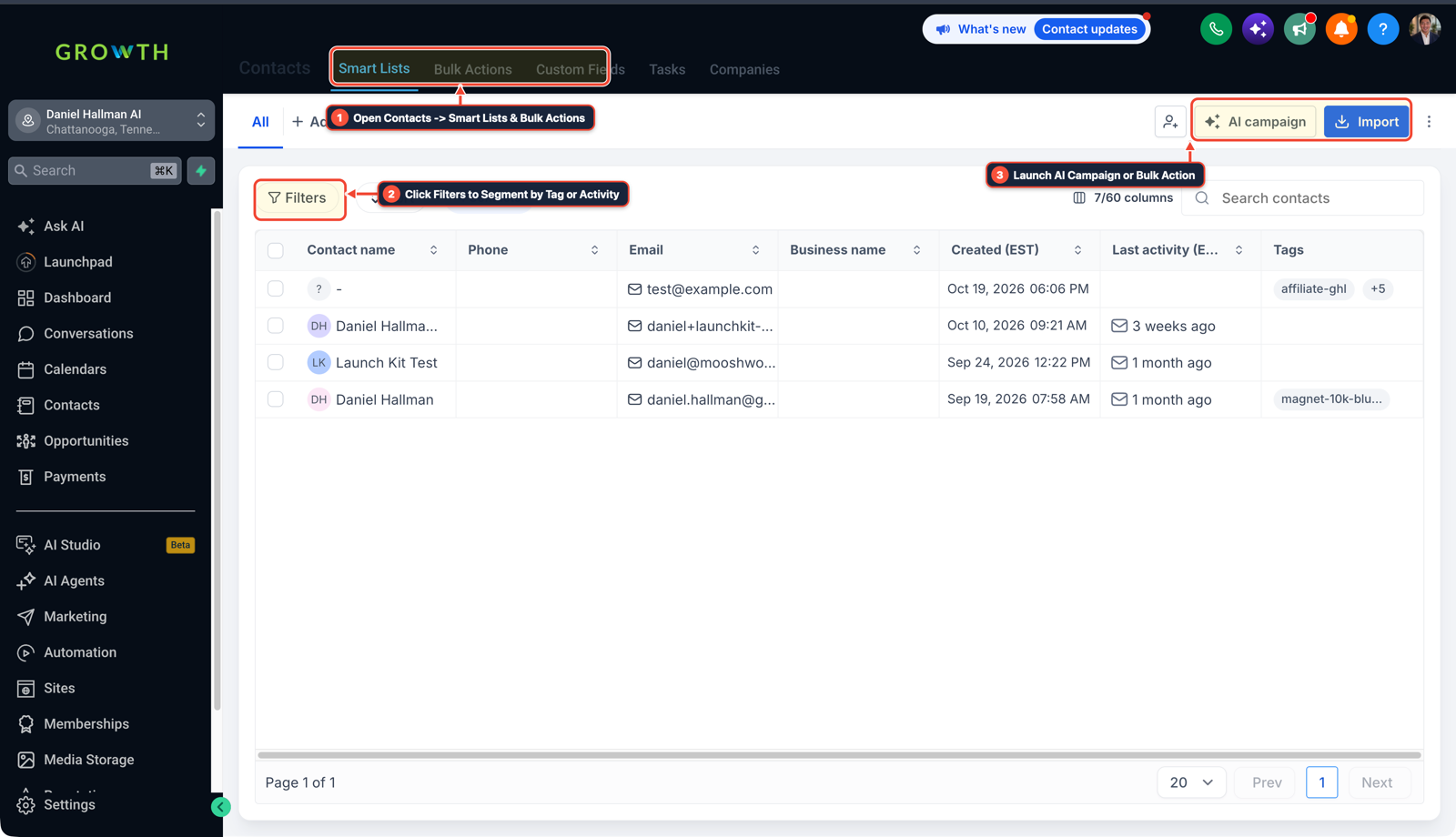
1Open Contacts > Smart Lists & Bulk Actions 2Click Filters to Segment by Tag or Activity 3Launch AI Campaign or Import List -
STEP 3In Automation > Workflows > Execution Logs, turn on Retry On Fail (
3tries with2000 mswait) on your AI scoring step so a temporary429rate limit never leaves a lead unscored.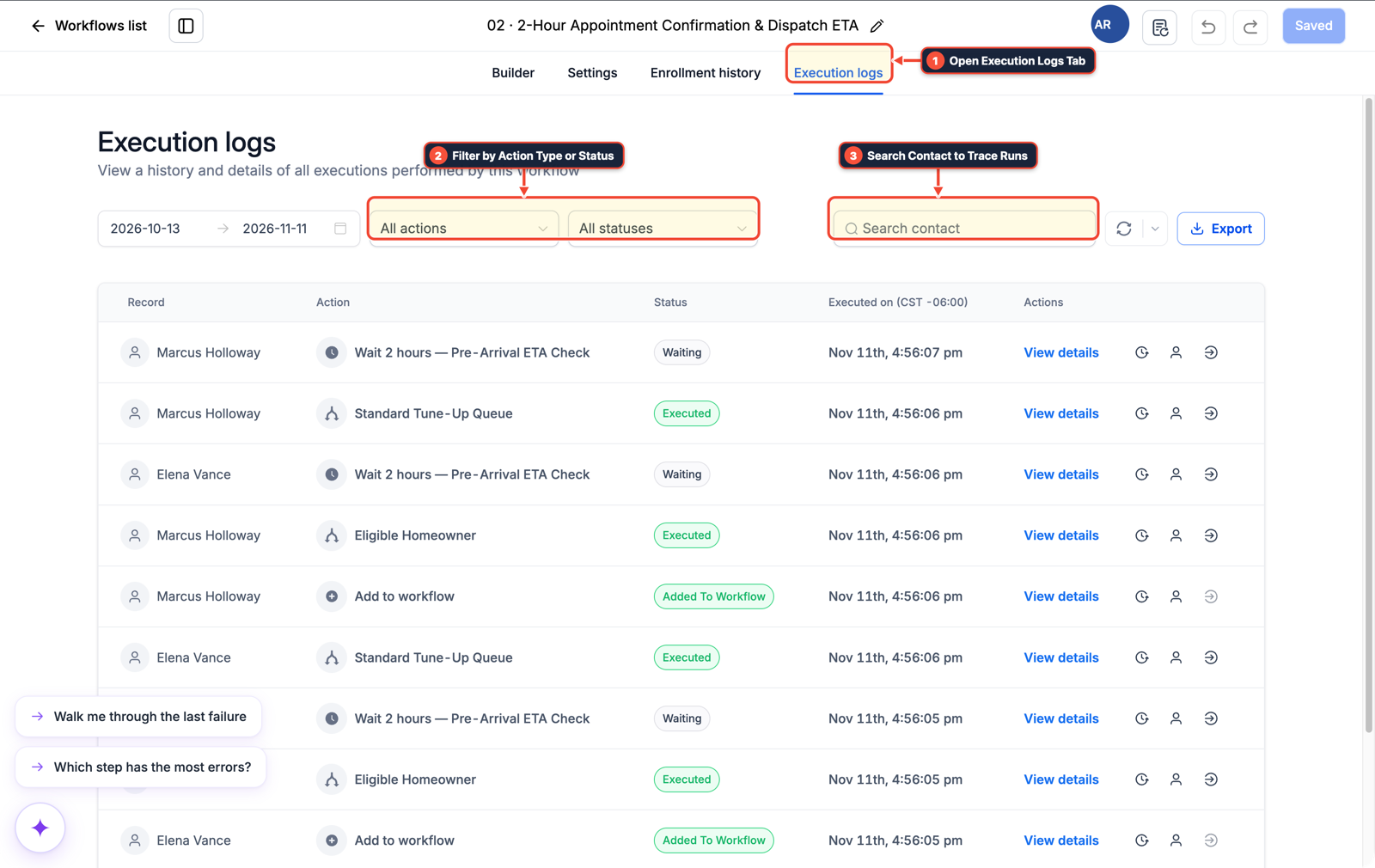
1Open Execution Logs Tab 2Filter by Action Type or Status 3Search Contact to Trace Runs
MODE: AGENT PROMPT
PASTE INTO CLAUDE CODE, CURSOR, CHATGPT, OR GOHIGHLEVEL ASK AI
AGENT PROMPT
Prevent concurrent webhook row overwrites for sub-account <YOUR_LOCATION_ID>:
1. In Automation > Workflows, capture inbound form submissions and deduplicate on email/phone to issue a unique contact.id before syncing to external sheets.
2. In the Google Sheets integration or n8n node, enable Options > Use Append, keep cells below any formatted Table empty, and key row updates on contact_id or execution_id instead of Timestamp.
3. Enable Retry On Fail (3 attempts, 2000ms interval) on downstream AI scoring steps and verify completion in Workflow Execution Logs.
GHL-TOOLS MCP SERVER & CLI (DANIELHALLMAN.COM/MCP)
BUILDER + SUB-ACCOUNT TOOLS
# Inspect inbound lead workflows in the target sub-account via ghl-crm
ghl-crm workflows list --context <YOUR_CONTEXT> --location <YOUR_LOCATION_ID>
Official GHL MCP vs. ghl-tools: HighLevel’s official hosted MCP (services.leadconnectorhq.com/mcp) covers public v2 CRM records (contacts, opportunities, appointments, conversations). ghl-tools MCP complements it with workflow graph inspection & recipes, funnel/form builders, DNS/BIMI checks, and ghl-crm doctor audits.
Cause
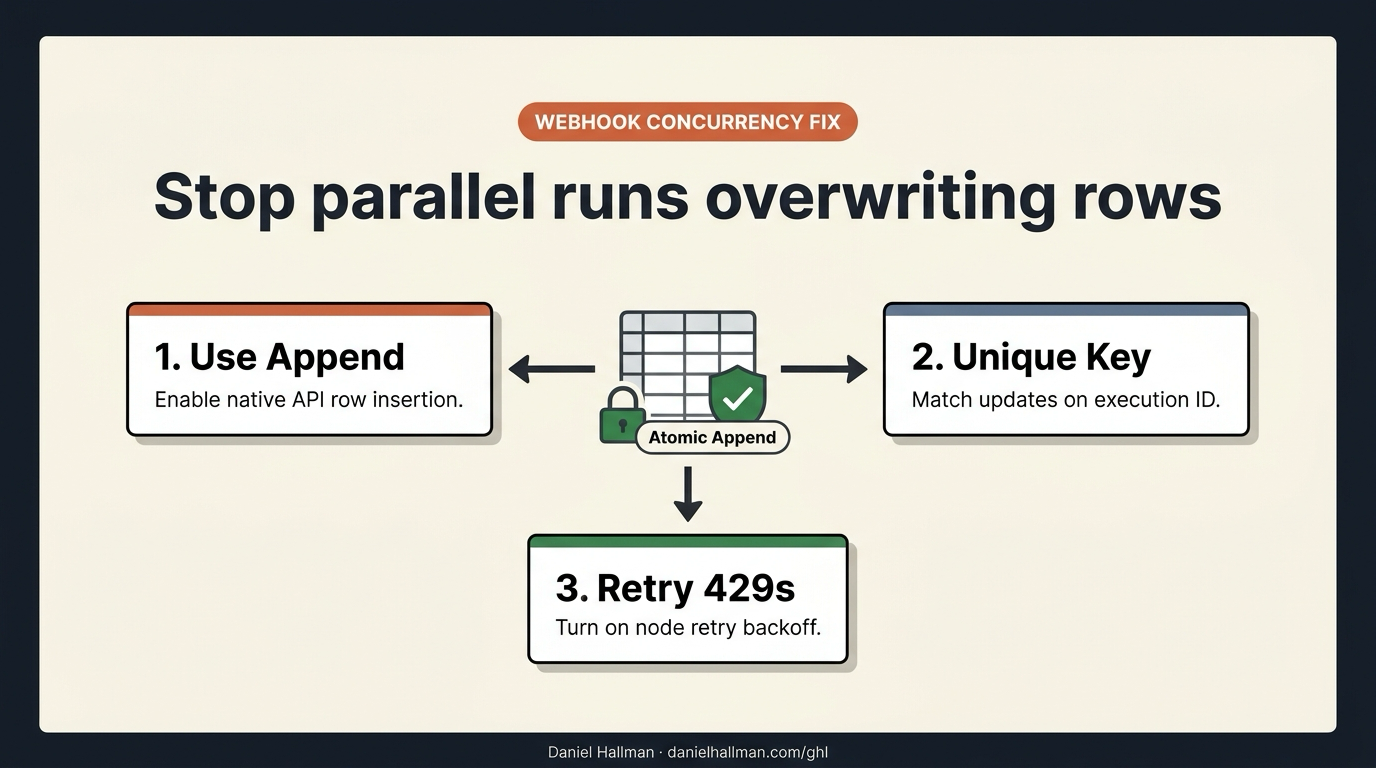
- Parallel webhook executions that count existing rows before writing calculate the same target row when two leads submit within a second of each other, silently overwriting the first lead without firing an error workflow.
- Even after turning on Use Append, updating that row later by matching on a Timestamp column mixes up leads that arrived in the same second, and any formatted Google Sheets Table with stray notes below it can push appended rows outside the table range.
GoHighLevel Configuration
- Turn on Use Append with clean rows below any Google Sheets Table, generate a unique submission key (
execution_idor GoHighLevelcontact_id) before appending so post-scoring updates never match on a timestamp - and enable node retry backoff for AI 429 rate limits.
GoHighLevel Menu Paths
| Step | Menu Path in GHL | Action |
|---|---|---|
| Step 1 | Automation > Workflows | Capture the form submission and create or update the contact in GoHighLevel first (or assign {{$execution.id}} in n8n) so every submission gets a unique ID before touching Google Sheets. |
| Step 2 | Contacts > Smart Lists | In Contacts > Smart Lists (and your Google Sheets node Options > Use Append), keep rows below your sheet table completely blank so values.append expands the table boundary cleanly, and match any follow-up score update on the unique contact_id or execution_id column rather than Timestamp. |
| Step 3 | Automation > Workflows > Execution Logs | Turn on Retry On Fail (3 tries with 2000 ms wait) on your AI scoring step so a temporary 429 rate limit never leaves a lead unscored. |
DEFAULT SETUP VS. AUTOMATED WORKFLOW
Operational Comparison
Speed to Lead & Callback Safety
Caller Reply & Booking Rate
Related Questions
- How Do You Stop a Self-Hosted n8n Outage from Dropping Client Leads in GoHighLevel?
- How Do You Handle High Webhook Volume Without Hitting 429 API Rate Limits in GoHighLevel, Make, and Airtable?
- How do you stop bulk tag updates in GoHighLevel from flooding webhooks and duplicating contacts?
- How do you format data and run math in GoHighLevel Workflows without paying for n8n or Make?
BUILD FASTER IN GOHIGHLEVEL · FREE TRIAL BONUSES + MCP SERVER
Build this directly inside your GoHighLevel sub-account
Connect Claude Code, Cursor, or OpenAI Codex to our ghl-tools MCP Server & Rust CLI to build workflows, forms, and funnels from your editor, or start your GoHighLevel plan through our partner link to unlock $612+ in ready-to-import kits (including GHL Webhook Concurrency & Lead Sync Pack) and weekly live clinics.