GOHIGHLEVEL ANSWERS & PROMPTS: PLAYBOOK T42 · SAAS SUB-ACCOUNT WEBHOOK PROVISIONING
AUTHOR: DANIEL HALLMAN
KEYWORD: CREATE SUBACCOUNT
STEP-BY-STEP INSTRUCTIONS + ANNOTATED GHL SCREENSHOTS
Steps in GoHighLevel
-
STEP 1In Agency View > Settings > Private Integrations, click Create New Integration, enable the
locations.writeandusers.writescopes, and copy the Agency token (a sub-account token cannot create locations and causes the403 Forbidden resourceerror).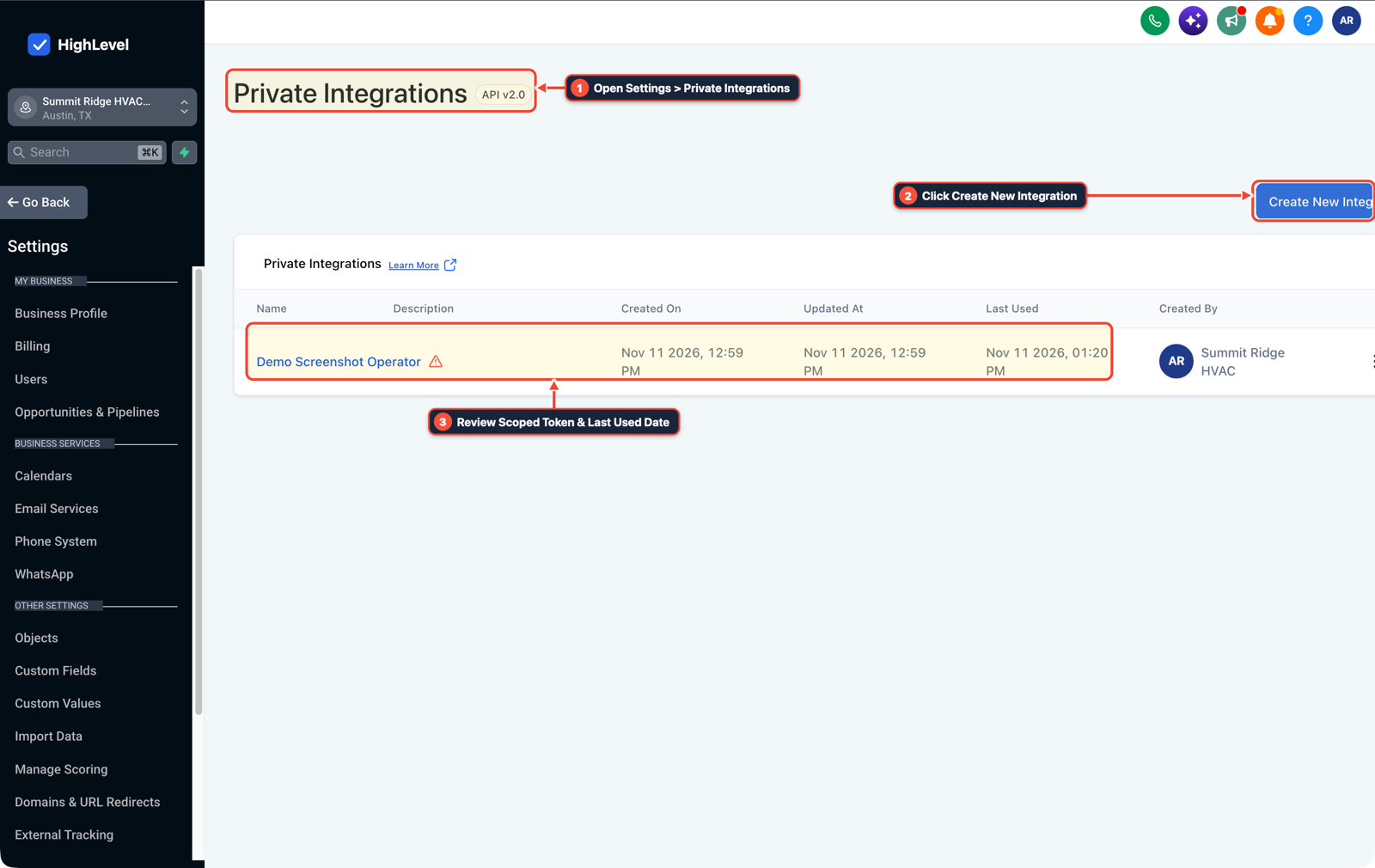
1Open Settings > Private Integrations 2Click Create New Integration 3Review Scoped Token & Last Used Date -
STEP 2In Agency View > Account Snapshots, locate the template snapshot you want loaded into each new customer account and copy its
snapshotIdfrom the snapshot settings menu.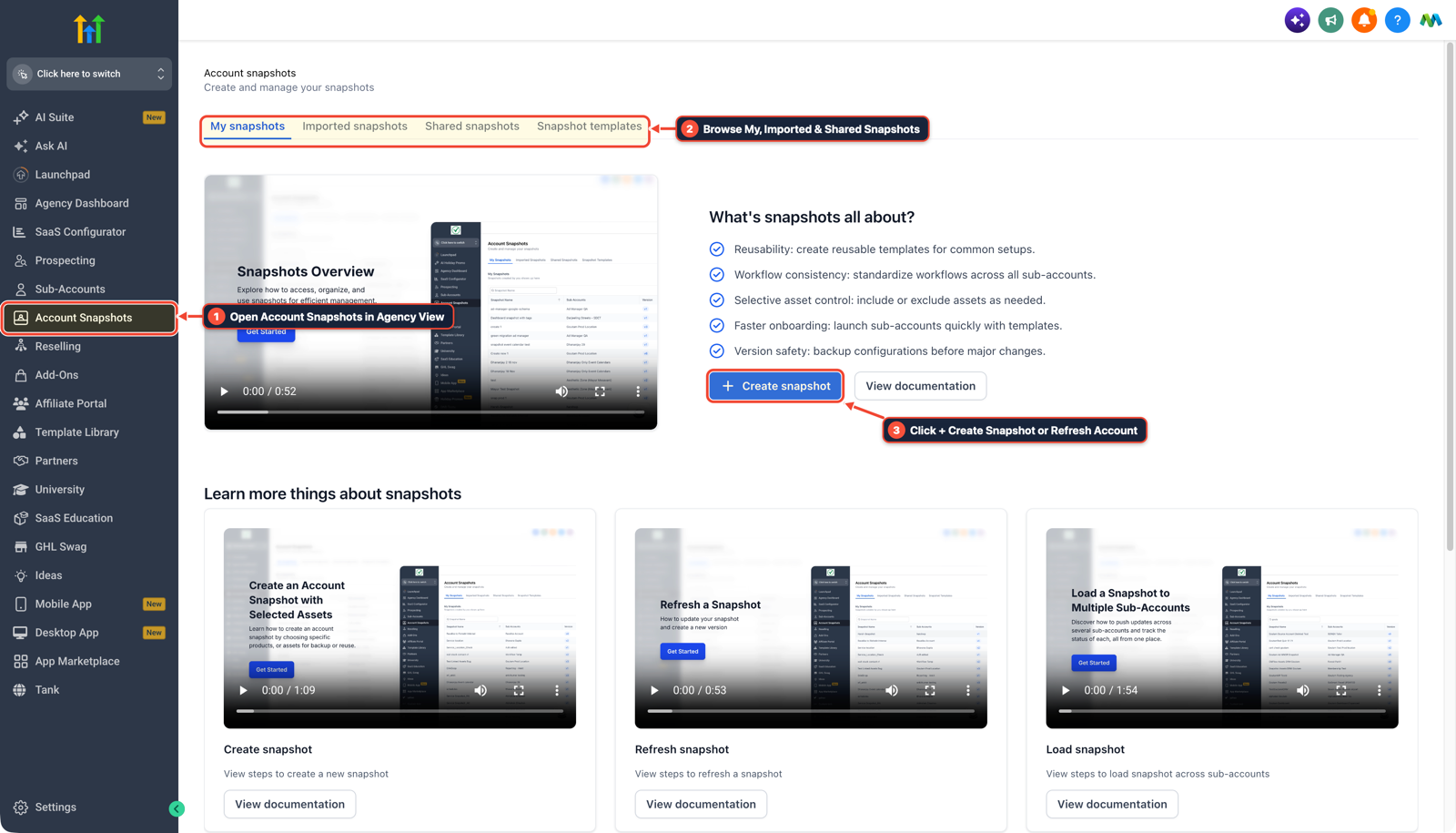
1Open Account Snapshots in Agency View 2Browse My, Imported & Shared Snapshots 3Click + Create Snapshot or Refresh Account -
STEP 3In Automation > Workflow Builder inside your main agency sub-account, trigger on Inbound Webhook from your payment processor, run Create/Update Contact, and add a Custom Webhook (
POST https://services.leadconnectorhq.com/locations/) with headersAuthorization: Bearer <AGENCY_TOKEN>andVersion: 2021-07-28passingcompanyId,name,email,phone, andsnapshotId.
1Add If/Else Condition & Tag Guard 2Chain Priority & Wait Steps 3Switch to Settings or Execution Logs
MODE: AGENT PROMPT
PASTE INTO CLAUDE CODE, CURSOR, CHATGPT, OR GOHIGHLEVEL ASK AI
AGENT PROMPT
Automate sub-account creation from an external payment webhook in agency sub-account <YOUR_LOCATION_ID>:
1. In Agency View > Settings > Private Integrations, create an Agency-scoped token with locations.write and users.write enabled.
2. In Agency View > Account Snapshots, copy the target snapshotId for new client onboarding.
3. In Automation > Workflow Builder, trigger on Inbound Webhook from the checkout processor, create the contact, and send a POST Custom Webhook to https://services.leadconnectorhq.com/locations/ with Version 2021-07-28 and snapshotId.
GHL-TOOLS MCP SERVER & CLI (DANIELHALLMAN.COM/MCP)
BUILDER + SUB-ACCOUNT TOOLS
# List agency locations and snapshots before wiring webhook provisioning
ghl-agency locations --context <YOUR_CONTEXT>
ghl-agency snapshot-diff-audit --context <YOUR_CONTEXT> --location <YOUR_LOCATION_ID>
Official GHL MCP vs. ghl-tools: HighLevel’s official hosted MCP (services.leadconnectorhq.com/mcp) covers public v2 CRM records (contacts, opportunities, appointments, conversations). ghl-tools MCP complements it with workflow graph inspection & recipes, funnel/form builders, DNS/BIMI checks, and ghl-crm doctor audits.
Cause
- Operators selling GoHighLevel SaaS plans through external checkouts like Whop, Paddle, or ThriveCart often send the payment webhook into their main agency location to create a contact, then hit a wall trying to spin up the customer's sub-account.
- Connecting Zapier with a location-level API key fails with a 403 Forbidden resource error because only Agency-scoped tokens have permission to provision new locations.
GoHighLevel Configuration
- Generate an Agency-level Private Integration token with
locations.writeandusers.writescopes in Agency View > Settings > Private Integrations, grab your vertical Snapshot ID in Agency View > Account Snapshots - and call the HighLevel v2 Locations endpoint directly from a Custom Webhook step inside your Agency sub-account's Inbound Webhook workflow.
GoHighLevel Menu Paths
| Step | Menu Path in GHL | Action |
|---|---|---|
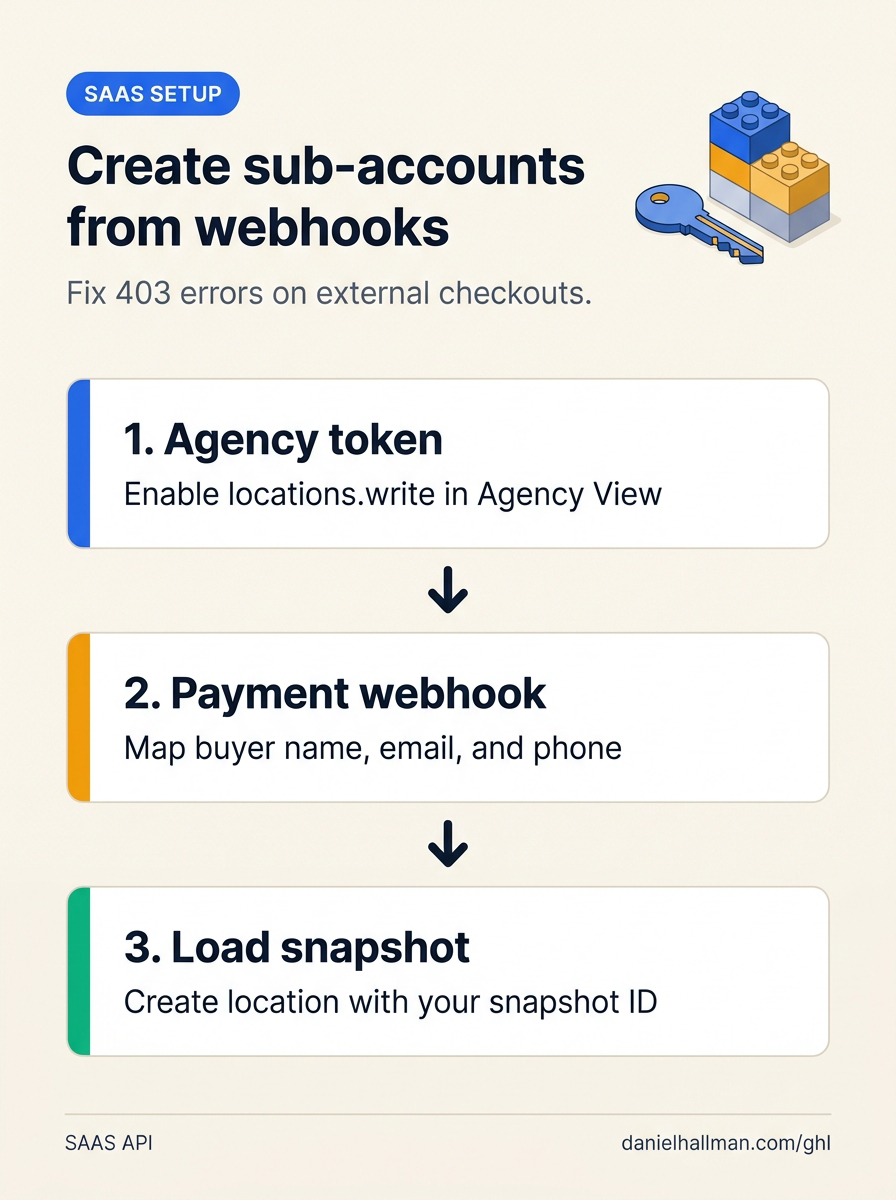
| Step 1 | Agency View > Settings > Private Integrations | Click Create New Integration, enable the locations.write and users.write scopes, and copy the Agency token (a sub-account token cannot create locations and causes the 403 Forbidden resource error). |
| Step 2 | Agency View > Account Snapshots | Locate the template snapshot you want loaded into each new customer account and copy its snapshotId from the snapshot settings menu. |
| Step 3 | Automation > Workflow Builder | Trigger on Inbound Webhook from your payment processor, run Create/Update Contact, and add a Custom Webhook (POST https://services.leadconnectorhq.com/locations/) with headers Authorization: Bearer <AGENCY_TOKEN> and Version: 2021-07-28 passing companyId, name, email, phone, and snapshotId. |
DEFAULT SETUP VS. AUTOMATED WORKFLOW
Operational Comparison
Manual Admin Work Per Client
Lead-to-Booked-Job Conversion
Related Questions
- How Long Does a New GoHighLevel Account Take to Build With Automations?
- What should you know before scaling GoHighLevel past 10 sub-accounts?
- How do you replace Zapier, Calendly, and ManyChat with native GoHighLevel Workflows?
- How do you push GoHighLevel snapshot updates without wiping out client customizations?
BUILD FASTER IN GOHIGHLEVEL · FREE TRIAL BONUSES + MCP SERVER
Build this directly inside your GoHighLevel sub-account
Connect Claude Code, Cursor, or OpenAI Codex to our ghl-tools MCP Server & Rust CLI to build workflows, forms, and funnels from your editor, or start your GoHighLevel plan through our partner link to unlock $612+ in ready-to-import kits (including GHL SaaS Sub-Account Provisioning Pack) and weekly live clinics.