GOHIGHLEVEL ANTWORTEN & PROMPTS: PLAYBOOK T23 · KALENDER & BUCHUNG
AUTOR: DANIEL HALLMAN
SCHLÜSSELWORT: KALENDER
SCHRITT-FÜR-SCHRITT-ANLEITUNGEN + MIT ANMERKUNGEN VERSEHENE GHL-SCREENSHOTS
Schritte in GoHighLevel
-
SCHRITT 1Zu einem Termin-Auslöser wechseln: In Automatisierung > Workflows, setzen Sie den Workflow-Auslöser auf Terminstatus (
Event Type = Normal,Status = Confirmed) oder Kunde hat Termin gebucht.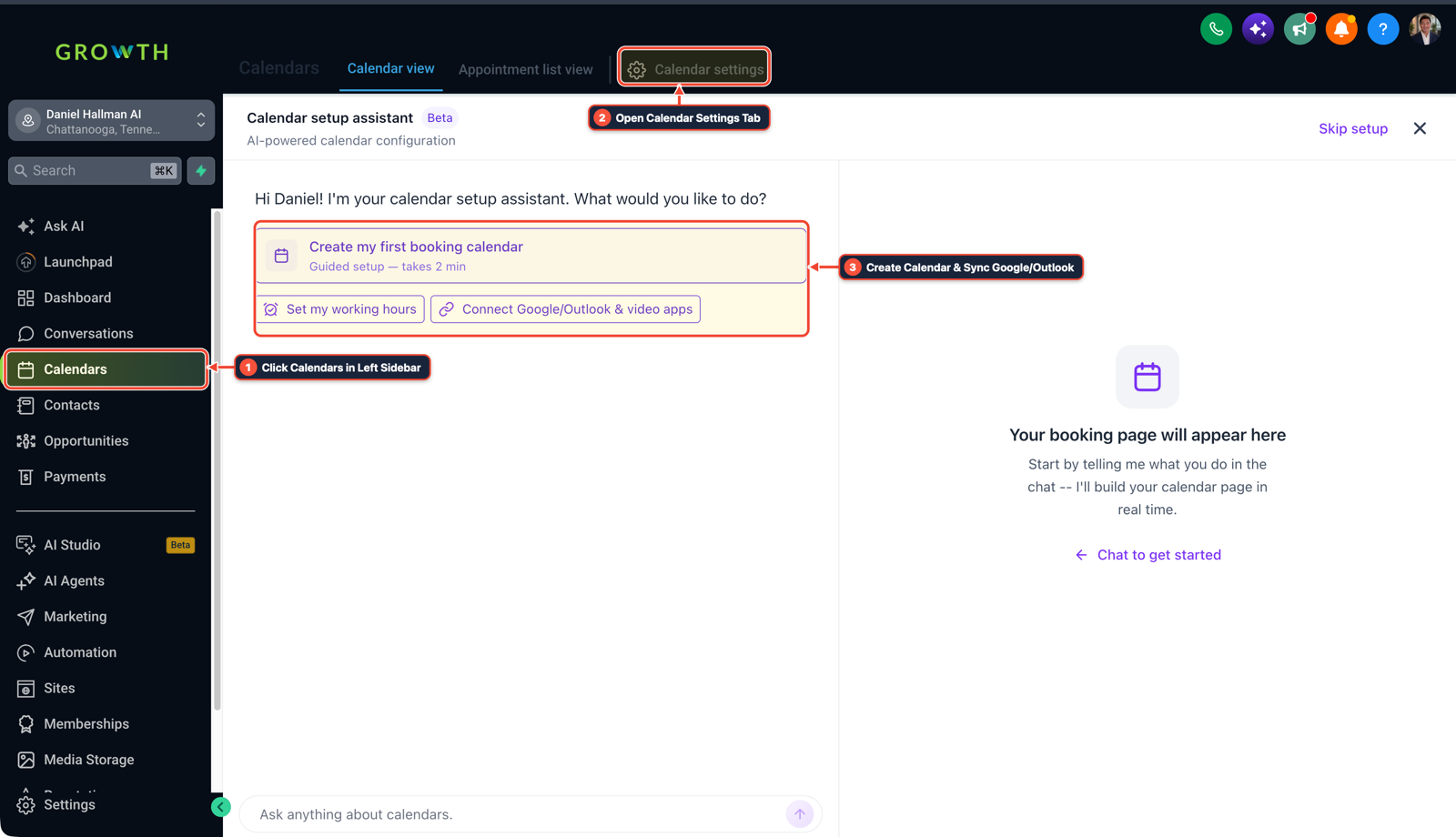
1Auf Kalender in der linken Seitenleiste klicken 2Zwischen Kalenderansicht, Liste & Einstellungen wechseln 3Bestätigte Buchungen prüfen oder auf + New klicken -
SCHRITT 2Fügen Sie einen Datums-/Uhrzeitformatierer-Schritt hinzu: In Automatisierung > Workflows, hinzufügen Daten formatieren > Datums-/Uhrzeit-Formatierer vor Ihrem Webhook, um umzuwandeln
{{appointment.start_time}}und{{appointment.end_time}}inISO-8601(YYYY-MM-DDTHH:mm:ssZ).
1If/Else-Bedingung und Tag-Schutz hinzufügen 2Prioritäts- & Warteschritte verketten 3Zu Einstellungen oder Ausführungsprotokollen wechseln -
SCHRITT 3Benutzerdefinierte Webhook-Schlüssel zuordnen und einen Live-Termin buchen: In Automatisierung > Workflows > Ausgehender Webhook, ordnen Sie zu
start_time_iso,end_time_iso, undcalendar_nameunter Benutzerdefinierte Daten, buchen Sie dann einen Live-Testtermin auf Ihrer Kalenderseite.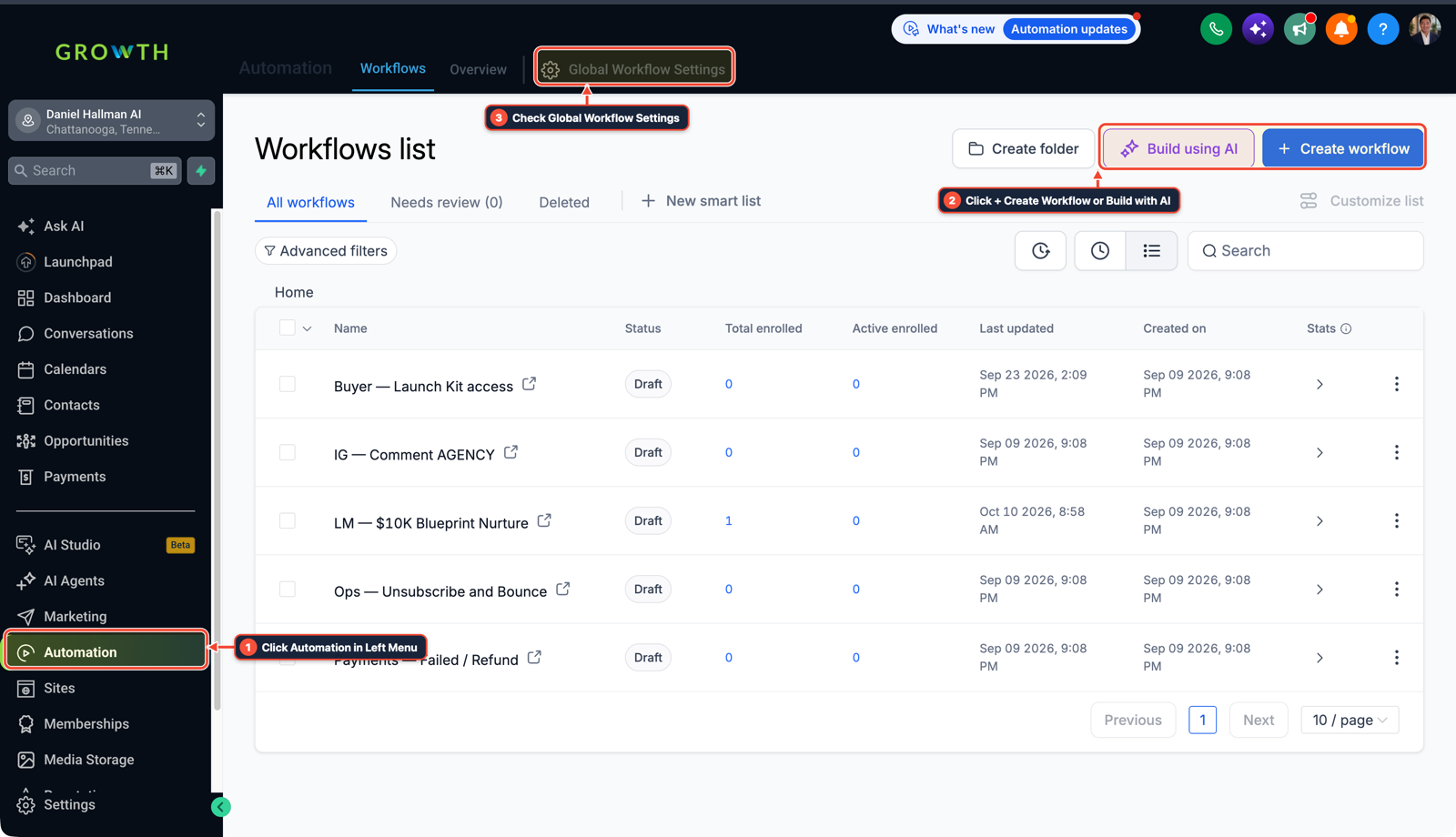
1Auf Automation im linken Menü klicken 2Auf + Workflow erstellen oder Mit KI erstellen klicken 3Globale Workflow-Einstellungen prüfen
MODUS: AGENT-PROMPT
IN CLAUDE CODE, CURSOR, CHATGPT ODER GOHIGHLEVEL ASK AI EINFÜGEN AGENTEN-PROMPT
Fix our GoHighLevel Outbound Webhook workflow where appointment.start_time and appointment.end_time arrive blank:
1. Check the workflow trigger and replace any Contact-scoped trigger (like Contact Tag Added or Opportunity Changed) with "Appointment Status" (Status = Confirmed) or "Customer Booked Appointment".
2. Add a native "Format Data — Date/Time Formatter" action before the Outbound Webhook to format {{appointment.start_time}} and {{appointment.end_time}} as ISO-8601 timestamps.
3. Map the formatted timestamps into explicit Custom Data keys on the Outbound Webhook action.
GHL-TOOLS MCP SERVER & CLI (DANIELHALLMAN.COM/MCP)
BUILDER + SUB-ACCOUNT TOOLS
# 1. MCP Tool Call (ghl-crm-mcp)
{
  "tool": "workflows_create_from_recipe",
  "arguments": {
    "location_id": "<YOUR_LOCATION_ID>",
    "recipe": "appointment_iso_timestamp_webhook",
    "trigger": "appointment_status_confirmed"
  }
}

# 2. Or run via ghl-crm Rust CLI
ghl-crm workflows apply-recipe --location-id <YOUR_LOCATION_ID> --recipe appointment-iso-webhook
Official GHL MCP vs. ghl-tools: HighLevel’s official hosted MCP (services.leadconnectorhq.com/mcp) covers public v2 CRM records (contacts, opportunities, appointments, conversations). ghl-tools MCP complements it with workflow graph inspection & recipes, funnel/form builders, DNS/BIMI checks, and ghl-crm doctor audits.
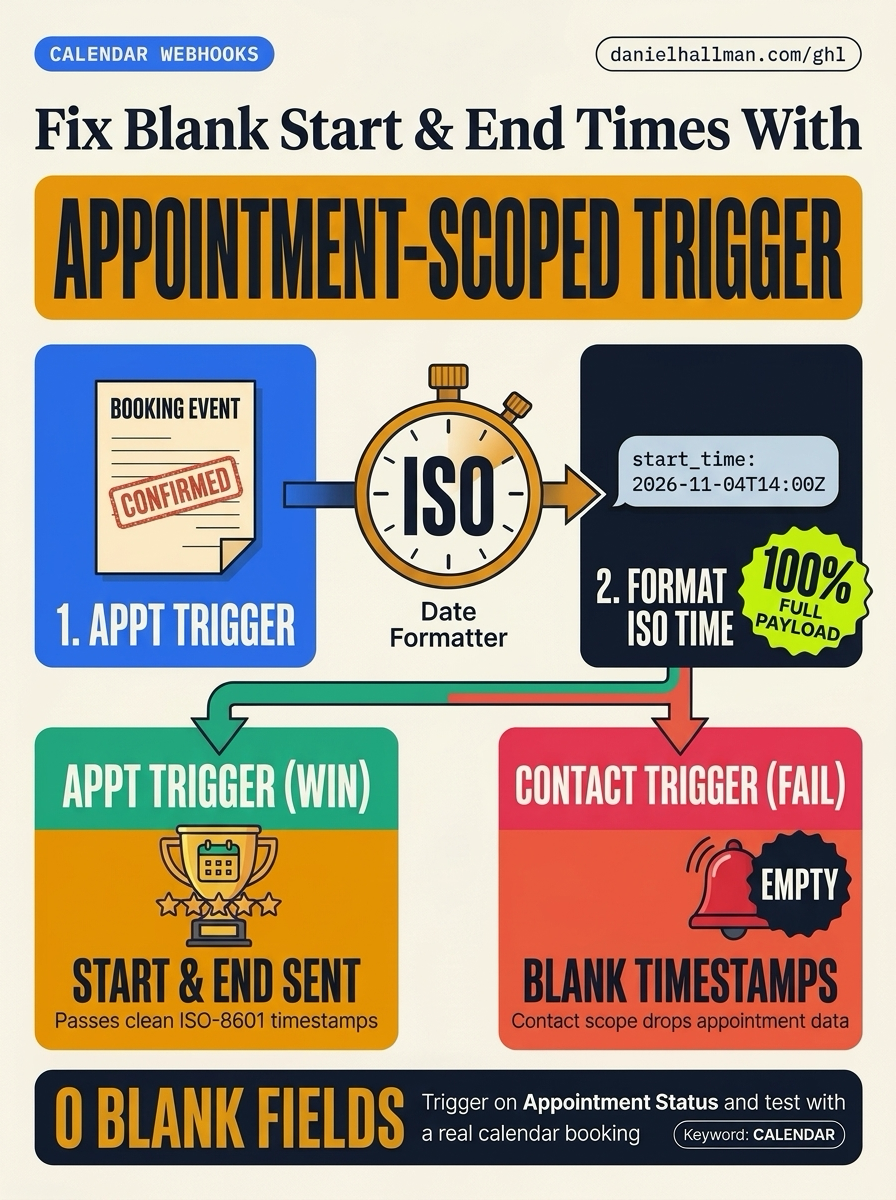
Ursache
- Wenn ein Workflow über ein Kontakt-Tag, eine Pipeline-Phase startet
- oder die Schaltfläche 'Test Workflow', läuft HighLevel im Kontakt-Kontext statt im Termin-Kontext
- damit
{{appointment.start_time}}und{{appointment.end_time}}werden als leere Zeichenketten gesendet.
GoHighLevel-Konfiguration
- Stellen Sie den Workflow-Auslöser auf ein Termin-bezogenes Ereignis um, damit HighLevel das Termin-Objekt in den Arbeitsspeicher lädt, und konvertieren Sie die Start- und Endzeiten in
ISO-8601Zeichenketten mit Datums-/Uhrzeit-Formatierer - und diese formatierten Werte in Ihrem ausgehenden Webhook übergeben.
GoHighLevel-Menüpfade
| Schritt | Menüpfad in GHL | Aktion |
|---|---|---|
| Schritt 1 | Automation > Workflows | Legen Sie den Workflow-Auslöser fest auf Terminstatus (Event Type = Normal, Status = Confirmed) oder Kunde hat Termin gebucht. |
| Schritt 2 | Automation > Workflows | Einfügen Daten formatieren > Datums-/Uhrzeit-Formatierer vor Ihrem Webhook, um umzuwandeln {{appointment.start_time}} und {{appointment.end_time}} in ISO-8601 (YYYY-MM-DDTHH:mm:ssZ). |
| Schritt 3 | Automation > Workflows > Outbound Webhook | Zuordnen start_time_iso, end_time_iso, und calendar_name unter Benutzerdefinierte Daten, buchen Sie dann einen Live-Testtermin auf Ihrer Kalenderseite. |
STANDARD-SETUP VS. AUTOMATISIERTER WORKFLOW
Operativer Vergleich
Termin-No-Show-Rate
Kalenderplatz-Auslastung
Ähnliche Fragen
- Wie reduzieren Sie Terminausfälle und verhindern Doppelbuchungen in GoHighLevel?
- Warum werden über meinen eingehenden GoHighLevel-Webhook keine Kontakte erstellt oder aktualisiert?
- Wie formatieren Sie Daten und führen Berechnungen in GoHighLevel-Workflows durch, ohne für n8n oder Make zu bezahlen?
- Wie leiten Sie Anrufer über mehrere Bürostandorte und Kalender in GoHighLevel weiter?
SCHNELLER BAUEN IN GOHIGHLEVEL · KOSTENLOSE TEST-BONI + MCP-SERVER
Bauen Sie dies direkt in Ihrem GoHighLevel-Unterkonto auf
Verbinden Sie Claude Code, Cursor oder OpenAI Codex mit unserem ghl-tools MCP-Server & Rust-CLI um Workflows, Formulare und Funnels direkt aus Ihrem Editor zu erstellen, oder starten Sie Ihren GoHighLevel-Tarif über unseren Partner-Link, um freizuschalten $612+ in sofort importierbaren Kits (einschließlich GHL-Workflow-Rezeptpaket ($47 – oder kostenlos mit Testphase)) und wöchentliche Live-Sprechstunden.