GOHIGHLEVEL ANSWERS & PROMPTS: PLAYBOOK T72 · TWO-STEP POST APPROVAL LINKS & IDEMPOTENT WEBHOOK RESPONSES
AUTHOR: DANIEL HALLMAN
KEYWORD: APPROVAL WEBHOOKS
STEP-BY-STEP INSTRUCTIONS + ANNOTATED GHL SCREENSHOTS
Steps in GoHighLevel
-
STEP 1In Sites > Funnels (or your n8n webhook confirmation route), make the email link a
GETpage that displays the request summary and an Approve / Reject submit button so automated email security scanners can pre-fetch the URL without changing the record.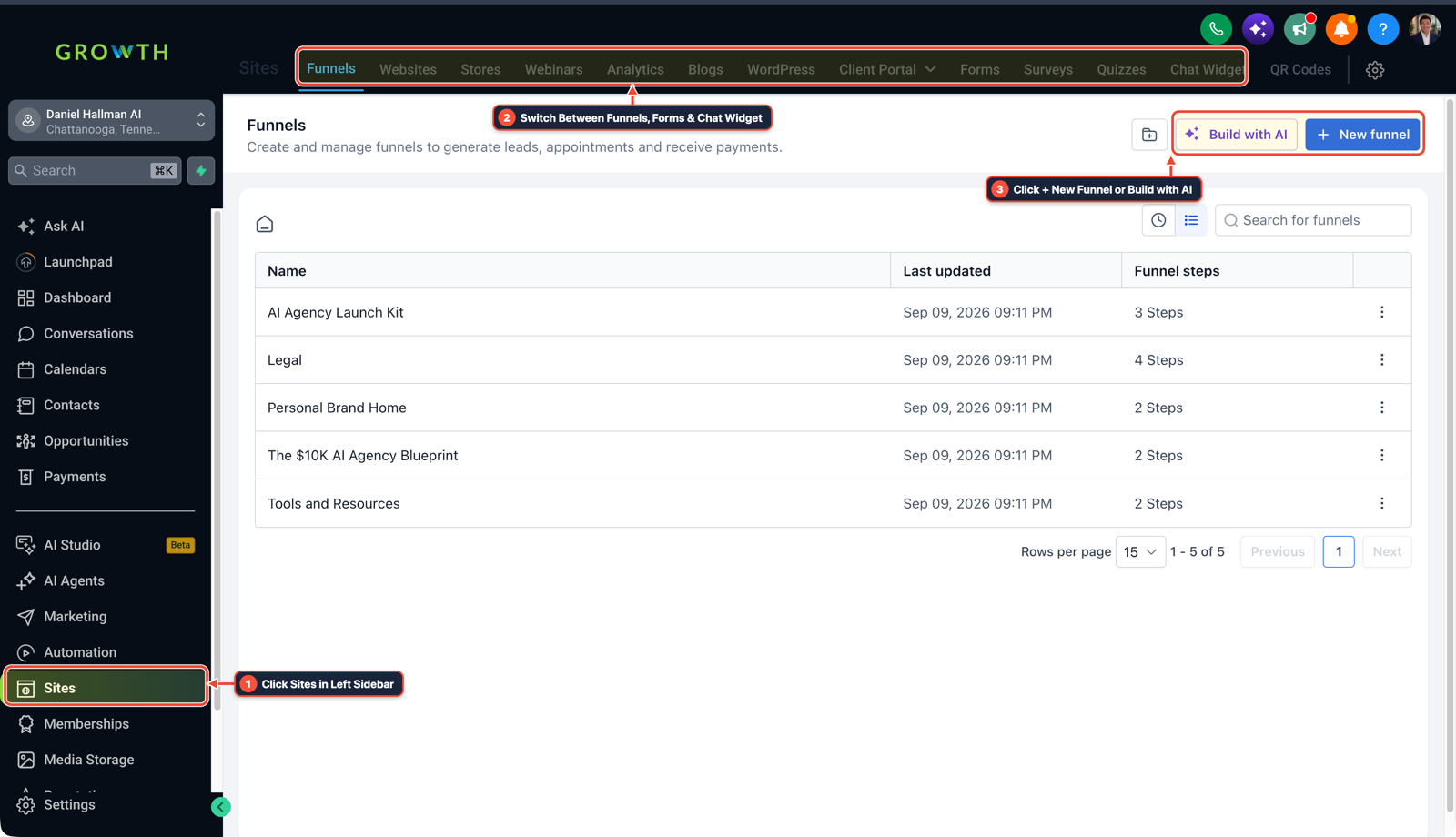
1Click Sites in Left Sidebar 2Switch Between Funnels, Forms & Chat Widget 3Click + New Funnel or Build with AI -
STEP 2In Settings > Custom Fields, create Opportunity fields for
Approval Token,Approval Status(pending,approved,rejected,executed), andApproval Decided Atinstead of deleting the token row after the first click.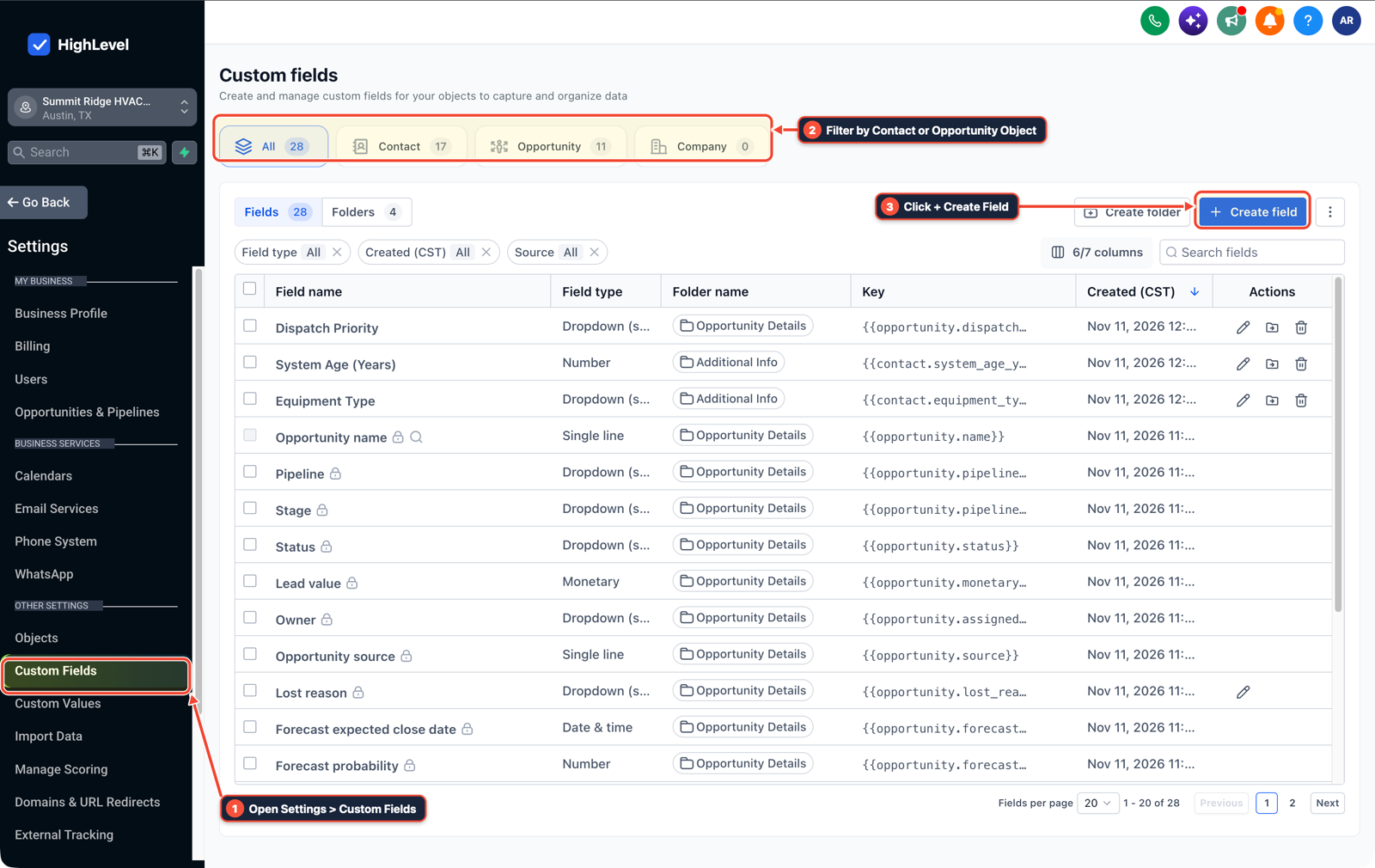
1Open Settings > Custom Fields 2Filter by Contact or Opportunity Object 3Click + Create Field -
STEP 3In Automation > Workflow Builder (and your n8n
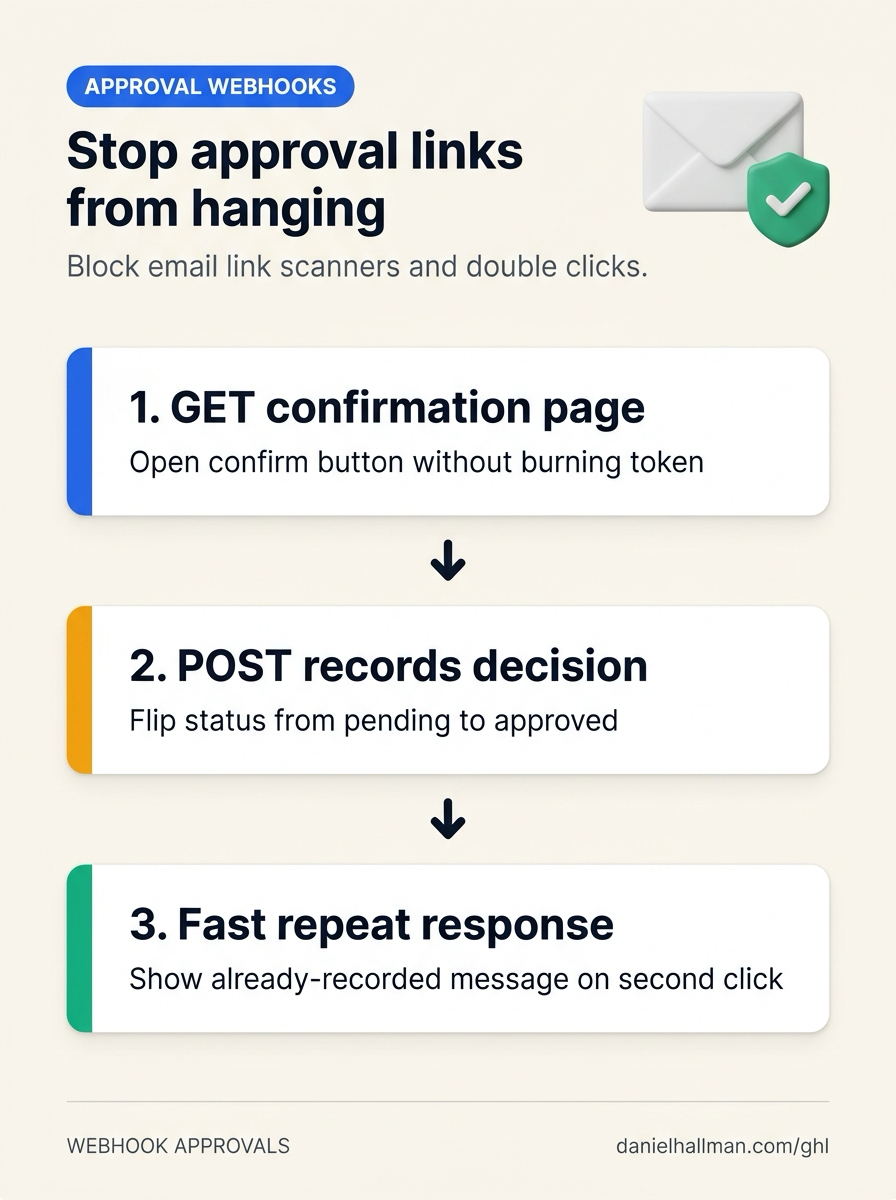
POSTwebhook handler), checkApproval Statuswith an If/Else step as soon as the button submits: if the status is alreadyapprovedorrejected, immediately return a confirmation screen showing the recorded decision and timestamp without re-running the downstream job.
1Add If/Else Condition & Tag Guard 2Chain Priority & Wait Steps 3Switch to Settings or Execution Logs
MODE: AGENT PROMPT
PASTE INTO CLAUDE CODE, CURSOR, CHATGPT, OR GOHIGHLEVEL ASK AI
AGENT PROMPT
Protect email approval links against mail scanner pre-fetching and double-click hangs in sub-account <YOUR_LOCATION_ID>:
1. In Sites > Funnels, host a confirmation page for GET approval links that requires an explicit button click (POST) to submit the decision.
2. In Settings > Custom Fields, create Approval Token, Approval Status (pending / approved / rejected / executed), and Approval Decided At fields on the Opportunity object.
3. In Automation > Workflow Builder and n8n, check Approval Status on POST: return the existing decision timestamp immediately when already approved or rejected, and run the downstream action only on the first transition from pending.
GHL-TOOLS MCP SERVER & CLI (DANIELHALLMAN.COM/MCP)
BUILDER + SUB-ACCOUNT TOOLS
# Inspect approval custom fields, confirmation funnel pages, and webhook workflows
ghl-crm custom-fields list --context <YOUR_CONTEXT> --location <YOUR_LOCATION_ID>
ghl-crm workflows list --context <YOUR_CONTEXT> --location <YOUR_LOCATION_ID>
Official GHL MCP vs. ghl-tools: HighLevel’s official hosted MCP (services.leadconnectorhq.com/mcp) covers public v2 CRM records (contacts, opportunities, appointments, conversations). ghl-tools MCP complements it with workflow graph inspection & recipes, funnel/form builders, DNS/BIMI checks, and ghl-crm doctor audits.
Cause
- When an email approval link triggers an action directly on an HTTP
GETrequest and deletes the token immediately, two problems break the flow: corporate mail filters pre-fetch the URL and trigger the approval before a human ever clicks - and a manager who double-clicks the link hits a missing token branch that hangs the browser tab.
GoHighLevel Configuration
- Render a confirmation button on
GETin Sites > Funnels, trackApproval Status(pending,approved,rejected,executed) andApproved Atin Settings > Custom Fields - and fire the state change on
POSTinside Automation > Workflow Builder (or n8n) with an immediate response branch for already-decided tokens.
GoHighLevel Menu Paths
| Step | Menu Path in GHL | Action |
|---|---|---|
| Step 1 | Sites > Funnels | Make the email link a GET page that displays the request summary and an Approve / Reject submit button so automated email security scanners can pre-fetch the URL without changing the record. |
| Step 2 | Settings > Custom Fields | Create Opportunity fields for Approval Token, Approval Status (pending, approved, rejected, executed), and Approval Decided At instead of deleting the token row after the first click. |
| Step 3 | Automation > Workflow Builder | Check Approval Status with an If/Else step as soon as the button submits: if the status is already approved or rejected, immediately return a confirmation screen showing the recorded decision and timestamp without re-running the downstream job. |
DEFAULT SETUP VS. AUTOMATED WORKFLOW
Operational Comparison
Speed to Lead & Callback Safety
Caller Reply & Booking Rate
Related Questions
- How Do You Let Non-Engineers Approve Risky AI Agent Actions in GoHighLevel Without Slowing the Team?
- How Do You Use Rule-Based Approval Gates for AI Triage Agents in n8n and GoHighLevel?
- How Do You Catch a Silently Failed n8n or GoHighLevel Webhook Node Before a Message Is Lost?
- Why Is My GoHighLevel Send Document or Opportunity Workflow Firing Multiple Times in a Row?
BUILD FASTER IN GOHIGHLEVEL · FREE TRIAL BONUSES + MCP SERVER
Build this directly inside your GoHighLevel sub-account
Connect Claude Code, Cursor, or OpenAI Codex to our ghl-tools MCP Server & Rust CLI to build workflows, forms, and funnels from your editor, or start your GoHighLevel plan through our partner link to unlock $612+ in ready-to-import kits (including GHL & n8n Idempotent Approval Webhook Pack) and weekly live clinics.