GOHIGHLEVEL ANSWERS & PROMPTS: PLAYBOOK T94 · 1-BOARD LEAD PIPELINE, SUGGESTIVE-MODE AI DRAFTS & AFTER-HOURS WALKTHROUGH BOOKING
AUTHOR: DANIEL HALLMAN
KEYWORD: STARTER STACK
STEP-BY-STEP INSTRUCTIONS + ANNOTATED GHL SCREENSHOTS
Steps in GoHighLevel
-
STEP 1In Opportunities > Pipelines and Contacts > Smart Lists, set up one lead board (
New Inquiry,Walkthrough Booked,Quote Sent,Won) so every tagged email inquiry and phone call creates a deal card automatically while you are at your day job.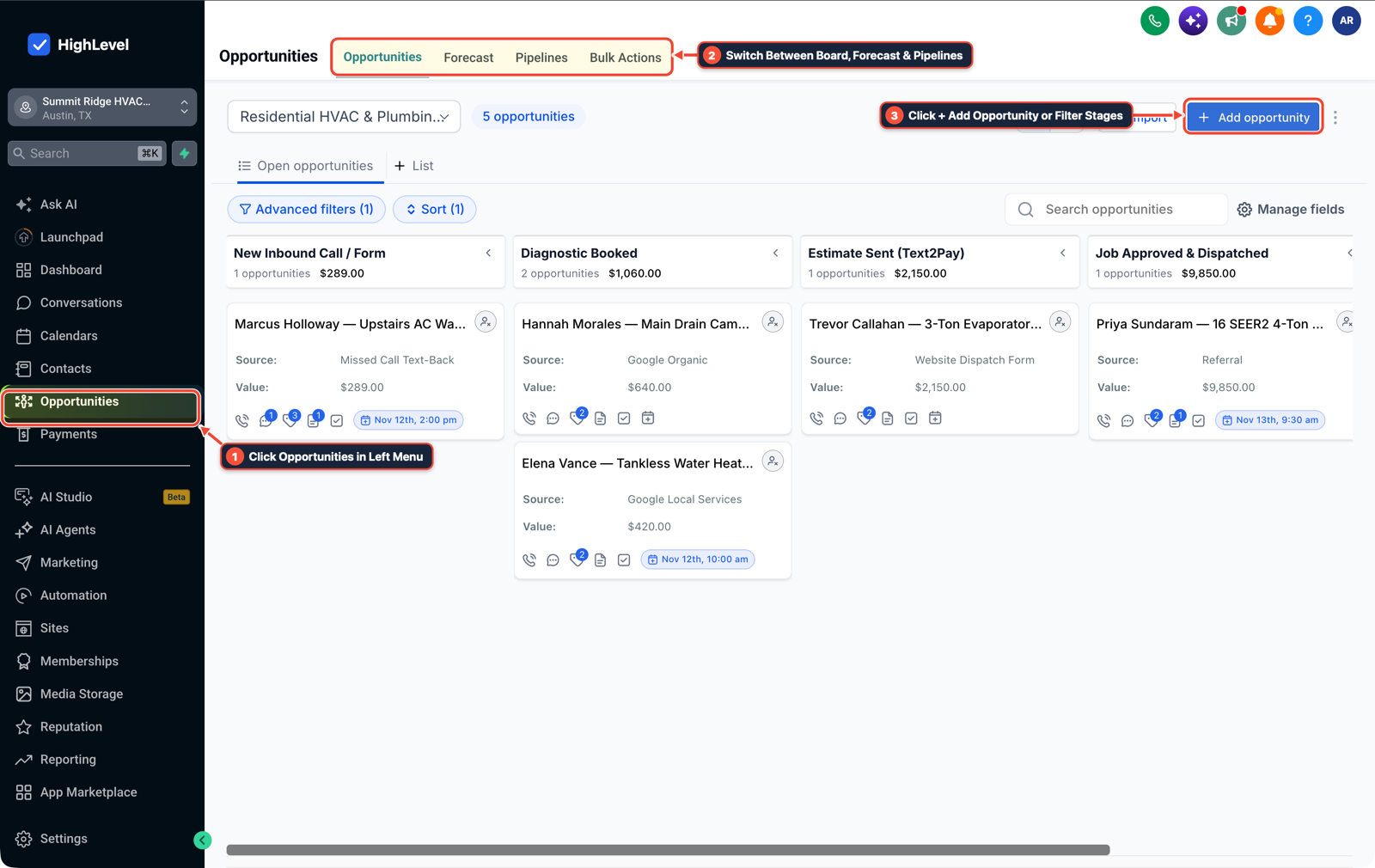
1Click Opportunities in Left Menu 2Switch Between Board, Forecast & Pipelines 3Click + Add Opportunity or Filter Stages -
STEP 2In AI Agents > Conversation AI, set the agent mode to Suggestive rather than full auto-pilot at the start so the AI drafts replies and summarizes incoming facility or project inquiries while you tap approve from the mobile app during breaks.
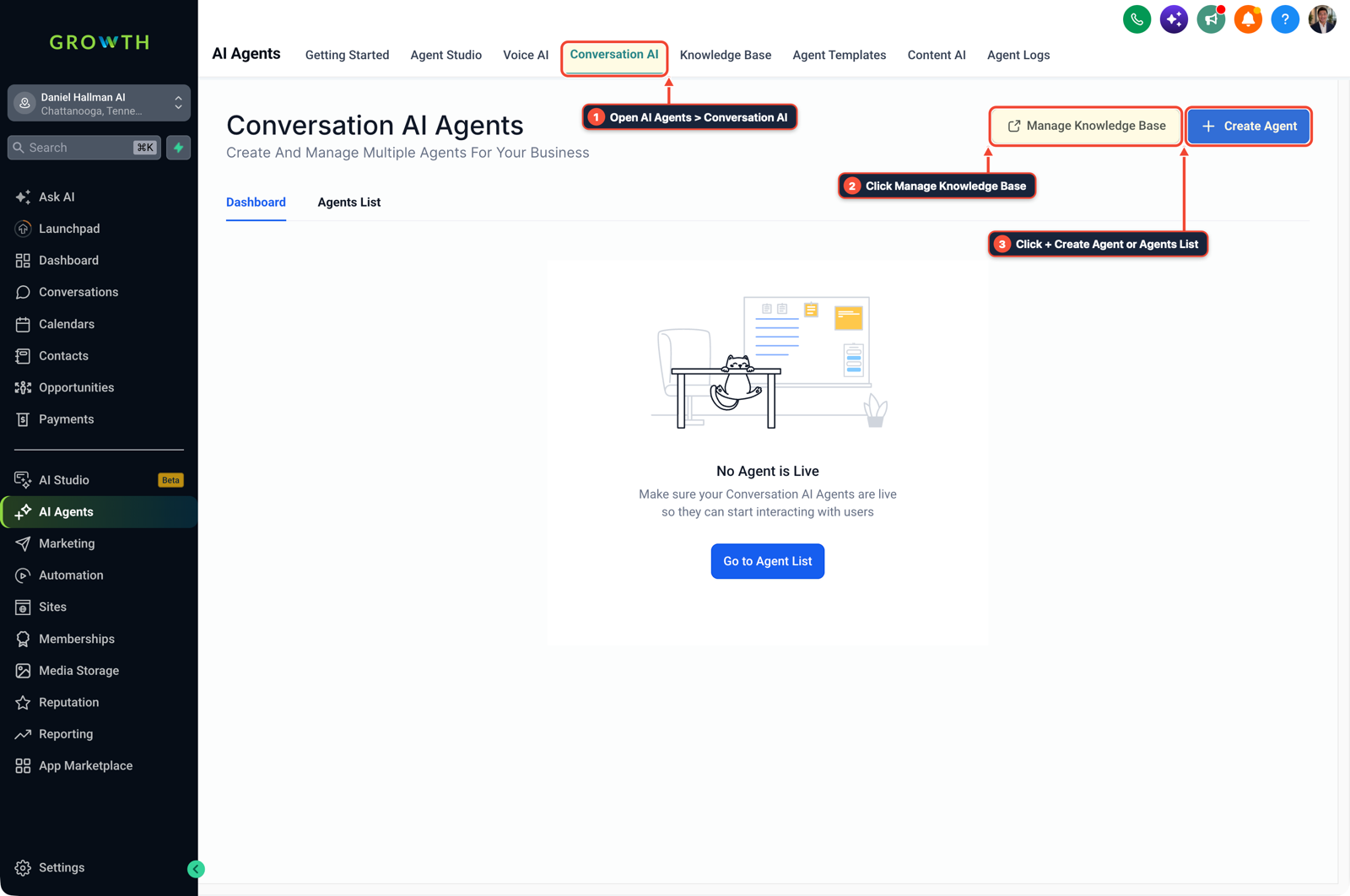
1Open AI Agents > Conversation AI 2Click Manage Knowledge Base 3Click + Create Agent or Agents List -
STEP 3In Settings > Phone System and Calendars > Calendar Settings, turn on a
45second missed-call text-back that sends your evening or weekend walkthrough booking calendar whenever you cannot pick up a call on shift.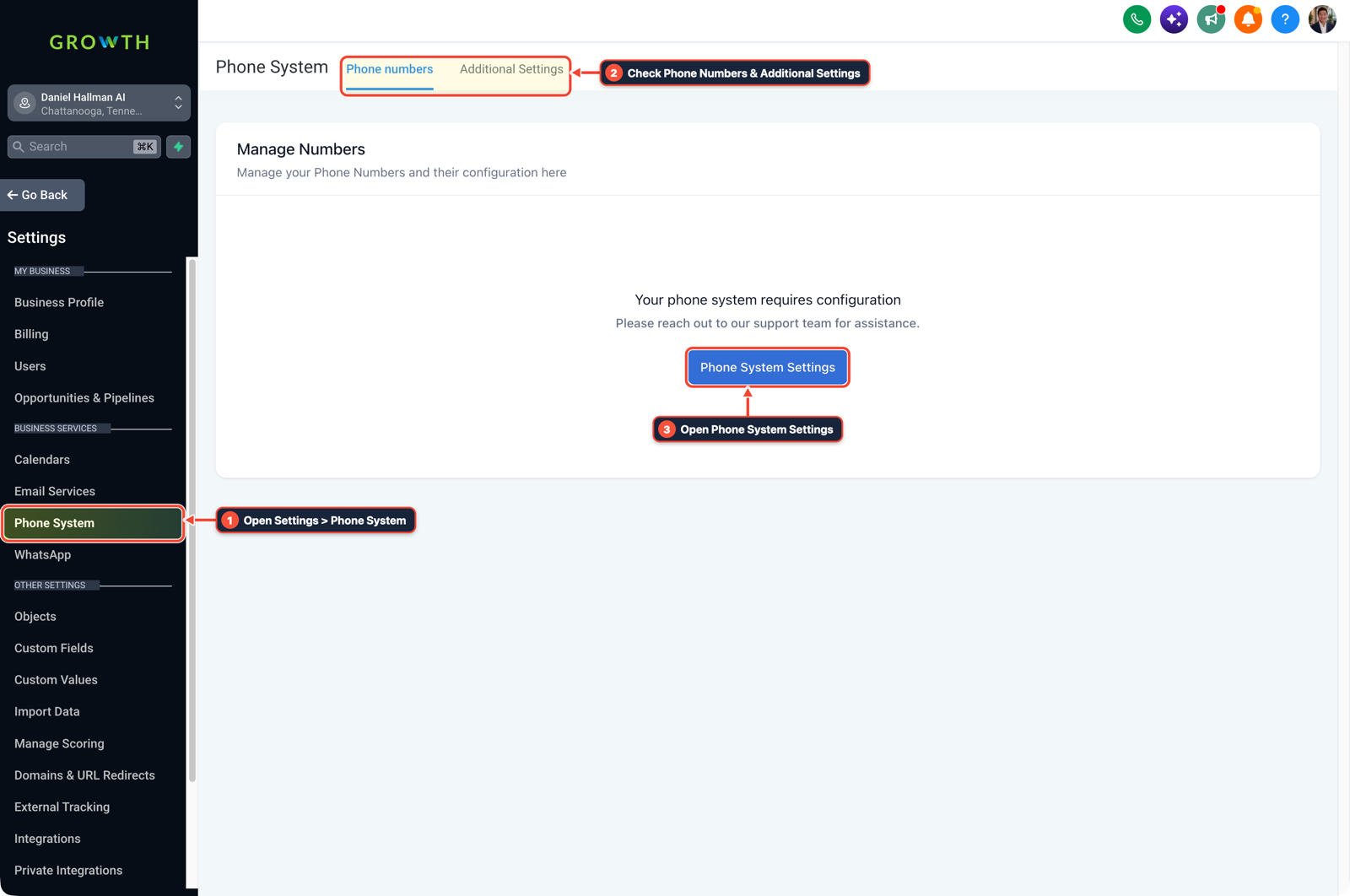
1Open Settings > Phone System 2Check Phone Numbers & Additional Settings 3Open Phone System Settings
MODE: AGENT PROMPT
PASTE INTO CLAUDE CODE, CURSOR, CHATGPT, OR GOHIGHLEVEL ASK AI
AGENT PROMPT
Set up a starter lead pipeline, Suggestive-mode AI assistant, and missed-call walkthrough booking flow in sub-account <YOUR_LOCATION_ID>:
1. In Opportunities > Pipelines, create a 4-stage service business board (New Inquiry, Walkthrough Booked, Quote Sent, Won).
2. In AI Agents > Conversation AI, configure the assistant in Suggestive mode with a 20-question service FAQ so the owner approves outbound replies from mobile.
3. In Settings > Phone System and Calendars > Calendar Settings, wire a 45-second missed-call text-back with a link to the walkthrough booking calendar.
GHL-TOOLS MCP SERVER & CLI (DANIELHALLMAN.COM/MCP)
BUILDER + SUB-ACCOUNT TOOLS
# Inspect starter pipelines, calendars, and workflows in the sub-account
ghl-crm workflows list --context <YOUR_CONTEXT> --location <YOUR_LOCATION_ID>
ghl-crm calendars inspect --location-id <YOUR_LOCATION_ID>
Official GHL MCP vs. ghl-tools: HighLevel’s official hosted MCP (services.leadconnectorhq.com/mcp) covers public v2 CRM records (contacts, opportunities, appointments, conversations). ghl-tools MCP complements it with workflow graph inspection & recipes, funnel/form builders, DNS/BIMI checks, and ghl-crm doctor audits.
Cause
- First-time founders working day and night shifts often lose weeks stitching together separate website builders, spreadsheets
- and autonomous outreach bots
- or they miss daytime calls from property managers while on shift because no simple lead capture and callback flow is running.
GoHighLevel Configuration
- Log every call and tagged email into Opportunities > Pipelines, run AI Agents > Conversation AI in Suggestive mode so you review outbound drafts in one tap
- and connect Settings > Phone System to Calendars > Calendar Settings for automatic missed-call booking links.
GoHighLevel Menu Paths
| Step | Menu Path in GHL | Action |
|---|---|---|
| Step 1 | Opportunities > Pipelines | Set up one lead board (New Inquiry, Walkthrough Booked, Quote Sent, Won) so every tagged email inquiry and phone call creates a deal card automatically while you are at your day job. |
| Step 2 | AI Agents > Conversation AI | Set the agent mode to Suggestive rather than full auto-pilot at the start so the AI drafts replies and summarizes incoming facility or project inquiries while you tap approve from the mobile app during breaks. |
| Step 3 | Settings > Phone System | Turn on a 45 second missed-call text-back that sends your evening or weekend walkthrough booking calendar whenever you cannot pick up a call on shift. |
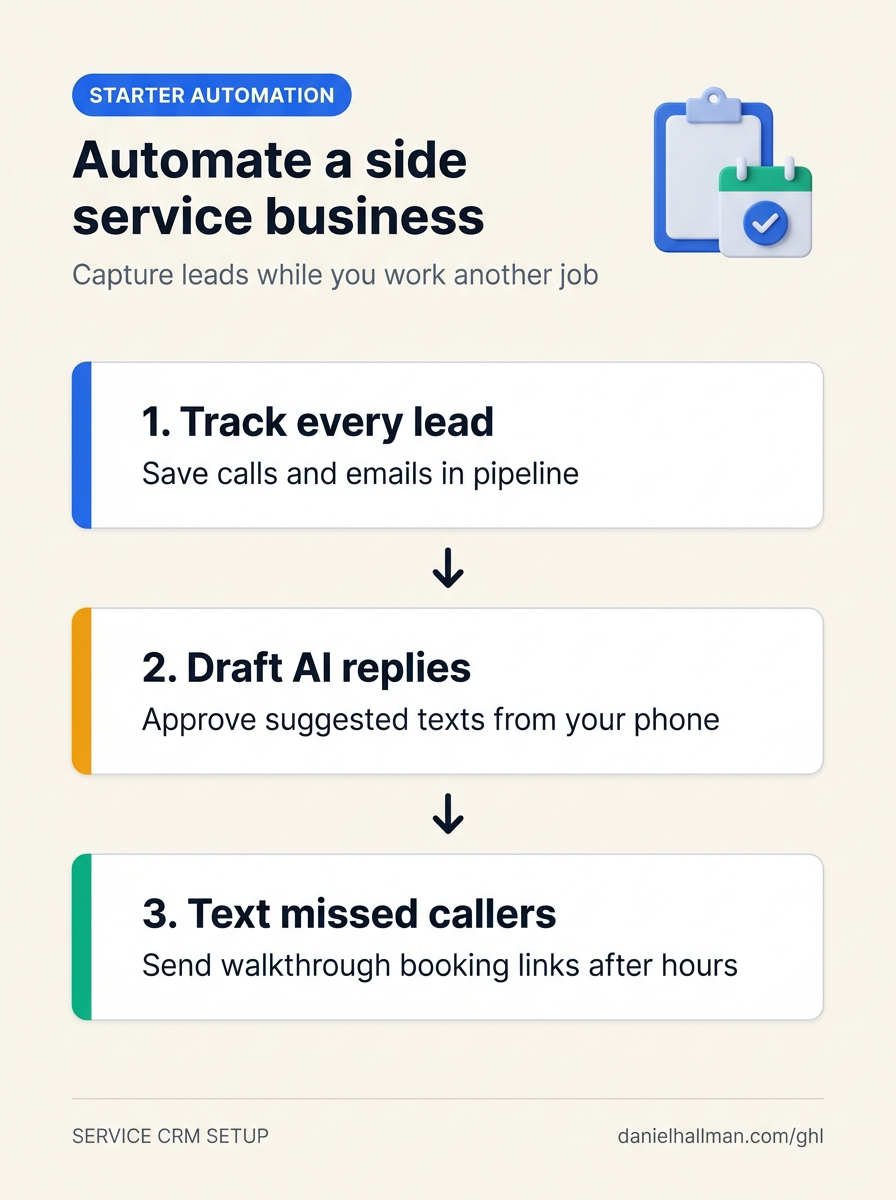
DEFAULT SETUP VS. AUTOMATED WORKFLOW
Operational Comparison
Manual Admin Work Per Client
Lead-to-Booked-Job Conversion
Related Questions
- How do you set up GoHighLevel for a solo home service business without bloated agency snapshots?
- How Do You Test Whether an AI Agent Reduces Work Instead of Creating Babysitting in GoHighLevel?
- Is Voice AI Actually Worth the Cost for a Small Service Business (Or Is Missed-Call Text-Back Enough for 15 to 20 Calls a Week)?
- What Tools and Technical Skills Should You Learn Alongside GoHighLevel?
BUILD FASTER IN GOHIGHLEVEL · FREE TRIAL BONUSES + MCP SERVER
Build this directly inside your GoHighLevel sub-account
Connect Claude Code, Cursor, or OpenAI Codex to our ghl-tools MCP Server & Rust CLI to build workflows, forms, and funnels from your editor, or start your GoHighLevel plan through our partner link to unlock $612+ in ready-to-import kits (including GHL Service Business Starter Automation Kit) and weekly live clinics.