GOHIGHLEVEL ANSWERS & PROMPTS: PLAYBOOK T02 · WEBHOOK QUEUEING & RATE-LIMIT PROTECTION
AUTHOR: DANIEL HALLMAN
KEYWORD: RATE LIMIT
STEP-BY-STEP INSTRUCTIONS + ANNOTATED GHL SCREENSHOTS
Steps in GoHighLevel
-
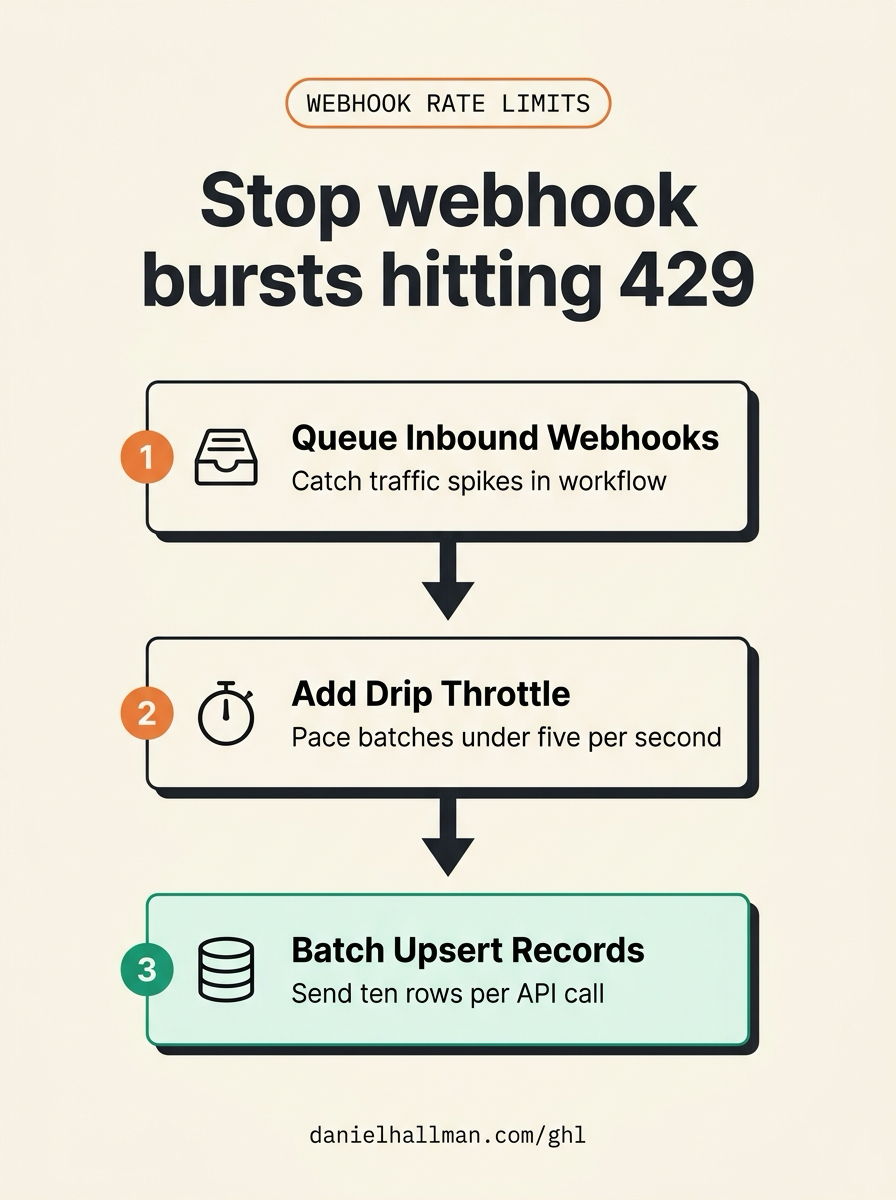
STEP 1In Automation > Workflows, create an Inbound Webhook trigger and insert a Drip action right after the trigger: Set the batch size to
10contacts every1minute so sudden traffic bursts queue safely instead of firing all outbound webhooks at once.
1Add If/Else Condition & Tag Guard 2Chain Priority & Wait Steps 3Switch to Settings or Execution Logs -
STEP 2In Automation > Workflows > Workflow Settings, turn on Allow Re-entry and Stop on Response as needed for repeat webhook events, and in Make's webhook trigger settings set Maximum runs to start per minute below your downstream API limit.
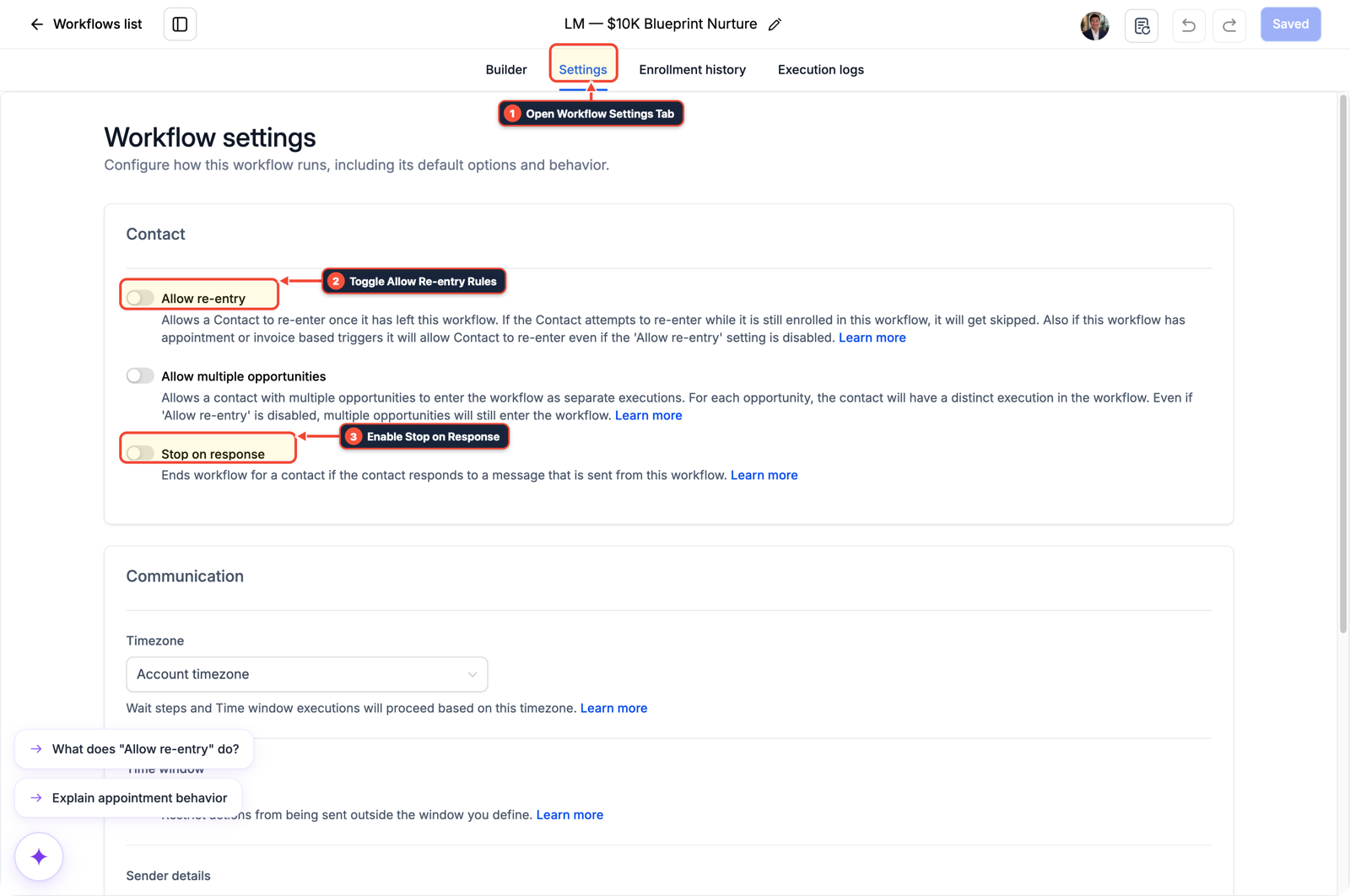
1Open Workflow Settings Tab 2Toggle Allow Re-entry Rules 3Enable Stop on Response -
STEP 3In Automation > Workflows > Execution Logs, verify that queued contacts release in paced batches and that your downstream Airtable or HTTP module uses batch array writes (up to
10records per request) with zero429 Too Many Requestserrors.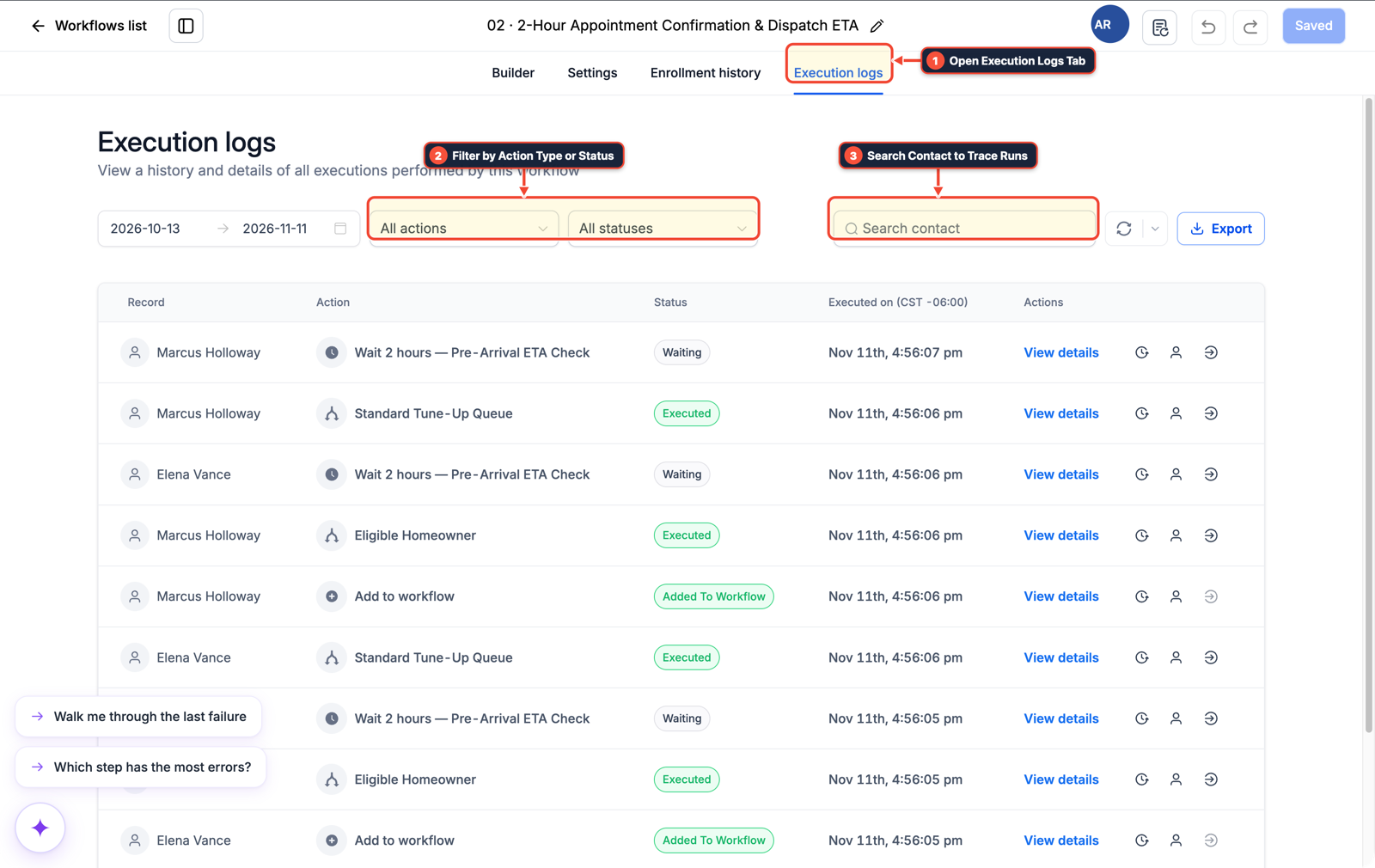
1Open Execution Logs Tab 2Filter by Action Type or Status 3Search Contact to Trace Runs
MODE: AGENT PROMPT
PASTE INTO CLAUDE CODE, CURSOR, CHATGPT, OR GOHIGHLEVEL ASK AI
AGENT PROMPT
Add a Drip throttle to high-volume webhook workflows in sub-account <YOUR_LOCATION_ID>:
1. In Automation > Workflows, place a Drip action immediately after the Inbound Webhook trigger to pace outbound HTTP calls below 5 requests per second.
2. In Workflow Settings, enable Allow Re-entry so repeat events from the same contact enter the queue cleanly.
3. In Execution Logs, confirm outbound webhook batches return HTTP 200 without 429 rate-limit failures.
GHL-TOOLS MCP SERVER & CLI (DANIELHALLMAN.COM/MCP)
BUILDER + SUB-ACCOUNT TOOLS
# Inspect webhook workflows in the target sub-account via ghl-crm
ghl-crm workflows list --context <YOUR_CONTEXT> --location <YOUR_LOCATION_ID>
Official GHL MCP vs. ghl-tools: HighLevel’s official hosted MCP (services.leadconnectorhq.com/mcp) covers public v2 CRM records (contacts, opportunities, appointments, conversations). ghl-tools MCP complements it with workflow graph inspection & recipes, funnel/form builders, DNS/BIMI checks, and ghl-crm doctor audits.
Cause
- When a campaign spike or bulk import fires dozens of webhooks in the same second, scenarios that create or update one Airtable or CRM record per webhook immediately collide with the 5-requests-per-second rate limit.
- Putting a 20-second Sleep module inside the scenario only stacks active runs until they hit the platform's execution timeout.
GoHighLevel Configuration
- Queue incoming webhook bursts inside a GoHighLevel Workflow with a Drip throttle before dispatching outbound requests
- or configure Make's webhook queue cap alongside batch upsert arrays so 50 records write in 5 API calls instead of 50 separate hits.
GoHighLevel Menu Paths
| Step | Menu Path in GHL | Action |
|---|---|---|
| Step 1 | Automation > Workflows | Create an Inbound Webhook trigger and insert a Drip action right after the trigger: Set the batch size to 10 contacts every 1 minute so sudden traffic bursts queue safely instead of firing all outbound webhooks at once. |
| Step 2 | Automation > Workflows > Workflow Settings | Turn on Allow Re-entry and Stop on Response as needed for repeat webhook events, and in Make's webhook trigger settings set Maximum runs to start per minute below your downstream API limit. |
| Step 3 | Automation > Workflows > Execution Logs | Verify that queued contacts release in paced batches and that your downstream Airtable or HTTP module uses batch array writes (up to 10 records per request) with zero 429 Too Many Requests errors. |
DEFAULT SETUP VS. AUTOMATED WORKFLOW
Operational Comparison
Speed to Lead & Callback Safety
Caller Reply & Booking Rate
Related Questions
- How do you format data and run math in GoHighLevel Workflows without paying for n8n or Make?
- How Do You Stop a Self-Hosted n8n Outage from Dropping Client Leads in GoHighLevel?
- Should You Use One Giant Workflow or Separate Stage Workflows for a GoHighLevel Pipeline?
- Why Is My GoHighLevel Workflow Not Sending Notifications When a Customer Replies?
BUILD FASTER IN GOHIGHLEVEL · FREE TRIAL BONUSES + MCP SERVER
Build this directly inside your GoHighLevel sub-account
Connect Claude Code, Cursor, or OpenAI Codex to our ghl-tools MCP Server & Rust CLI to build workflows, forms, and funnels from your editor, or start your GoHighLevel plan through our partner link to unlock $612+ in ready-to-import kits (including GHL Webhook & Rate-Limit Guard Pack) and weekly live clinics.