GOHIGHLEVEL ANSWERS & PROMPTS: PLAYBOOK T103 · 30-TO-45-DAY AFFILIATE PAYOUT DELAYS, REFUND WEBHOOK ALERTS & PENDING ROW DENIAL
AUTHOR: DANIEL HALLMAN
KEYWORD: AFFILIATE REFUNDS
STEP-BY-STEP INSTRUCTIONS + ANNOTATED GHL SCREENSHOTS
Steps in GoHighLevel
-
STEP 1In Sites > Funnels (and Marketing > Affiliate Manager > Campaigns), connect your order form products and set the campaign Payout Terms / Delay to
30or45days so every new commission stays inPendingstatus until your refund and chargeback window closes.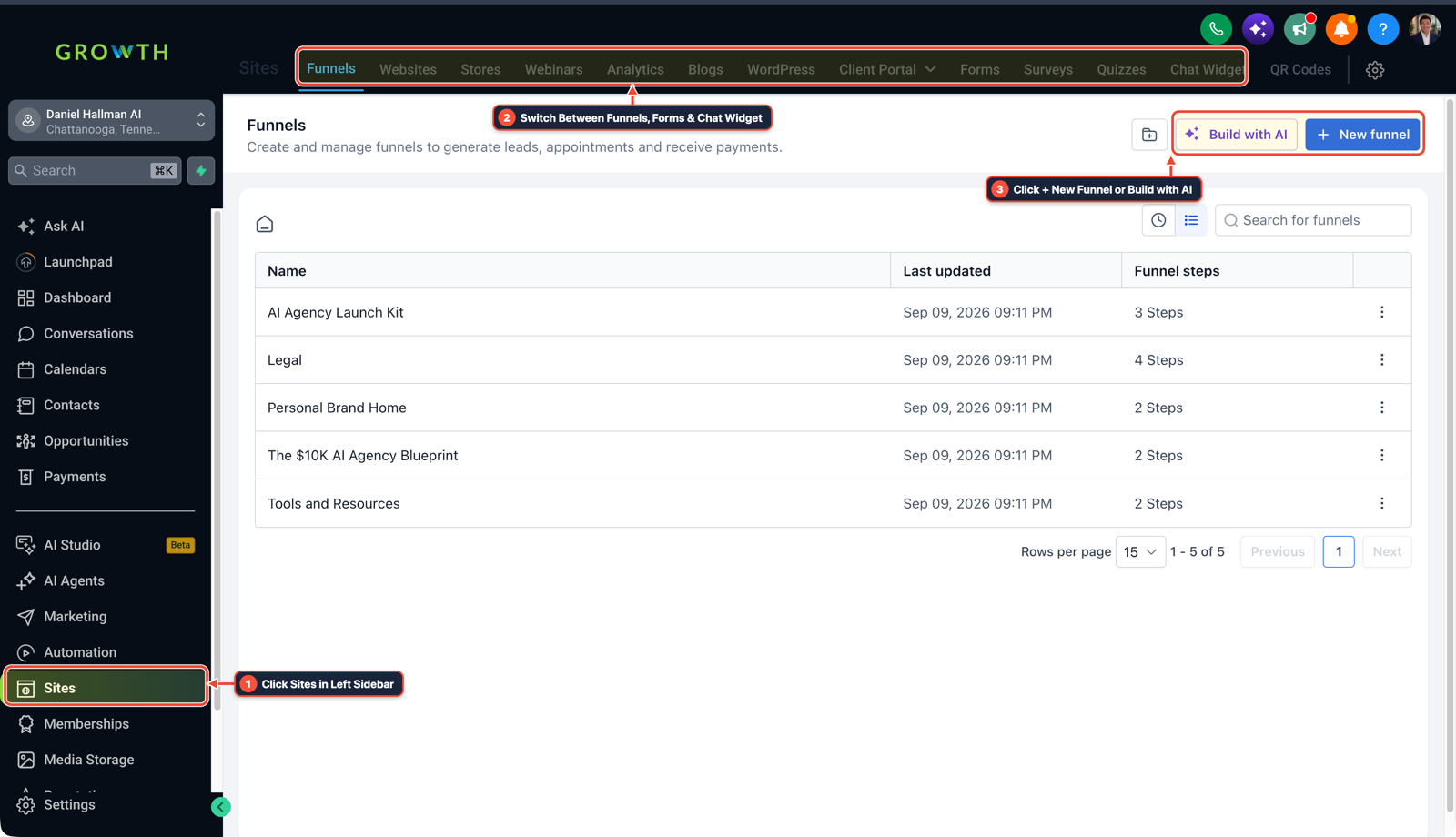
1Click Sites in Left Sidebar 2Switch Between Funnels, Forms & Chat Widget 3Click + New Funnel or Build with AI -
STEP 2In Automation > Workflow Builder, trigger a workflow on refunded payment events (or a Stripe
charge.refundedInbound Webhook), check with an If/Else step whether the contact has an attributing affiliate campaign, and apply theaffiliate-refund-pendingtag.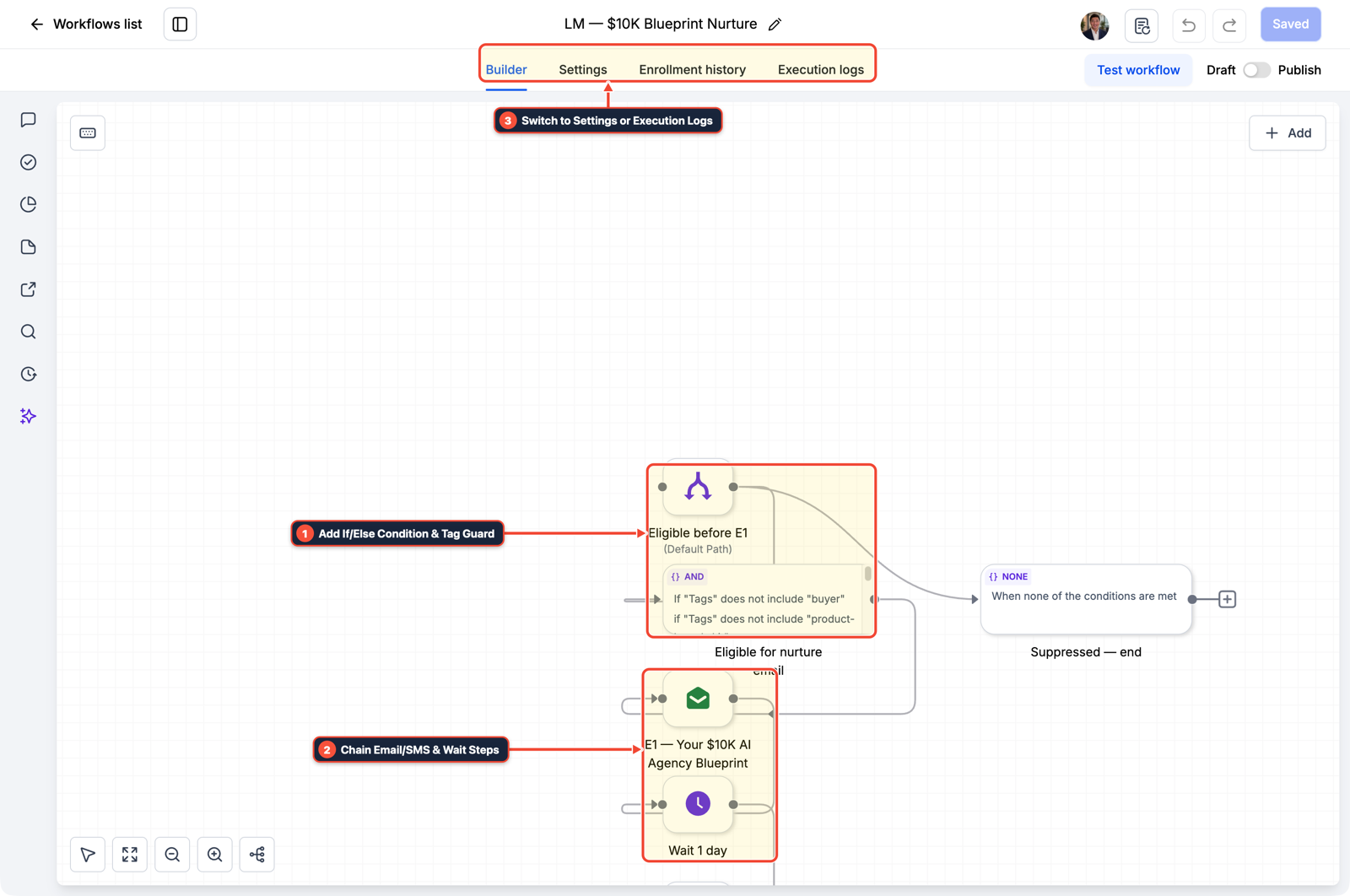
1Add If/Else Condition & Tag Guard 2Chain Priority & Wait Steps 3Switch to Settings or Execution Logs -
STEP 3In Conversations > Team Inbox (and Marketing > Affiliate Manager > Payouts), assign an internal review task with the order amount and affiliate name so your billing lead clicks Deny Payout on the pending row before exporting the monthly payout CSV.
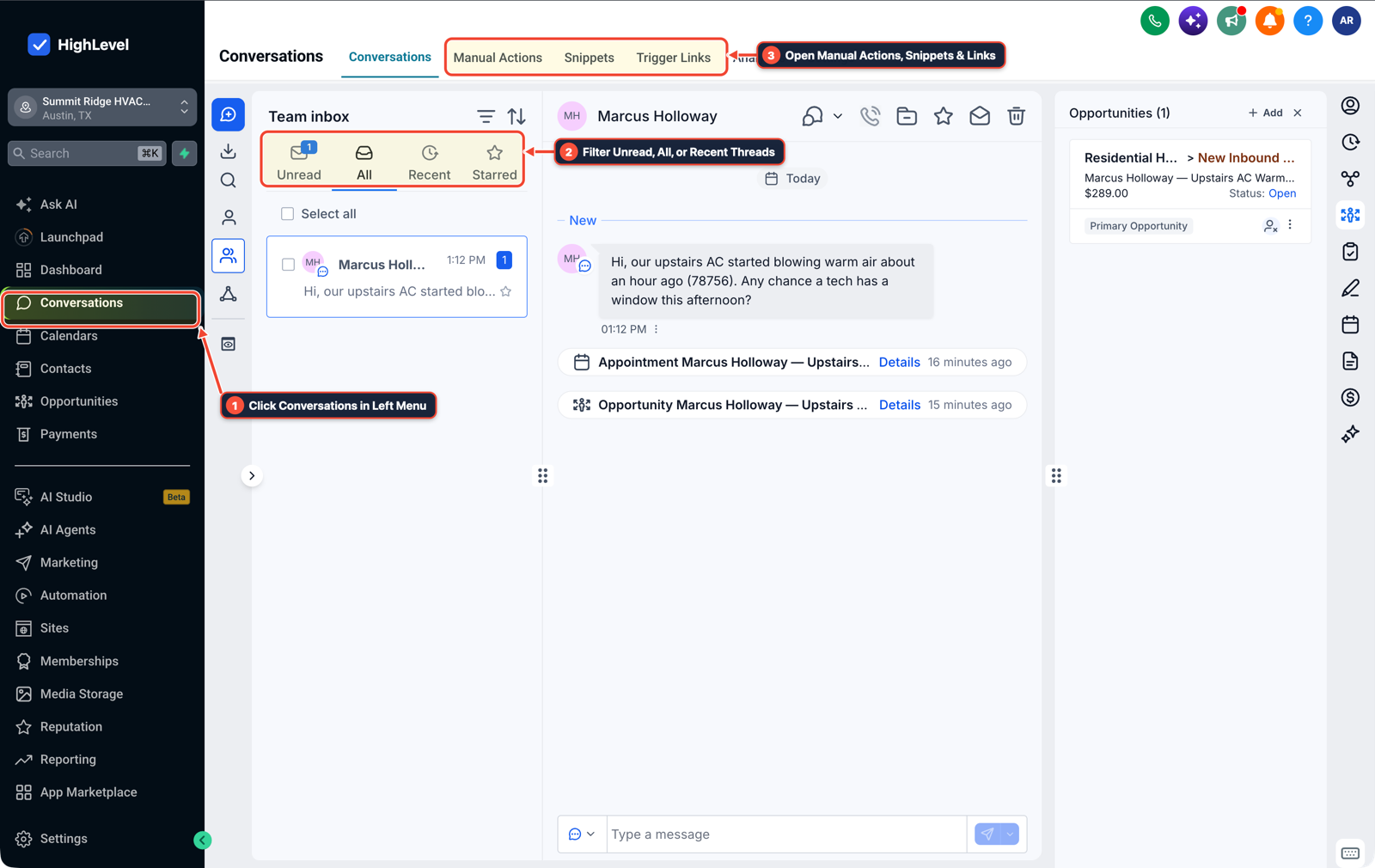
1Click Conversations in Left Menu 2Filter Unread, All, or Recent Threads 3Open Manual Actions, Snippets & Links
MODE: AGENT PROMPT
PASTE INTO CLAUDE CODE, CURSOR, CHATGPT, OR GOHIGHLEVEL ASK AI
AGENT PROMPT
Set up an affiliate commission refund hold and reconciliation workflow in sub-account <YOUR_LOCATION_ID>:
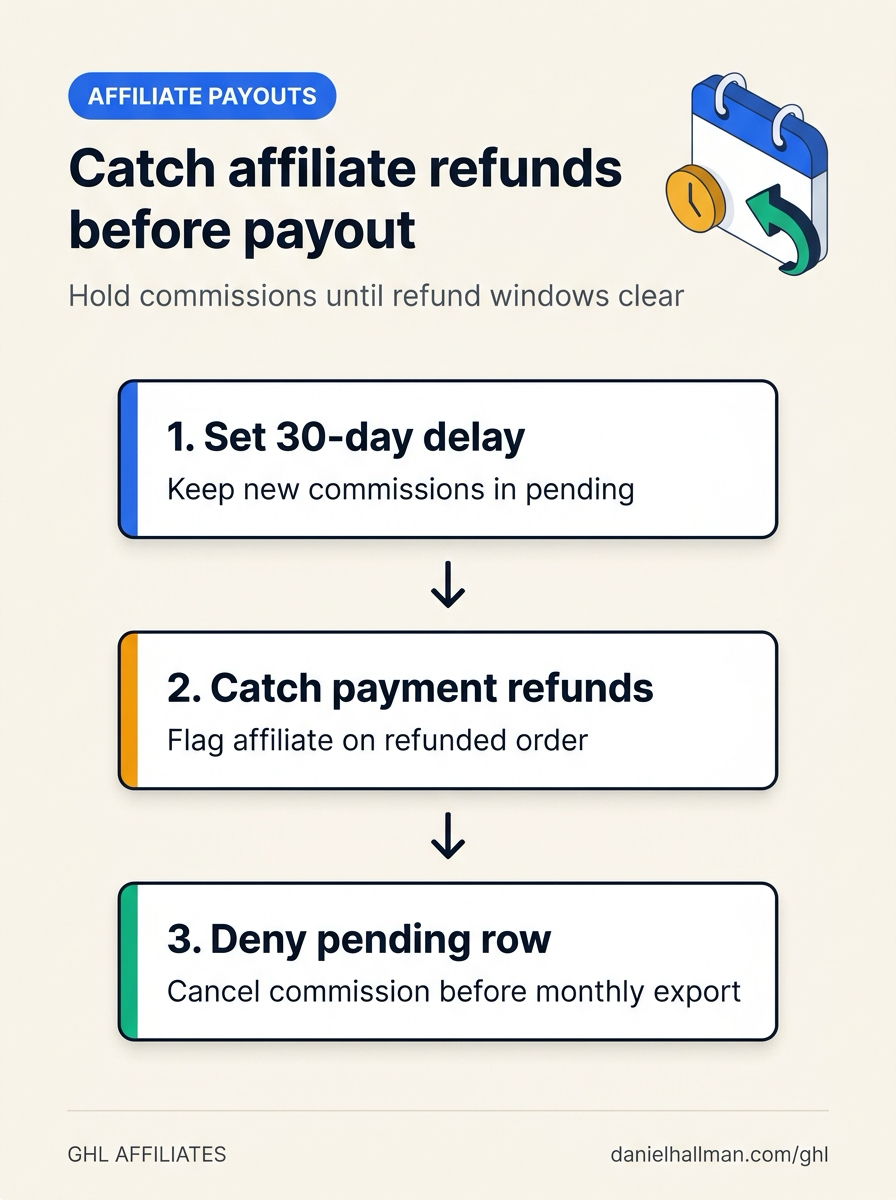
1. In Sites > Funnels and Marketing > Affiliate Manager > Campaigns, set a 30-to-45-day payout delay so commissions remain in Pending past the refund window.
2. In Automation > Workflow Builder, trigger a workflow on payment refund events, check whether the contact carries affiliate attribution, and tag the contact affiliate-refund-pending.
3. In Conversations > Team Inbox, create a billing task to deny the pending payout row in Marketing > Affiliate Manager > Payouts before the monthly export.
GHL-TOOLS MCP SERVER & CLI (DANIELHALLMAN.COM/MCP)
BUILDER + SUB-ACCOUNT TOOLS
# Inspect funnel order forms and refund notification workflows in the sub-account
ghl-crm funnels list --context <YOUR_CONTEXT> --location <YOUR_LOCATION_ID>
ghl-crm workflows list --context <YOUR_CONTEXT> --location <YOUR_LOCATION_ID>
Official GHL MCP vs. ghl-tools: HighLevel’s official hosted MCP (services.leadconnectorhq.com/mcp) covers public v2 CRM records (contacts, opportunities, appointments, conversations). ghl-tools MCP complements it with workflow graph inspection & recipes, funnel/form builders, DNS/BIMI checks, and ghl-crm doctor audits.
Cause
- If your affiliate campaign uses a short payout delay or exports commissions right at the end of the month, a customer who requests a refund two weeks after buying leaves you paying out an affiliate commission on revenue you already returned.
GoHighLevel Configuration
- Configure a
30-to-45-day payout hold in Sites > Funnels and Marketing > Affiliate Manager, catch refunded orders automatically in Automation > Workflow Builder - and route a denial task to Conversations > Team Inbox before the monthly payout run.
GoHighLevel Menu Paths
| Step | Menu Path in GHL | Action |
|---|---|---|
| Step 1 | Sites > Funnels | In Sites > Funnels (and Marketing > Affiliate Manager > Campaigns), connect your order form products and set the campaign Payout Terms / Delay to 30 or 45 days so every new commission stays in Pending status until your refund and chargeback window closes. |
| Step 2 | Automation > Workflow Builder | Trigger a workflow on refunded payment events (or a Stripe charge.refunded Inbound Webhook), check with an If/Else step whether the contact has an attributing affiliate campaign, and apply the affiliate-refund-pending tag. |
| Step 3 | Conversations > Team Inbox | In Conversations > Team Inbox (and Marketing > Affiliate Manager > Payouts), assign an internal review task with the order amount and affiliate name so your billing lead clicks Deny Payout on the pending row before exporting the monthly payout CSV. |
DEFAULT SETUP VS. AUTOMATED WORKFLOW
Operational Comparison
Speed to Lead & Callback Safety
Caller Reply & Booking Rate
Related Questions
- How Do You Manage Affiliate Campaigns and Flat Creator Fees in GoHighLevel?
- How Do You Connect an External Webflow Cart to a GoHighLevel Checkout Without Making Customers Re-Select Items?
- How Do You Flag Duplicate Supplier Invoices and Orders Across Google Sheets, n8n, and GoHighLevel?
- Why Does a GoHighLevel Custom Payment Provider Iframe Require Two "Add Card" Clicks in SaaS Billing (And How Do You Streamline Card-on-File Setup)?
BUILD FASTER IN GOHIGHLEVEL · FREE TRIAL BONUSES + MCP SERVER
Build this directly inside your GoHighLevel sub-account
Connect Claude Code, Cursor, or OpenAI Codex to our ghl-tools MCP Server & Rust CLI to build workflows, forms, and funnels from your editor, or start your GoHighLevel plan through our partner link to unlock $612+ in ready-to-import kits (including GHL Affiliate Refund & Payout Guard Kit) and weekly live clinics.