GOHIGHLEVEL ANSWERS & PROMPTS: PLAYBOOK T06 · WHATSAPP & WHITE-LABEL TEAM INBOX
AUTHOR: DANIEL HALLMAN
KEYWORD: WHATSAPP INBOX
STEP-BY-STEP INSTRUCTIONS + ANNOTATED GHL SCREENSHOTS
Steps in GoHighLevel
-
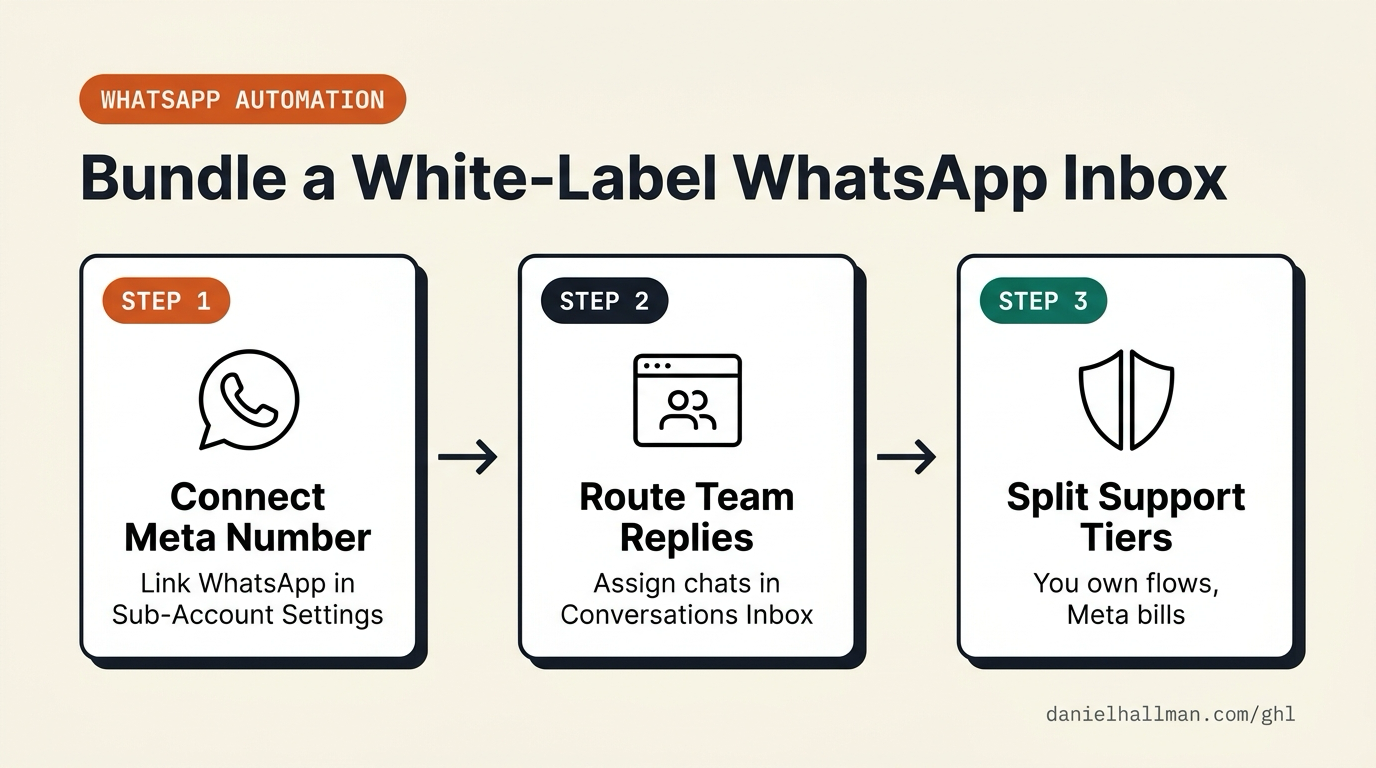
STEP 1In Settings > Phone System and Settings > WhatsApp, connect the client's Meta WhatsApp Business number: Link the client's verified Meta Business Portfolio and configure billing rebilling so the monthly WhatsApp subscription and per-conversation Meta charges bill the client's card directly.
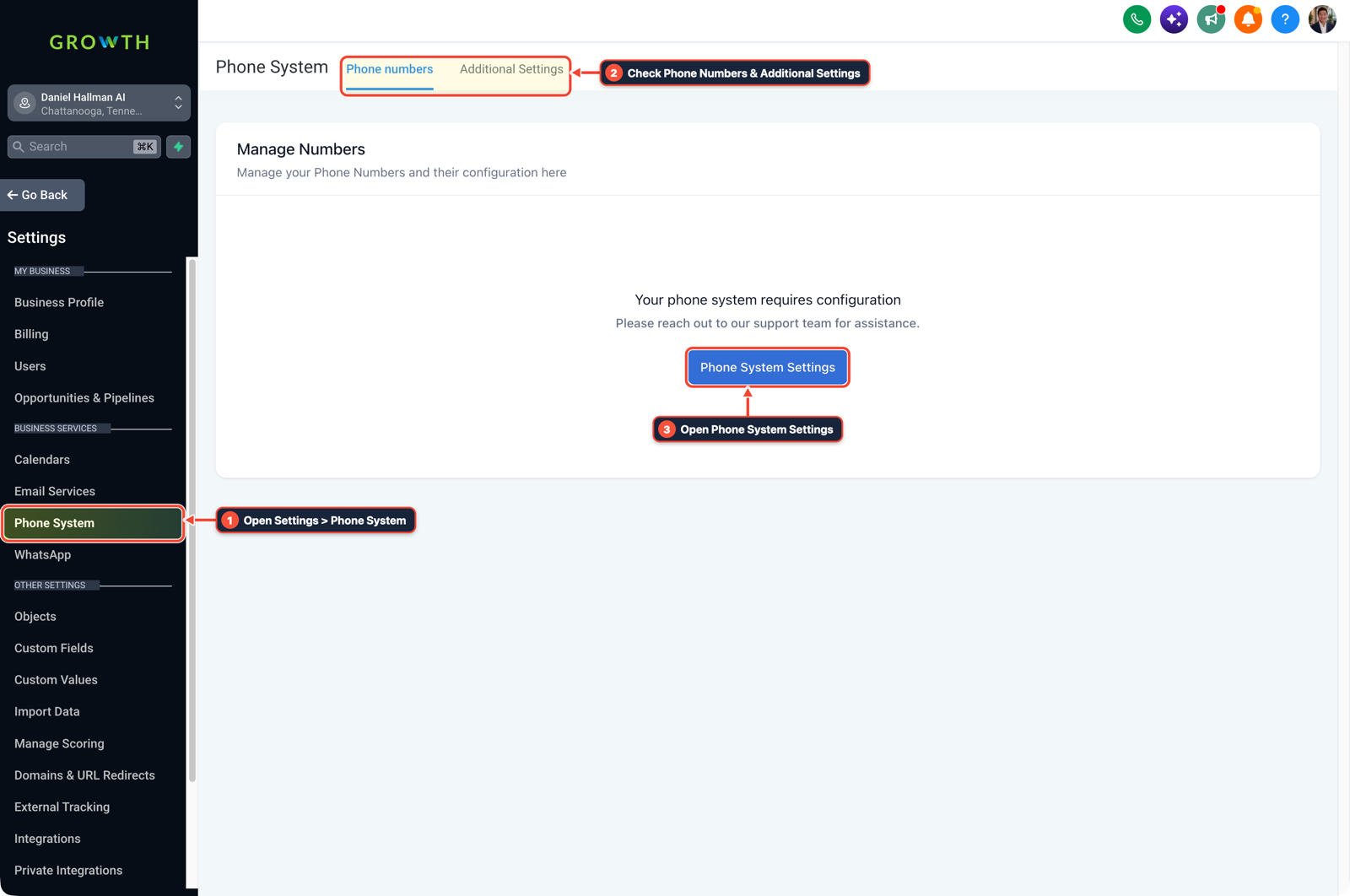
1Open Settings > Phone System 2Check Phone Numbers & Additional Settings 3Open Phone System Settings -
STEP 2In Conversations > Team Inbox, set up staff chat assignment and approved WhatsApp templates: Create quick-reply Snippets and submit WhatsApp Templates under Settings > WhatsApp > Templates so staff can reply during the 24-hour service window or re-open older threads from desktop or mobile.
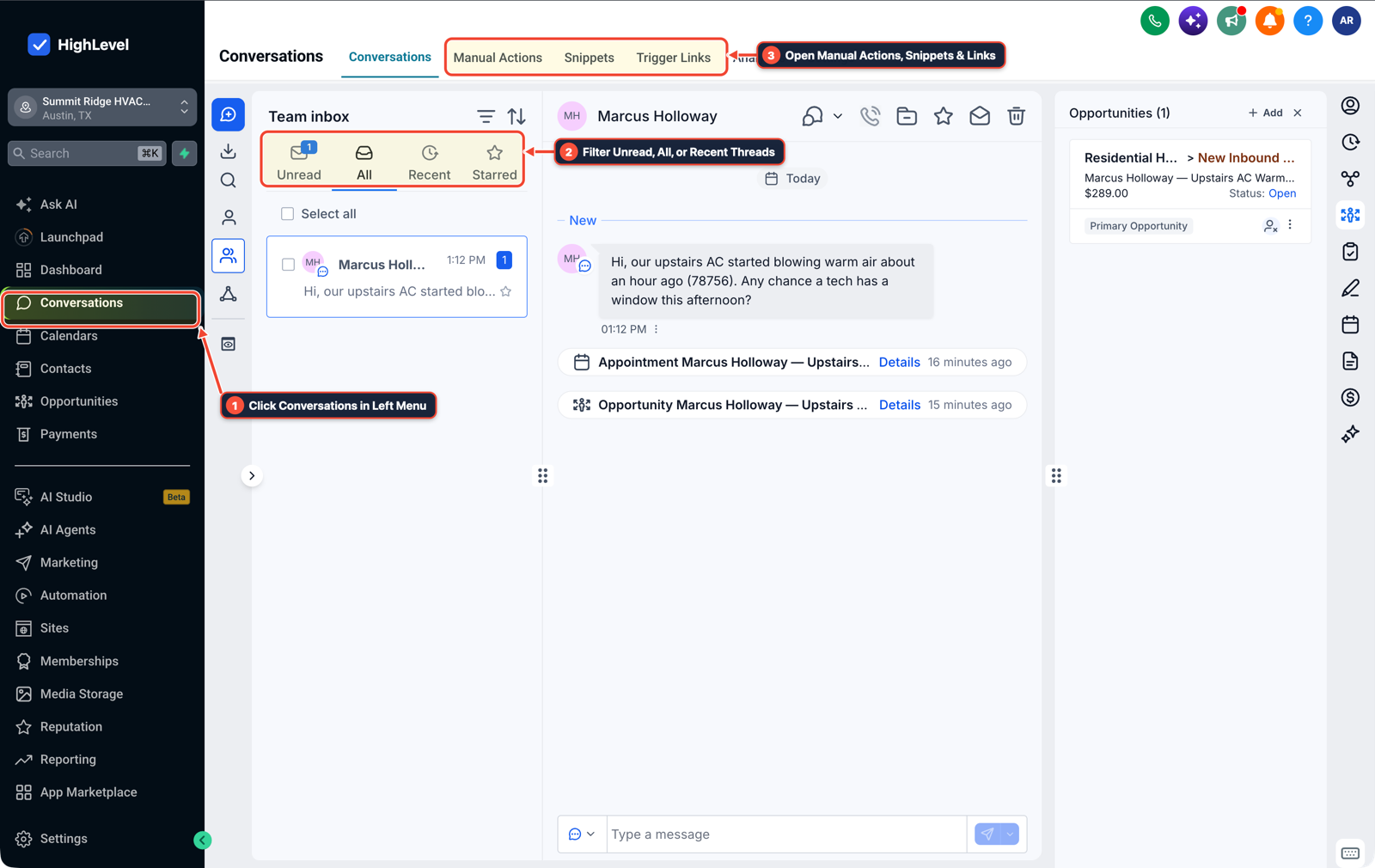
1Click Conversations in Left Menu 2Filter Unread, All, or Recent Threads 3Open Manual Actions, Snippets & Links -
STEP 3In Automation > Workflows, route WhatsApp replies and external Make order webhooks to the assigned rep: Trigger a workflow on Customer Replied (
Reply Channel = WhatsApp) or an Inbound Webhook from Make to send the template, assign the staff owner, and push a mobile notification.
1Add If/Else Condition & Tag Guard 2Chain Priority & Wait Steps 3Switch to Settings or Execution Logs
MODE: AGENT PROMPT
PASTE INTO CLAUDE CODE, CURSOR, CHATGPT, OR GOHIGHLEVEL ASK AI
AGENT PROMPT
Set up a white-label WhatsApp team inbox and webhook handoff in sub-account <YOUR_LOCATION_ID>:
1. In Settings > WhatsApp, connect the client's verified Meta Business number and enable direct client rebilling for Meta conversation usage.
2. In Conversations > Team Inbox and Settings > WhatsApp > Templates, configure approved message templates and quick-reply snippets for staff.
3. In Automation > Workflows, route Customer Replied (Reply Channel = WhatsApp) and external Make Inbound Webhooks to assign staff and send mobile push alerts.
GHL-TOOLS MCP SERVER & CLI (DANIELHALLMAN.COM/MCP)
BUILDER + SUB-ACCOUNT TOOLS
# Inspect sub-account workflows and staff assignment rules via ghl-crm and ghl-agency
ghl-crm workflows list --context <YOUR_CONTEXT> --location <YOUR_LOCATION_ID>
ghl-agency users list --context <YOUR_CONTEXT> --location <YOUR_LOCATION_ID>
Official GHL MCP vs. ghl-tools: HighLevel’s official hosted MCP (services.leadconnectorhq.com/mcp) covers public v2 CRM records (contacts, opportunities, appointments, conversations). ghl-tools MCP complements it with workflow graph inspection & recipes, funnel/form builders, DNS/BIMI checks, and ghl-crm doctor audits.
Cause
- Automation builders who wire WhatsApp lead and order messages through Make scenarios quickly run into a wall when the client's front desk tries to reply.
- Hosting a separate open-source inbox or linking an unofficial QR-code WhatsApp tool puts you on call every weekend whenever a phone session disconnects, a Meta template gets rejected, or staff miss mobile push notifications.
GoHighLevel Configuration
- Give the client's team GoHighLevel's Conversations inbox and the LeadConnector mobile app connected to the official Meta WhatsApp Business API.
- Let staff reply, assign chats, and send approved WhatsApp templates inside the 24-hour customer service window, and have any external Make ecommerce or ERP workflows trigger GoHighLevel via Inbound Webhook so every automated and manual message appears on the same contact timeline.
GoHighLevel Menu Paths
| Step | Menu Path in GHL | Action |
|---|---|---|
| Step 1 | Settings > Phone System | Connect the client's Meta WhatsApp Business number: Link the client's verified Meta Business Portfolio and configure billing rebilling so the monthly WhatsApp subscription and per-conversation Meta charges bill the client's card directly. |
| Step 2 | Conversations > Team Inbox | Set up staff chat assignment and approved WhatsApp templates: Create quick-reply Snippets and submit WhatsApp Templates under Settings > WhatsApp > Templates so staff can reply during the 24-hour service window or re-open older threads from desktop or mobile. |
| Step 3 | Automation > Workflows | Route WhatsApp replies and external Make order webhooks to the assigned rep: Trigger a workflow on Customer Replied (Reply Channel = WhatsApp) or an Inbound Webhook from Make to send the template, assign the staff owner, and push a mobile notification. |
DEFAULT SETUP VS. AUTOMATED WORKFLOW
Operational Comparison
Manual Admin Work Per Client
Lead-to-Booked-Job Conversion
Related Questions
- Should You Use WhatsApp or Standard SMS for Home Service Leads in GoHighLevel?
- How do you format data and run math in GoHighLevel Workflows without paying for n8n or Make?
- How Do You Stop a Self-Hosted n8n Outage from Dropping Client Leads in GoHighLevel?
- Why Is My GoHighLevel Workflow Not Sending Notifications When a Customer Replies?
BUILD FASTER IN GOHIGHLEVEL · FREE TRIAL BONUSES + MCP SERVER
Build this directly inside your GoHighLevel sub-account
Connect Claude Code, Cursor, or OpenAI Codex to our ghl-tools MCP Server & Rust CLI to build workflows, forms, and funnels from your editor, or start your GoHighLevel plan through our partner link to unlock $612+ in ready-to-import kits (including GHL Omnichannel Inbox & Workflow Pack) and weekly live clinics.