GOHIGHLEVEL ANSWERS & PROMPTS: PLAYBOOK T100 · ACTION-LEVEL TOKEN SCOPES, 30-DRAFT EDIT TRACKING & HUMAN APPROVAL GATES FOR EXTERNAL SENDS
AUTHOR: DANIEL HALLMAN
KEYWORD: AGENT AUTONOMY
STEP-BY-STEP INSTRUCTIONS + ANNOTATED GHL SCREENSHOTS
Steps in GoHighLevel
-
STEP 1In Settings > Private Integrations, create a location-scoped token (
pit-...) that grants read, tag, and internal note permissions to your AI agent while leaving delete, user management, and billing scopes unchecked.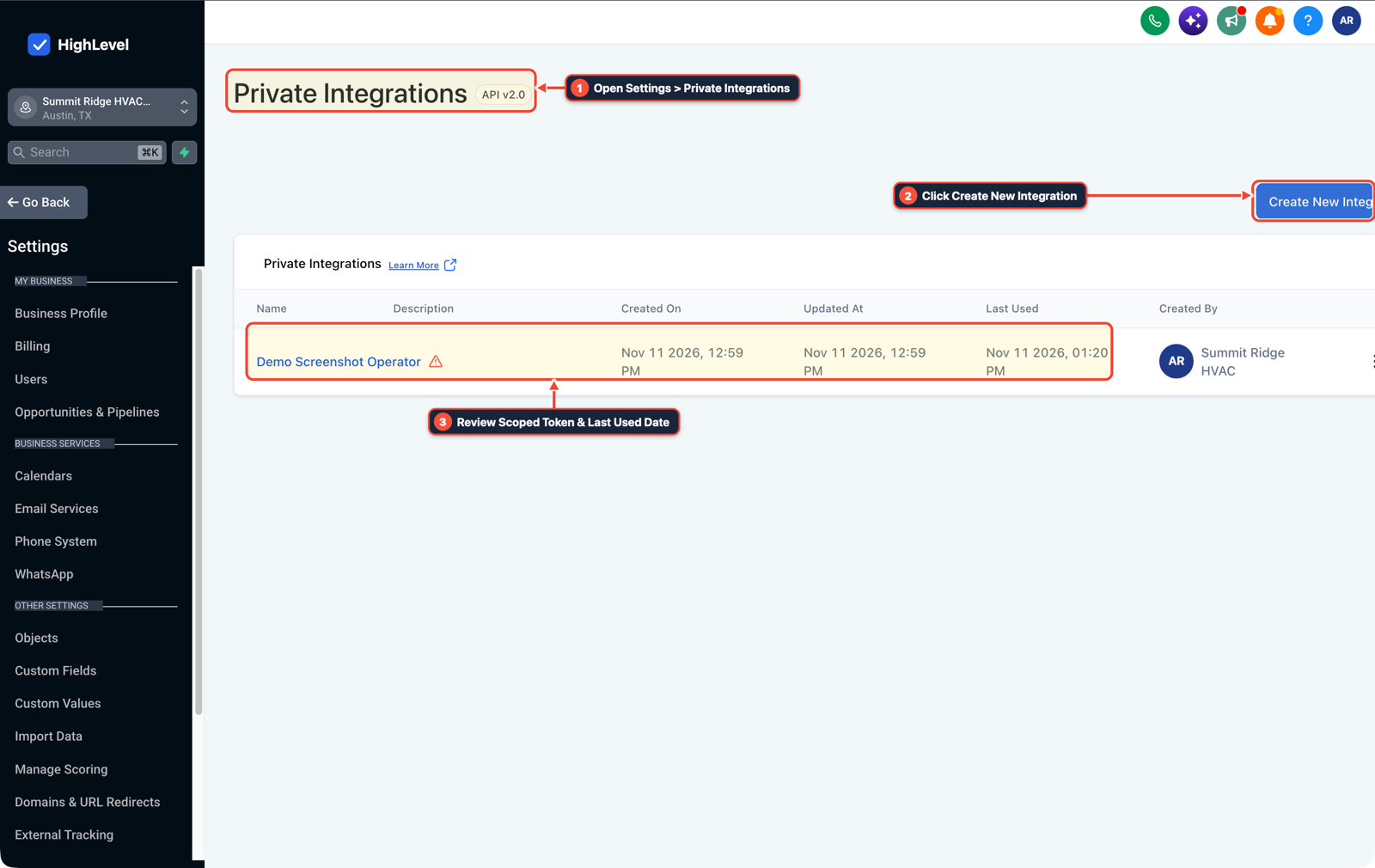
1Open Settings > Private Integrations 2Click Create New Integration 3Review Scoped Token & Last Used Date -
STEP 2In AI Agents > Conversation AI, keep new customer-facing reply flows in Suggestive mode until your team approves
25to30consecutive drafts without editing the recipient or message text.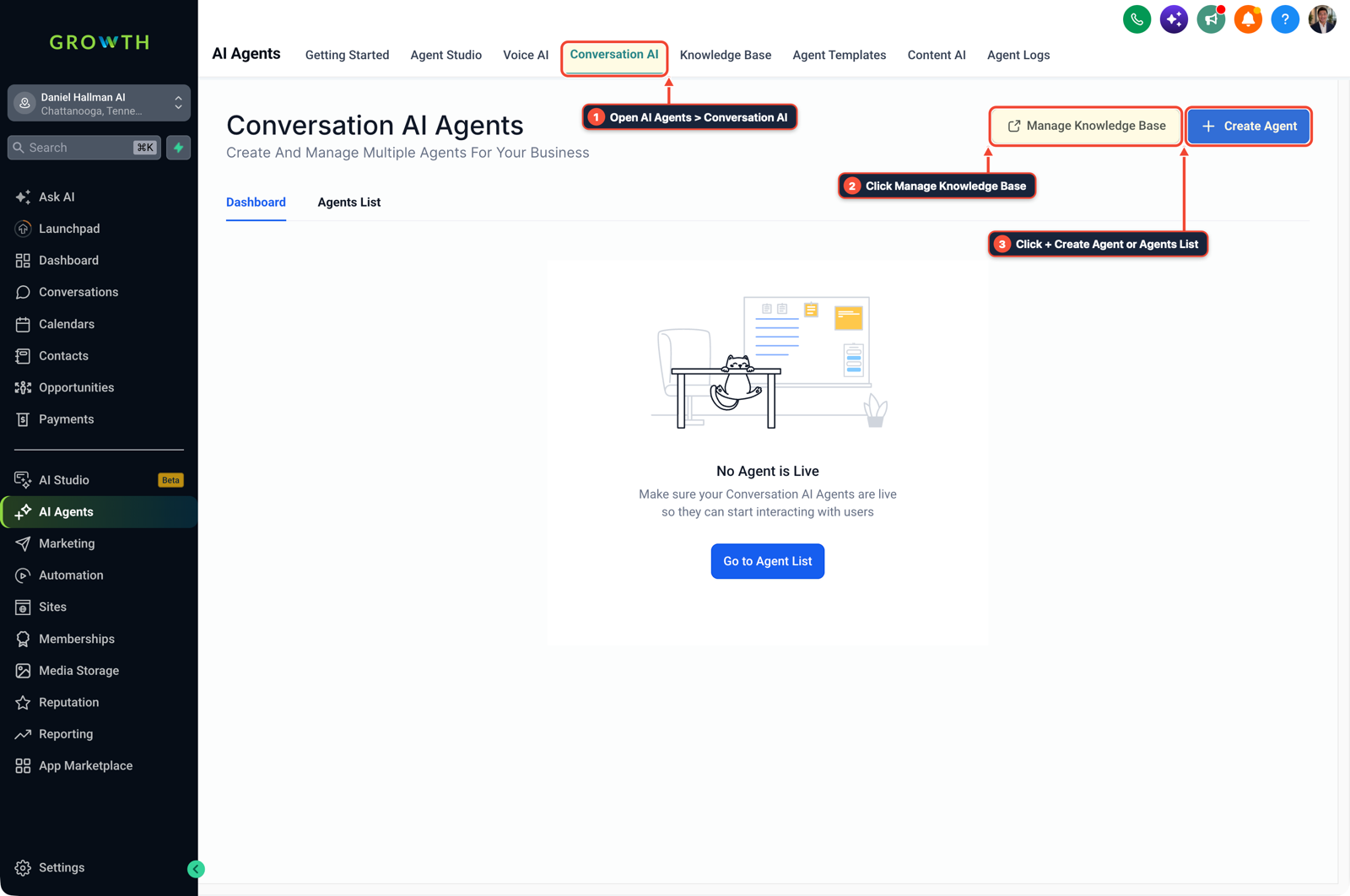
1Open AI Agents > Conversation AI 2Click Manage Knowledge Base 3Click + Create Agent or Agents List -
STEP 3In Automation > Workflow Builder, route external email sends, refunds, and schedule changes through a human approval task in Conversations > Team Inbox and check for an existing send timestamp before any retry fires.
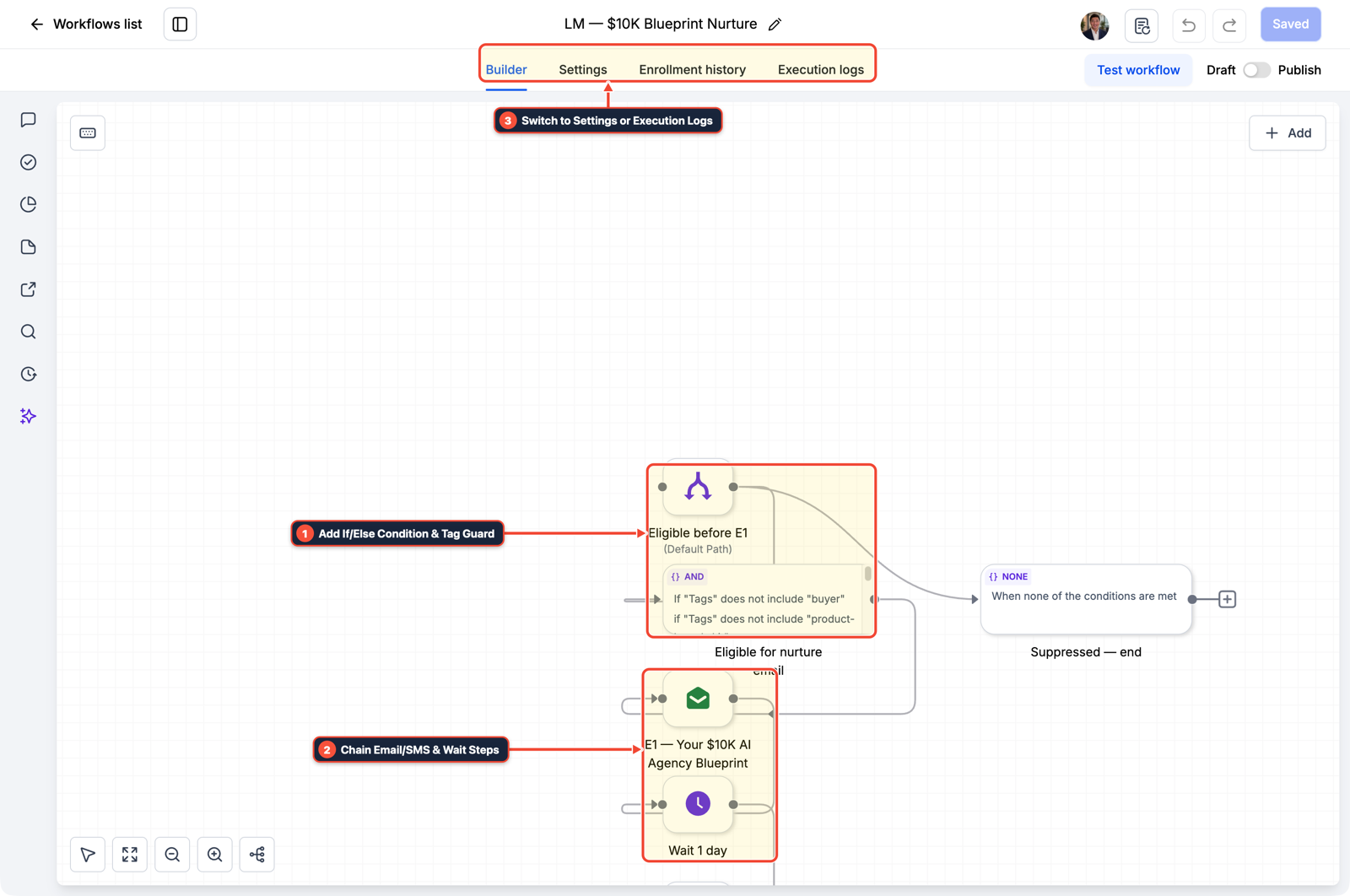
1Add If/Else Condition & Tag Guard 2Chain Priority & Wait Steps 3Switch to Settings or Execution Logs
MODE: AGENT PROMPT
PASTE INTO CLAUDE CODE, CURSOR, CHATGPT, OR GOHIGHLEVEL ASK AI
AGENT PROMPT
Configure tiered AI agent tool permissions and draft-to-autonomous graduation rules in sub-account <YOUR_LOCATION_ID>:
1. In Settings > Private Integrations, create a scoped Location token allowing contact reads, tags, and notes while excluding delete and billing scopes.
2. In AI Agents > Conversation AI, run new customer-facing reply flows in Suggestive mode and track consecutive unedited approvals before enabling automatic replies.
3. In Automation > Workflow Builder, require human approval in Conversations > Team Inbox for external email sends or billing updates and verify no send receipt exists before retrying.
GHL-TOOLS MCP SERVER & CLI (DANIELHALLMAN.COM/MCP)
BUILDER + SUB-ACCOUNT TOOLS
# Audit sub-account workflows and custom fields for AI agent tool gates
ghl-crm workflows list --context <YOUR_CONTEXT> --location <YOUR_LOCATION_ID>
ghl-crm custom-fields list --context <YOUR_CONTEXT> --location <YOUR_LOCATION_ID>
Official GHL MCP vs. ghl-tools: HighLevel’s official hosted MCP (services.leadconnectorhq.com/mcp) covers public v2 CRM records (contacts, opportunities, appointments, conversations). ghl-tools MCP complements it with workflow graph inspection & recipes, funnel/form builders, DNS/BIMI checks, and ghl-crm doctor audits.
Cause
- Treating tool access as an all-or-nothing toggle either leaves the agent unable to organize records or lets an unreviewed prompt send duplicate external emails, alter appointments
- or delete CRM data when a tool call times out and retries.
GoHighLevel Configuration
- Scope tokens to non-destructive actions in Settings > Private Integrations, measure how many consecutive drafts pass without human edits in AI Agents > Conversation AI
- and require a human approval click plus an existing-receipt check in Automation > Workflow Builder before external sends run.
GoHighLevel Menu Paths
| Step | Menu Path in GHL | Action |
|---|---|---|
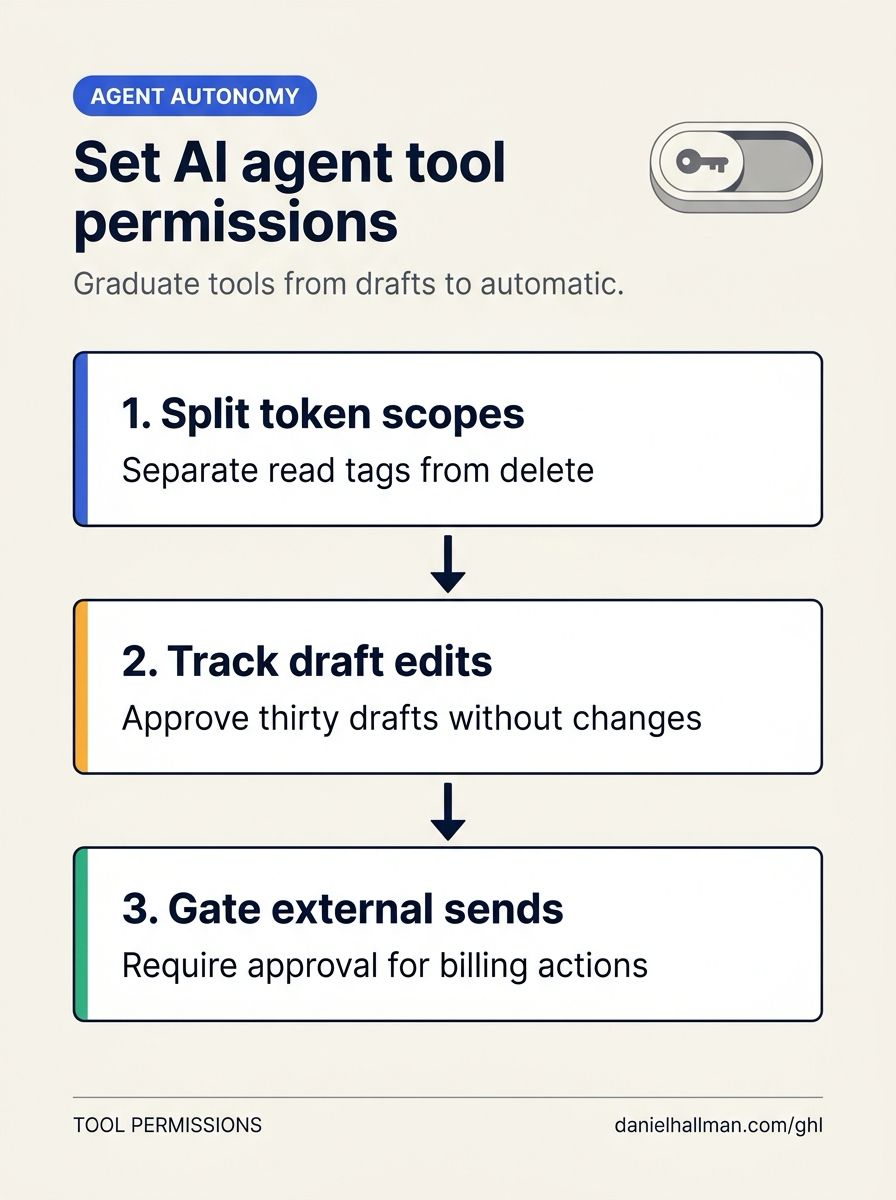
| Step 1 | Settings > Private Integrations | Create a location-scoped token (pit-...) that grants read, tag, and internal note permissions to your AI agent while leaving delete, user management, and billing scopes unchecked. |
| Step 2 | AI Agents > Conversation AI | Keep new customer-facing reply flows in Suggestive mode until your team approves 25 to 30 consecutive drafts without editing the recipient or message text. |
| Step 3 | Automation > Workflow Builder | Route external email sends, refunds, and schedule changes through a human approval task in Conversations > Team Inbox and check for an existing send timestamp before any retry fires. |
DEFAULT SETUP VS. AUTOMATED WORKFLOW
Operational Comparison
Manual Admin Work Per Client
Lead-to-Booked-Job Conversion
Related Questions
- How Do You Let Non-Engineers Approve Risky AI Agent Actions in GoHighLevel Without Slowing the Team?
- How Do You Use Rule-Based Approval Gates for AI Triage Agents in n8n and GoHighLevel?
- How Do You Prevent AI Agents From Sending Too Many Emails or Looping in GoHighLevel Workflows?
- How do you connect Claude Code or Cursor to GoHighLevel using MCP?
BUILD FASTER IN GOHIGHLEVEL · FREE TRIAL BONUSES + MCP SERVER
Build this directly inside your GoHighLevel sub-account
Connect Claude Code, Cursor, or OpenAI Codex to our ghl-tools MCP Server & Rust CLI to build workflows, forms, and funnels from your editor, or start your GoHighLevel plan through our partner link to unlock $612+ in ready-to-import kits (including GoHighLevel MCP Server & Tool Permission Kit) and weekly live clinics.