GOHIGHLEVEL ANSWERS & PROMPTS: PLAYBOOK T05 · AGENCY POSITIONING & LEAD CONVERSION
AUTHOR: DANIEL HALLMAN
KEYWORD: AGENCY VALUE
STEP-BY-STEP INSTRUCTIONS + ANNOTATED GHL SCREENSHOTS
Steps in GoHighLevel
-
STEP 1In Sites > Funnels and Sites > Forms, route video description links to a 2-step mobile capture funnel: Append
?utm_source=youtube&utm_content={{video_slug}}to your description link and capture Name + Mobile Phone on Step 1 before displaying the booking calendar on Step 2.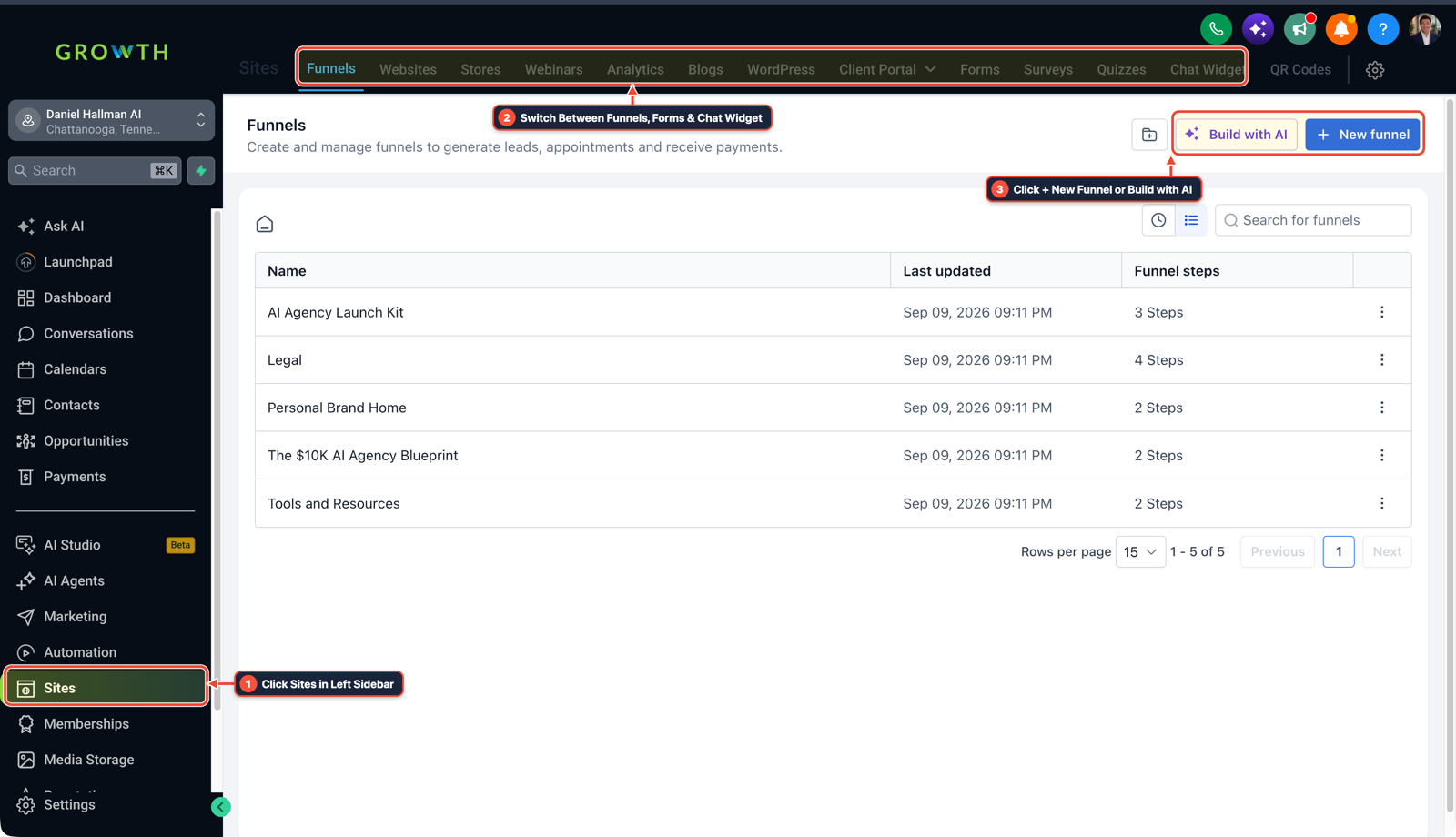
1Click Sites in Left Sidebar 2Switch Between Funnels, Forms & Chat Widget 3Click + New Funnel or Build with AI -
STEP 2In Automation > Workflows, text every new video opt-in within 45 seconds: Trigger a workflow on Form Submitted that waits
45seconds, checks whether an appointment was booked, and sends a personal SMS asking a simple qualifying question to get the viewer on the calendar.
1Add If/Else Condition & Tag Guard 2Chain Priority & Wait Steps 3Switch to Settings or Execution Logs -
STEP 3In Opportunities > Pipelines, track every video lead through to Closed Won revenue: Create pipeline stages (
Video Opt-In,Call Booked,Proposal Sent,Closed Won) with deal values attached so your monthly client review proves closed revenue per video instead of thumbnail views.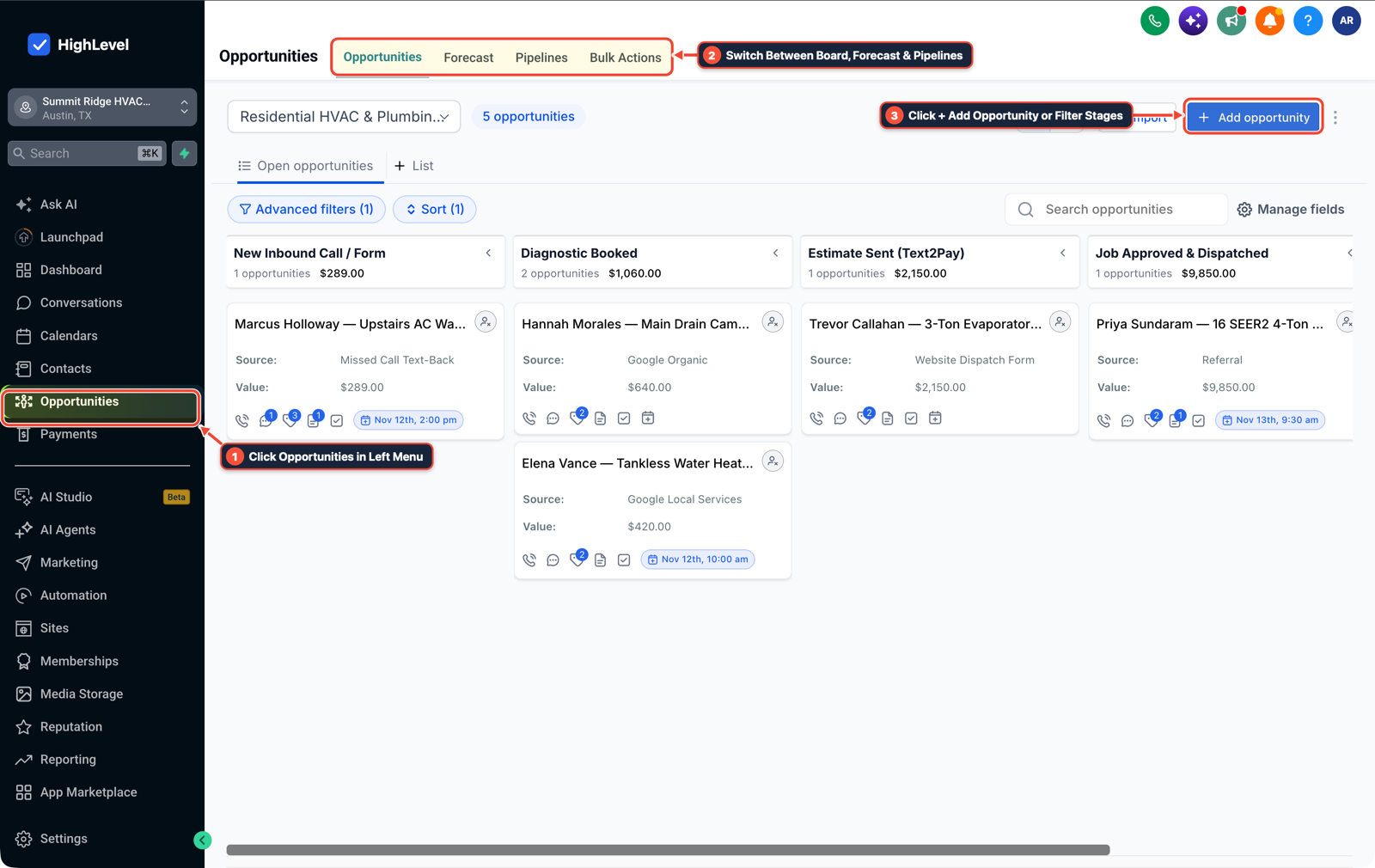
1Click Opportunities in Left Menu 2Switch Between Board, Forecast & Pipelines 3Click + Add Opportunity or Filter Stages
MODE: AGENT PROMPT
PASTE INTO CLAUDE CODE, CURSOR, CHATGPT, OR GOHIGHLEVEL ASK AI
AGENT PROMPT
Wire a YouTube/content lead capture funnel, 45-second SMS follow-up, and revenue attribution pipeline in sub-account <YOUR_LOCATION_ID>:
1. In Sites > Funnels and Sites > Forms, create a 2-step mobile capture form recording utm_source and utm_content before loading the booking calendar.
2. In Automation > Workflows, trigger on Form Submitted, wait 45 seconds, and send an SMS follow-up if the contact has not booked an appointment.
3. In Opportunities > Pipelines, move contacts across Video Opt-In, Call Booked, Proposal Sent, and Closed Won with dollar values attached.
GHL-TOOLS MCP SERVER & CLI (DANIELHALLMAN.COM/MCP)
BUILDER + SUB-ACCOUNT TOOLS
# Inspect sub-account funnels, forms, and conversion workflows via ghl-crm
ghl-crm funnels list --context <YOUR_CONTEXT> --location <YOUR_LOCATION_ID>
ghl-crm workflows list --context <YOUR_CONTEXT> --location <YOUR_LOCATION_ID>
Official GHL MCP vs. ghl-tools: HighLevel’s official hosted MCP (services.leadconnectorhq.com/mcp) covers public v2 CRM records (contacts, opportunities, appointments, conversations). ghl-tools MCP complements it with workflow graph inspection & recipes, funnel/form builders, DNS/BIMI checks, and ghl-crm doctor audits.
Cause
- YouTube and content agencies that charge strictly for editing, thumbnail design, and SEO metadata feel squeezed as clients test low-cost AI tools.
- Even when a client uses AI to publish videos or ads on their own, they still lose half their inbound leads because viewers land on a slow website form and nobody texts or calls them back within five minutes.
GoHighLevel Configuration
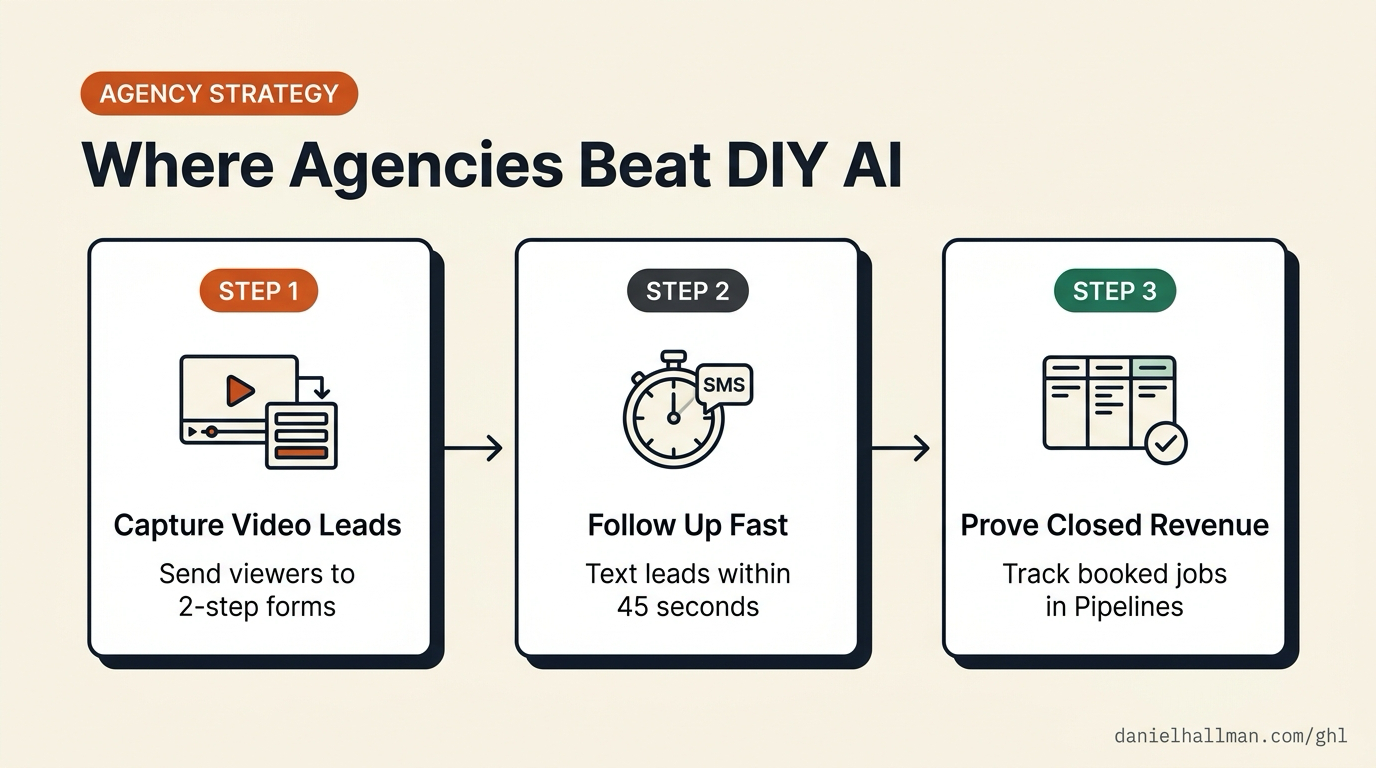
- Reposition your agency offer around booked sales calls and tracked pipeline revenue rather than raw content deliverables.
- Keep human creativity focused on the founder's on-camera point of view and real customer stories, and wire GoHighLevel behind the channel to capture 2-step opt-ins, automate 45-second SMS follow-up, and attribute closed deals back to the exact video.
GoHighLevel Menu Paths
| Step | Menu Path in GHL | Action |
|---|---|---|
| Step 1 | Sites > Funnels | Route video description links to a 2-step mobile capture funnel: Append ?utm_source=youtube&utm_content={{video_slug}} to your description link and capture Name + Mobile Phone on Step 1 before displaying the booking calendar on Step 2. |
| Step 2 | Automation > Workflows | Text every new video opt-in within 45 seconds: Trigger a workflow on Form Submitted that waits 45 seconds, checks whether an appointment was booked, and sends a personal SMS asking a simple qualifying question to get the viewer on the calendar. |
| Step 3 | Opportunities > Pipelines | Track every video lead through to Closed Won revenue: Create pipeline stages (Video Opt-In, Call Booked, Proposal Sent, Closed Won) with deal values attached so your monthly client review proves closed revenue per video instead of thumbnail views. |
DEFAULT SETUP VS. AUTOMATED WORKFLOW
Operational Comparison
Manual Admin Work Per Client
Lead-to-Booked-Job Conversion
Related Questions
- How do you make money with GoHighLevel in 2026 without selling software logins?
- How are you guys getting clients for your marketing agency?
- How do you capture partial form submissions in a 2-step GoHighLevel funnel?
- How do you build custom client reporting dashboards and automated Monday ROI emails in GoHighLevel?
BUILD FASTER IN GOHIGHLEVEL · FREE TRIAL BONUSES + MCP SERVER
Build this directly inside your GoHighLevel sub-account
Connect Claude Code, Cursor, or OpenAI Codex to our ghl-tools MCP Server & Rust CLI to build workflows, forms, and funnels from your editor, or start your GoHighLevel plan through our partner link to unlock $612+ in ready-to-import kits (including AI Agency Launch Kit) and weekly live clinics.