GOHIGHLEVEL ANSWERS & PROMPTS: PLAYBOOK T09 · SAAS & SNAPSHOTS
AUTHOR: DANIEL HALLMAN
KEYWORD: RETAINER
STEP-BY-STEP INSTRUCTIONS + ANNOTATED GHL SCREENSHOTS
Steps in GoHighLevel
-
STEP 1In Settings > Phone Numbers, connect the client's business line and create a 5-stage pipeline: Set up call forwarding for missed calls, then in Opportunities > Pipelines, click Create New Pipeline, name it
Service Leads, and add 5 stages (New Lead,Call Booked,Estimate Sent,Job Won,Review Requested).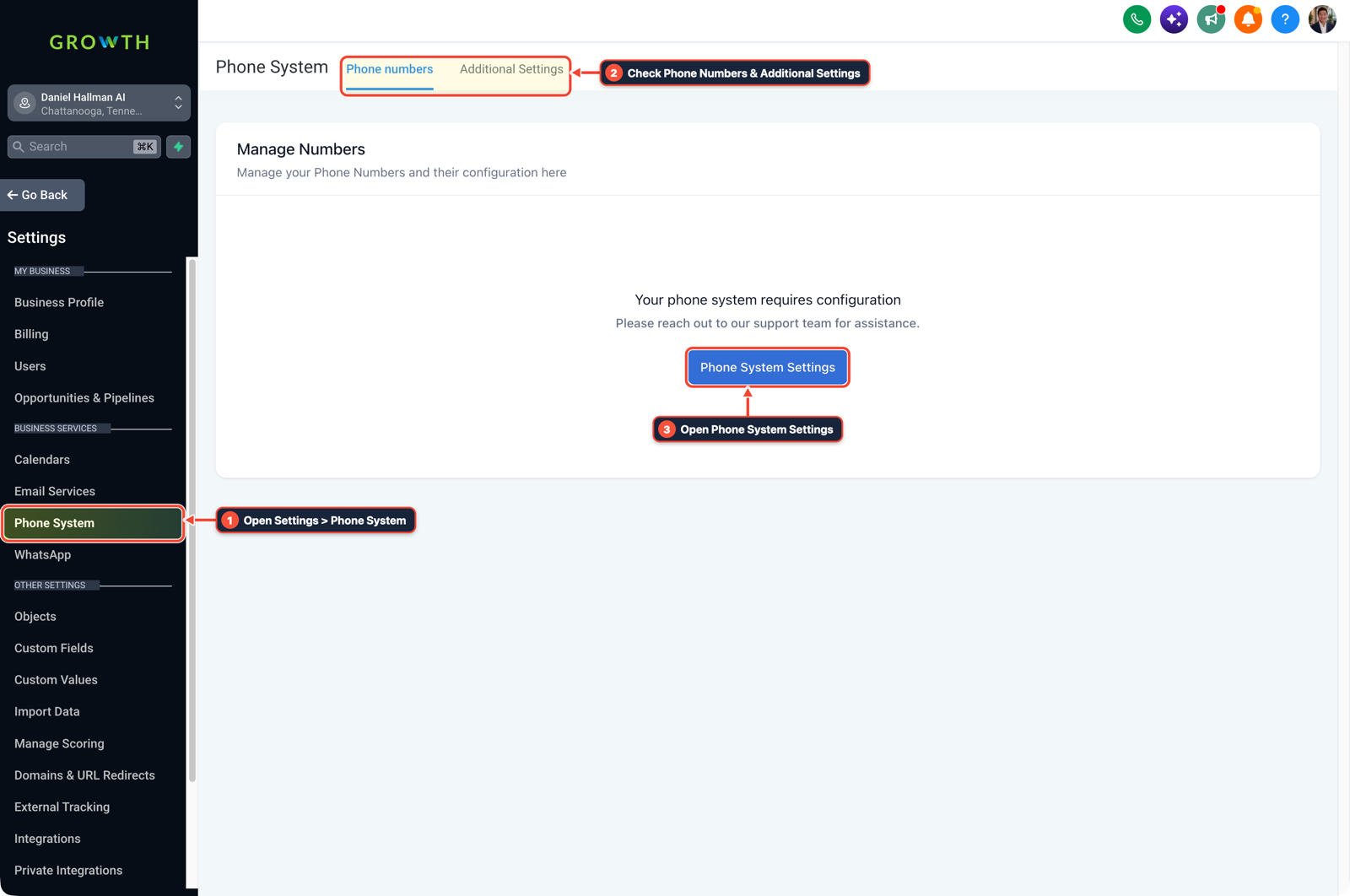
1Open Settings > Phone System 2Check Phone Numbers & Additional Settings 3Open Phone System Settings -
STEP 2In Automation > Workflows, build a 45-second missed-call recovery flow: Click + Create Workflow, select Call Status (
Direction = Incoming,StatusinBusy,No-Answer, orVoicemail), enable Stop on Response, add a45second Wait step, and send an SMS asking what repair they need and their service address.
1Add If/Else Condition & Tag Guard 2Chain Email/SMS & Wait Steps 3Switch to Settings or Execution Logs -
STEP 3In Automation > Workflows, automate post-job reviews and 24/7 intake: Create a workflow triggered when an opportunity moves to
Job Wonthat sends a Google review link2hours later, and add a simple phone menu or conversational agent to book after-hours emergency calls directly on the calendar.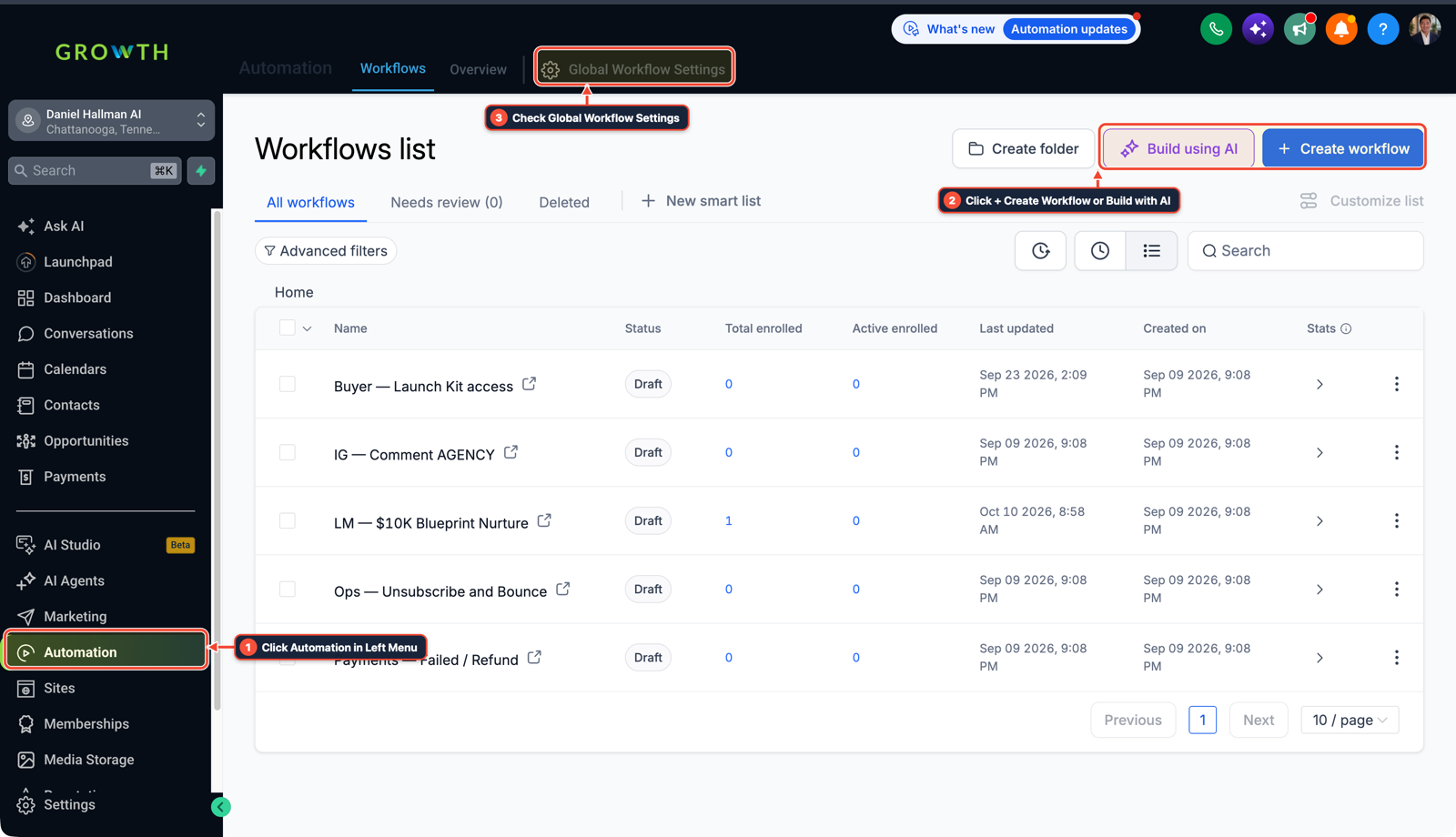
1Click Automation in Left Menu 2Click + Create Workflow or Build with AI 3Check Global Workflow Settings
MODE: AGENT PROMPT
PASTE INTO CLAUDE CODE, CURSOR, CHATGPT, OR GOHIGHLEVEL ASK AI
AGENT PROMPT
Set up an outcome-driven HighLevel sub-account for a local client (<YOUR_LOCATION_ID>):
1. In Opportunities > Pipelines, create a 5-stage pipeline named 'Service Leads' (New Lead, Call Booked, Estimate Sent, Job Won, Review Requested).
2. In Automation > Workflows, build '01 — 45s Missed-Call Text-Back' triggered on incoming missed calls with Stop on Response enabled and a 45-second delay before texting for the service address.
3. In Automation > Workflows, build '02 — Post-Job Review Request' triggered 2 hours after Opportunity Stage moves to Job Won, plus a 24/7 after-hours booking workflow.
GHL-TOOLS MCP SERVER & CLI (DANIELHALLMAN.COM/MCP)
BUILDER + SUB-ACCOUNT TOOLS
# Inspect sub-account pipelines and workflow triggers with ghl-crm
ghl-crm workflows list --context <YOUR_CONTEXT> --location <YOUR_LOCATION_ID>
Official GHL MCP vs. ghl-tools: HighLevel’s official hosted MCP (services.leadconnectorhq.com/mcp) covers public v2 CRM records (contacts, opportunities, appointments, conversations). ghl-tools MCP complements it with workflow graph inspection & recipes, funnel/form builders, DNS/BIMI checks, and ghl-crm doctor audits.
Cause
- Trying to sell GoHighLevel as CRM software or pitching massive snapshot templates puts you in direct competition with $5/hr offshore VAs.
- Local trades, roofers, and medical practices do not want another dashboard to manage, and they cancel within 60 days when they get overwhelmed by confusing settings.
GoHighLevel Configuration
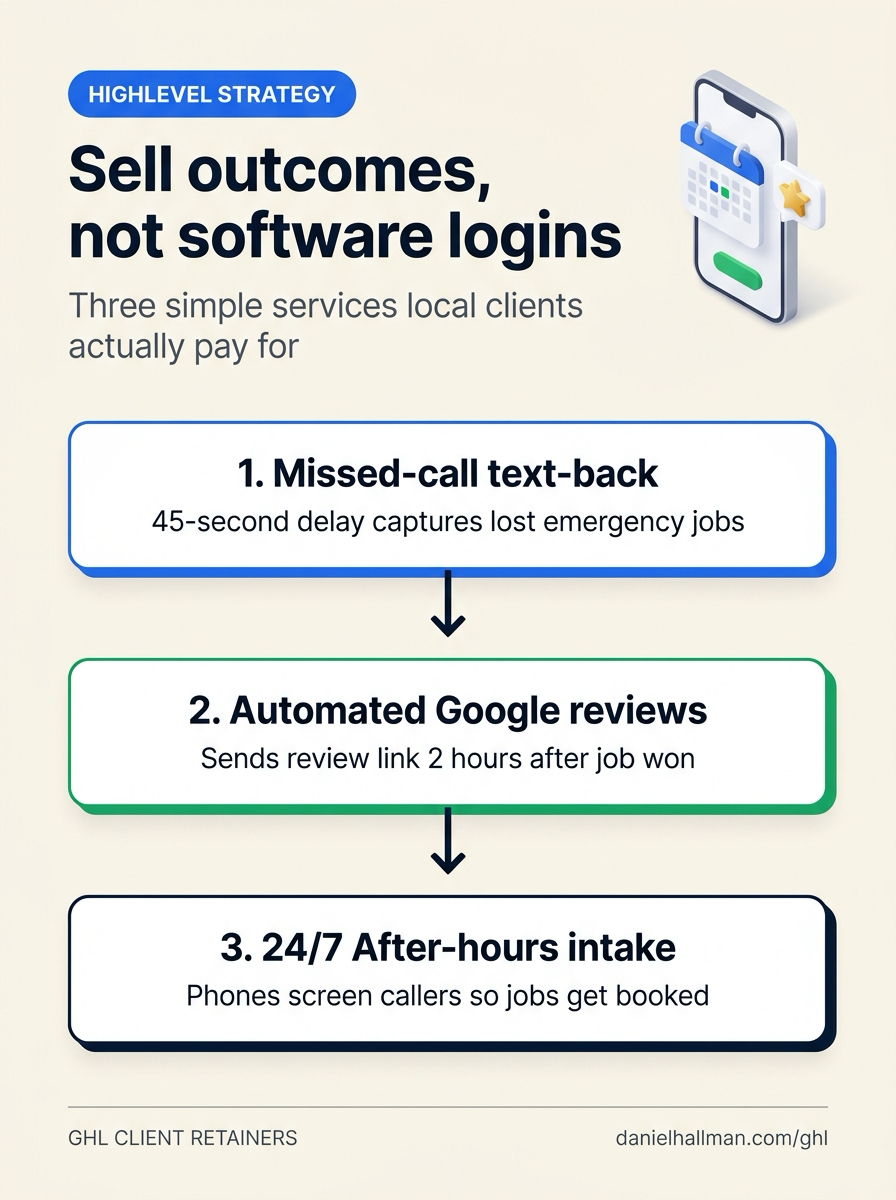
- Treat HighLevel as backend plumbing that delivers booked appointments and Google reviews straight to the owner's phone.
- Connect their existing phone number, launch three focused automations (a 45-second callback guard, an automated review text 2 hours after job completion, and an after-hours booking flow), and bill a recurring monthly retainer for lead recovery.
GoHighLevel Menu Paths
| Step | Menu Path in GHL | Action |
|---|---|---|
| Step 1 | Settings > Phone Numbers | Connect the client's business line and create a 5-stage pipeline: Set up call forwarding for missed calls, then in Opportunities > Pipelines, click Create New Pipeline, name it Service Leads, and add 5 stages (New Lead, Call Booked, Estimate Sent, Job Won, Review Requested). |
| Step 2 | Automation > Workflows | Build a 45-second missed-call recovery flow: Click + Create Workflow, select Call Status (Direction = Incoming, Status in Busy, No-Answer, or Voicemail), enable Stop on Response, add a 45 second Wait step, and send an SMS asking what repair they need and their service address. |
| Step 3 | Automation > Workflows | Automate post-job reviews and 24/7 intake: Create a workflow triggered when an opportunity moves to Job Won that sends a Google review link 2 hours later, and add a simple phone menu or conversational agent to book after-hours emergency calls directly on the calendar. |
DEFAULT SETUP VS. AUTOMATED WORKFLOW
Operational Comparison
Manual Admin Work Per Client
Lead-to-Booked-Job Conversion
Related Questions
- How do you set up GoHighLevel for a solo home service business without bloated agency snapshots?
- How do you reach $2k to $5k a month with GoHighLevel without pitching software features?
- How do you sell GoHighLevel to local contractors and home service businesses?
- How are you guys getting clients for your marketing agency?
BUILD FASTER IN GOHIGHLEVEL · FREE TRIAL BONUSES + MCP SERVER
Build this directly inside your GoHighLevel sub-account
Connect Claude Code, Cursor, or OpenAI Codex to our ghl-tools MCP Server & Rust CLI to build workflows, forms, and funnels from your editor, or start your GoHighLevel plan through our partner link to unlock $612+ in ready-to-import kits (including GHL Workflow Architect Pack) and weekly live clinics.