GOHIGHLEVEL ANSWERS & PROMPTS: PLAYBOOK T50 · GOHIGHLEVEL FREE TRIAL TO BLACK FRIDAY PROMO UPGRADE
AUTHOR: DANIEL HALLMAN
KEYWORD: TRIAL UPGRADE
STEP-BY-STEP INSTRUCTIONS + ANNOTATED GHL SCREENSHOTS
Steps in GoHighLevel
-
STEP 1In Dashboard (and Agency View > Settings > Billing > Subscriptions), check your exact trial end date and time so your card does not auto-renew onto the full-price
$97/monthStarter plan before the Black Friday promotion starts.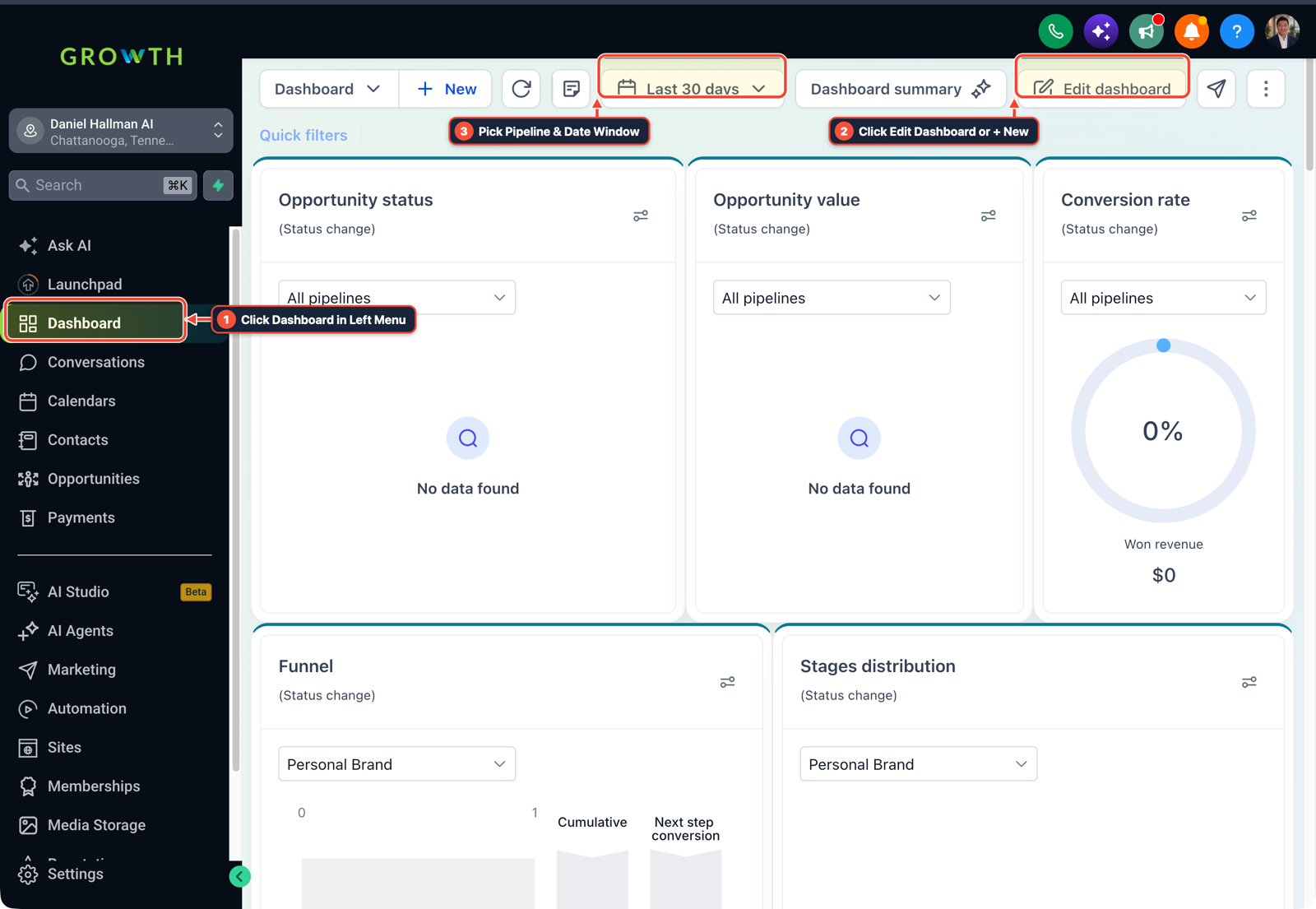
1Click Dashboard in Left Menu 2Pick Date Window & Pipeline Filter 3Click Edit Dashboard or + New -
STEP 2In Agency View > Account Snapshots, click + Create Snapshot and select your active sub-account so every funnel, calendar, custom field, and workflow you built during your trial is backed up to a shareable snapshot link.
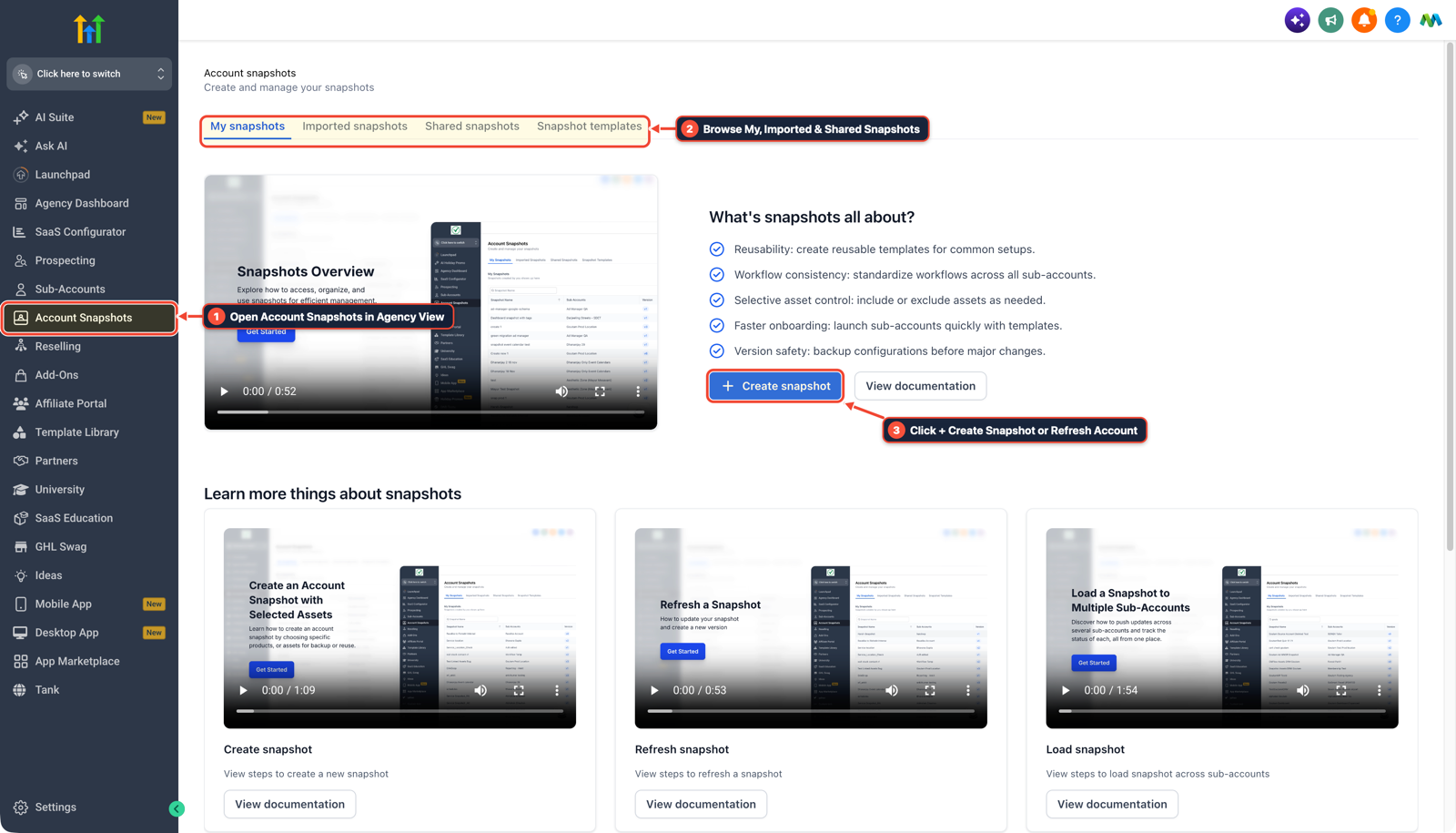
1Open Account Snapshots in Agency View 2Browse My, Imported & Shared Snapshots 3Click + Create Snapshot or Refresh Account -
STEP 3In Automation > Workflows, set any active trial test campaigns to Draft and message HighLevel Billing & Onboarding support via the top-right
?chat widget before your trial ends to ask them to apply the 3-month promotional rate (or extend your trial until the promo window opens).
1Add If/Else Condition & Tag Guard 2Chain Priority & Wait Steps 3Switch to Settings or Execution Logs
MODE: AGENT PROMPT
PASTE INTO CLAUDE CODE, CURSOR, CHATGPT, OR GOHIGHLEVEL ASK AI
AGENT PROMPT
Prepare a GoHighLevel trial sub-account <YOUR_LOCATION_ID> for a plan transition or snapshot backup:
1. In Agency View > Settings > Billing, check the trial expiration timestamp before auto-renewal.
2. In Agency View > Account Snapshots, create a complete backup snapshot of the trial sub-account's funnels, calendars, custom values, and workflows.
3. In Automation > Workflows, verify all custom workflows are saved cleanly inside the snapshot before modifying the subscription tier.
GHL-TOOLS MCP SERVER & CLI (DANIELHALLMAN.COM/MCP)
BUILDER + SUB-ACCOUNT TOOLS
# Audit sub-account workflows and snapshot inventory before changing billing plans
ghl-agency locations --context <YOUR_CONTEXT>
ghl-agency snapshot-diff-audit --context <YOUR_CONTEXT> --location <YOUR_LOCATION_ID>
Official GHL MCP vs. ghl-tools: HighLevel’s official hosted MCP (services.leadconnectorhq.com/mcp) covers public v2 CRM records (contacts, opportunities, appointments, conversations). ghl-tools MCP complements it with workflow graph inspection & recipes, funnel/form builders, DNS/BIMI checks, and ghl-crm doctor audits.
Cause
- Users testing GoHighLevel on a free trial in November often assume their account will automatically convert into the Black Friday 50% off Starter deal.
- If the trial auto-charges full price a few days before the promotion launches, the billing portal only shows the 50% discount on upgrades to higher plans like $297 Unlimited.
GoHighLevel Configuration
- Verify your trial expiration date from your Dashboard and Agency View > Settings > Billing, export your funnels and workflows in Agency View > Account Snapshots
- and confirm promotional eligibility with Billing Support before the trial auto-renews.
GoHighLevel Menu Paths
| Step | Menu Path in GHL | Action |
|---|---|---|
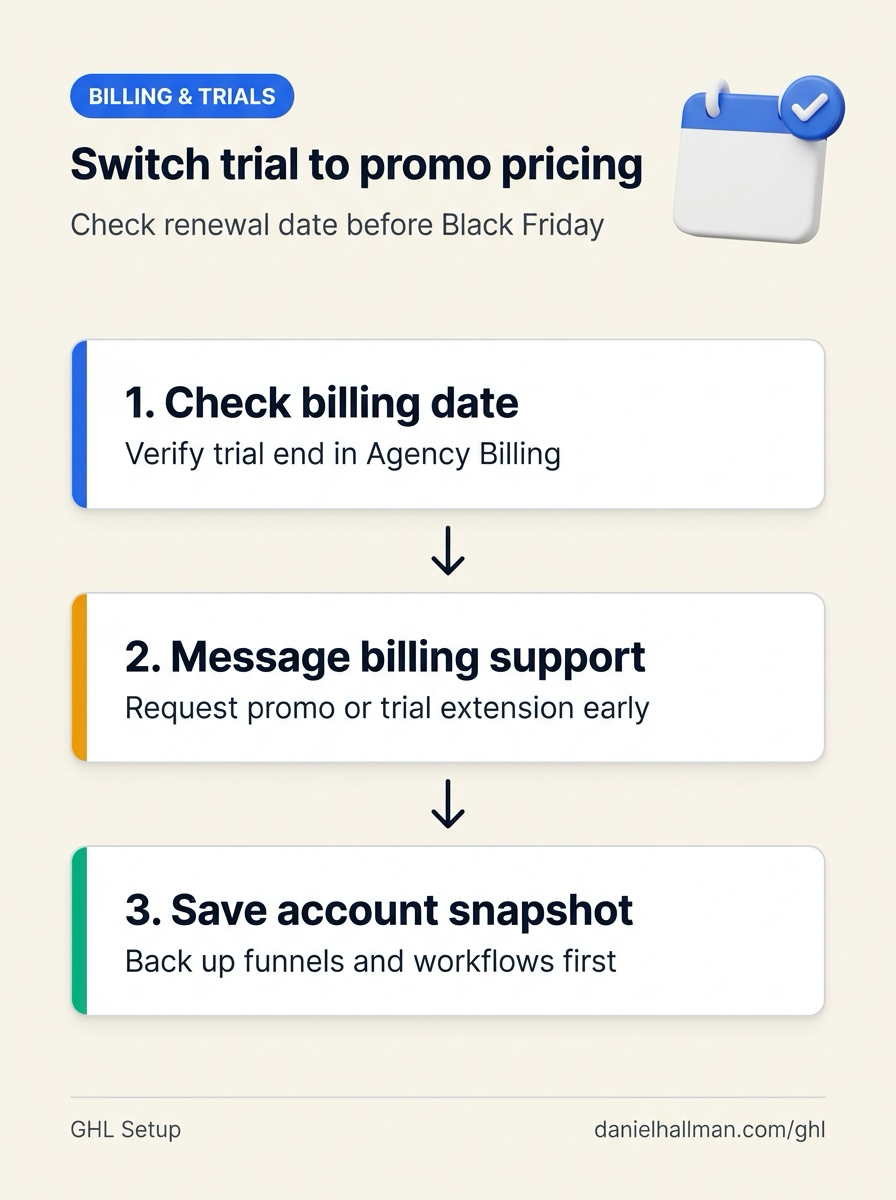
| Step 1 | Agency View > Settings > Billing > Subscriptions | In Dashboard (and Agency View > Settings > Billing > Subscriptions), check your exact trial end date and time so your card does not auto-renew onto the full-price $97/month Starter plan before the Black Friday promotion starts. |
| Step 2 | Agency View > Account Snapshots | Click + Create Snapshot and select your active sub-account so every funnel, calendar, custom field, and workflow you built during your trial is backed up to a shareable snapshot link. |
| Step 3 | Automation > Workflows | Set any active trial test campaigns to Draft and message HighLevel Billing & Onboarding support via the top-right ? chat widget before your trial ends to ask them to apply the 3-month promotional rate (or extend your trial until the promo window opens). |
DEFAULT SETUP VS. AUTOMATED WORKFLOW
Operational Comparison
Manual Admin Work Per Client
Lead-to-Booked-Job Conversion
Related Questions
- How Long Does a New GoHighLevel Account Take to Build With Automations?
- How do you set up GoHighLevel for a solo home service business without bloated agency snapshots?
- What Tools and Technical Skills Should You Learn Alongside GoHighLevel?
- How do you push GoHighLevel snapshot updates without wiping out client customizations?
BUILD FASTER IN GOHIGHLEVEL · FREE TRIAL BONUSES + MCP SERVER
Build this directly inside your GoHighLevel sub-account
Connect Claude Code, Cursor, or OpenAI Codex to our ghl-tools MCP Server & Rust CLI to build workflows, forms, and funnels from your editor, or start your GoHighLevel plan through our partner link to unlock $612+ in ready-to-import kits (including GHL Starter Trial Onboarding & Snapshot Backup Kit) and weekly live clinics.