GOHIGHLEVEL ANSWERS & PROMPTS: PLAYBOOK T53 · WRITTEN-SPEC GOHIGHLEVEL BACKEND FREELANCING
AUTHOR: DANIEL HALLMAN
KEYWORD: BACKEND FREELANCE
STEP-BY-STEP INSTRUCTIONS + ANNOTATED GHL SCREENSHOTS
Steps in GoHighLevel
-
STEP 1In Settings > Users (My Staff), have the hiring agency or business owner click + Add User and invite your email as an account builder inside their existing sub-account so you never pay for a monthly GoHighLevel subscription out of your own savings before you have client income.
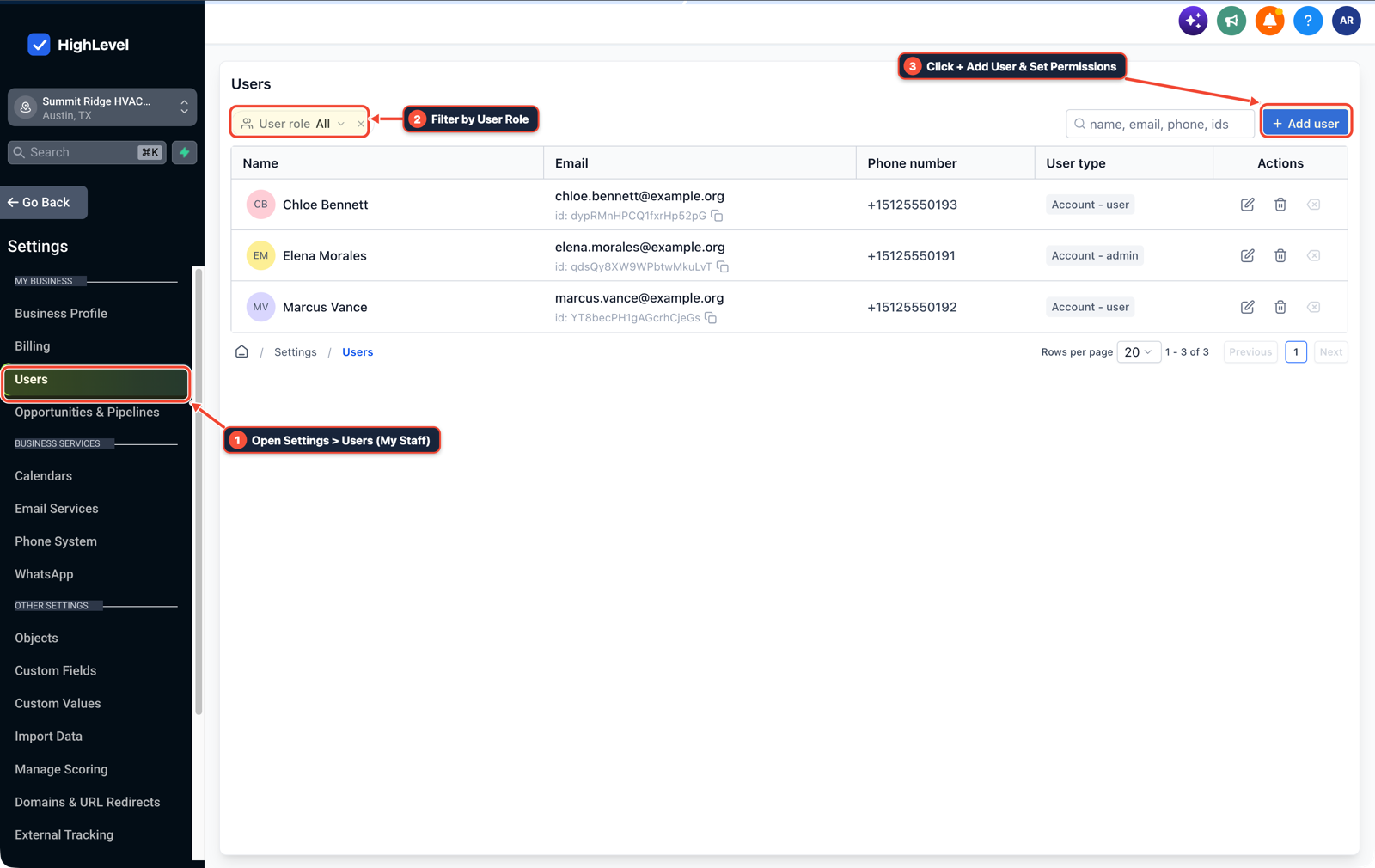
1Open Settings > Users (My Staff) 2Filter by User Role 3Click + Add User & Set Permissions -
STEP 2In Automation > Workflow Builder (and Sites > Forms), practice the three backend tickets agencies outsource over written specs every week: a 45-second missed-call or form follow-up workflow, a 2-step booking form, and a 2-hour post-job Google review request.
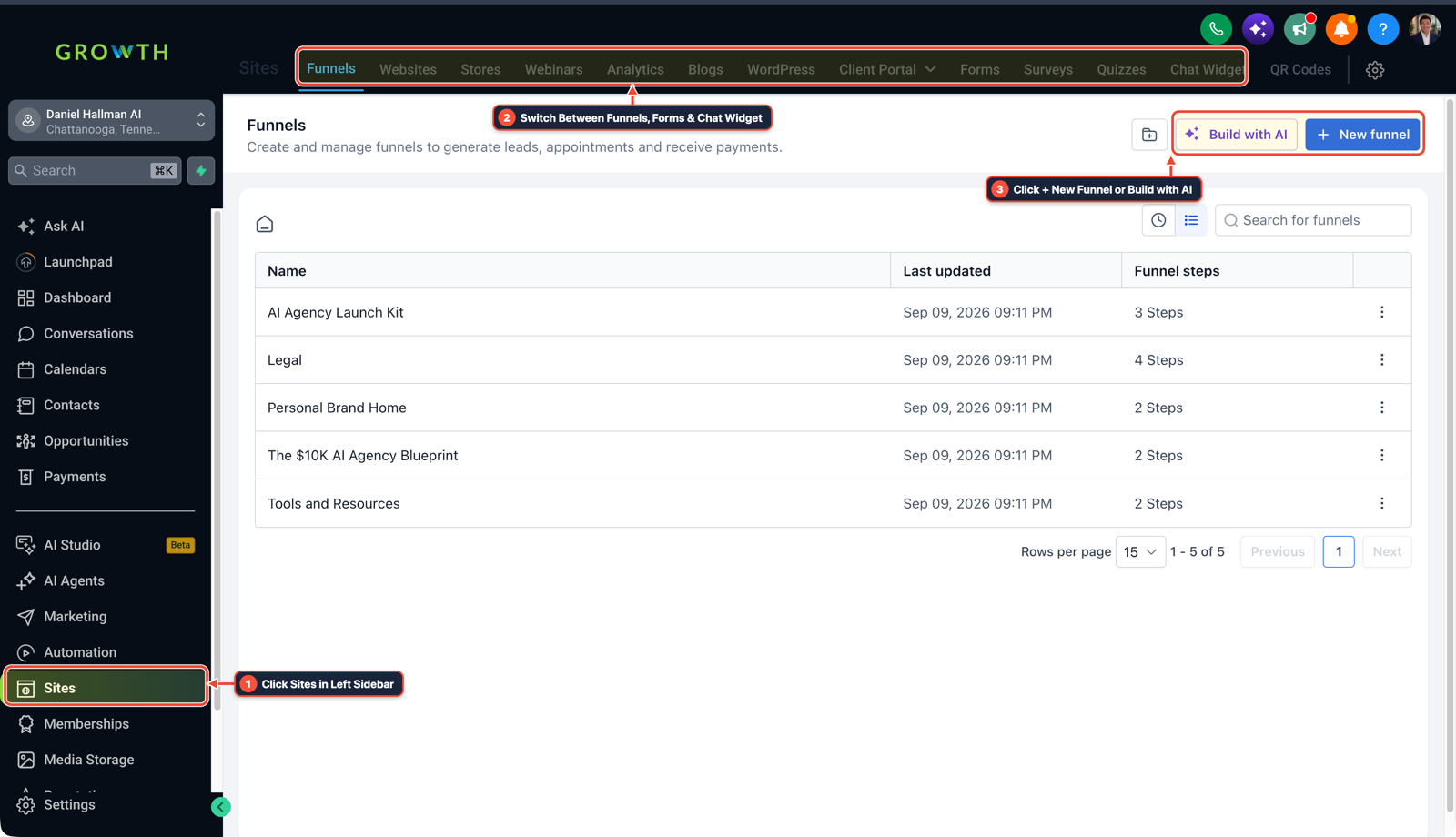
1Click Sites in Left Sidebar 2Switch Between Funnels, Forms & Chat Widget 3Click + New Funnel or Build with AI -
STEP 3In Settings > Custom Values, organize the client's phone numbers, calendar URLs, and review links into
{{custom_values.*}}keys and send 3 to 4 annotated screenshots of the completed setup and Execution Logs over Slack or email so clients can review your work without a phone call.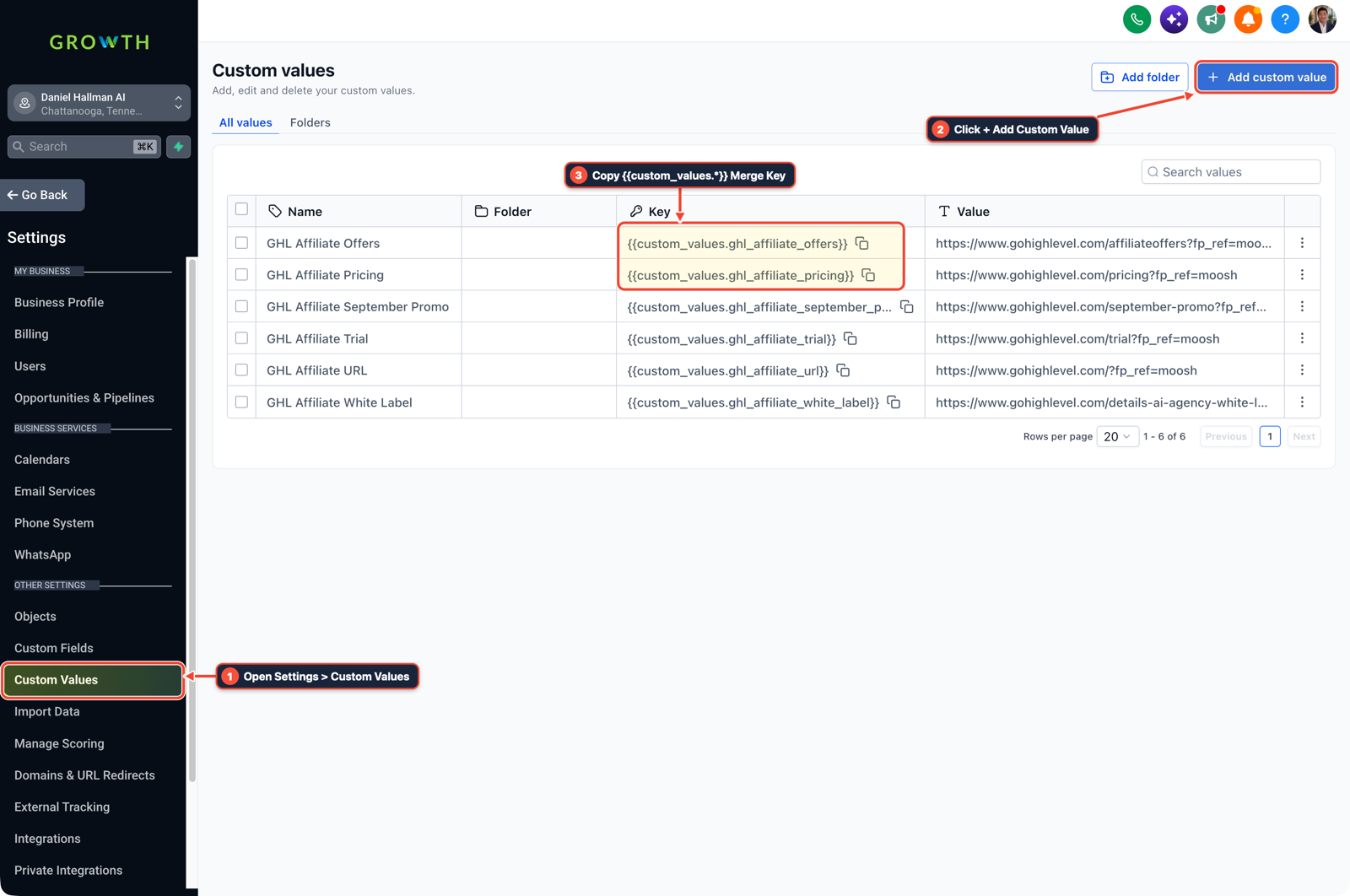
1Open Settings > Custom Values 2Click + Add Custom Value 3Copy {{custom_values.*}} Merge Key
MODE: AGENT PROMPT
PASTE INTO CLAUDE CODE, CURSOR, CHATGPT, OR GOHIGHLEVEL ASK AI
AGENT PROMPT
Set up a standardized backend handoff checklist for sub-account <YOUR_LOCATION_ID>:
1. In Settings > Users (My Staff), verify the builder's scoped user login and assigned sub-account permissions.
2. In Automation > Workflow Builder and Sites > Forms, wire the lead intake form, 45-second SMS follow-up, and 2-hour post-job review request.
3. In Settings > Custom Values, bind all location-specific phone numbers, calendar links, and sender emails to {{custom_values.*}} merge keys for async client sign-off.
GHL-TOOLS MCP SERVER & CLI (DANIELHALLMAN.COM/MCP)
BUILDER + SUB-ACCOUNT TOOLS
# Audit sub-account staff logins, custom values, and core workflows
ghl-agency user-role-governance --context <YOUR_CONTEXT> --location <YOUR_LOCATION_ID>
ghl-agency custom-values-audit --context <YOUR_CONTEXT> --location <YOUR_LOCATION_ID>
Official GHL MCP vs. ghl-tools: HighLevel’s official hosted MCP (services.leadconnectorhq.com/mcp) covers public v2 CRM records (contacts, opportunities, appointments, conversations). ghl-tools MCP complements it with workflow graph inspection & recipes, funnel/form builders, DNS/BIMI checks, and ghl-crm doctor audits.
Cause
- especially builders who prefer written communication or have a speech disability
- often hold back from learning GoHighLevel because they assume they must pay $97/month out of pocket before landing a client and pitch business owners over live phone calls.
GoHighLevel Configuration
- Use the free trial and official walkthroughs to practice three high-demand backend build tickets, have clients invite your email as a staff user under Settings > Users (My Staff) inside their own paid account
- and deliver verified builds asynchronously with annotated screenshots from Automation > Workflow Builder and Settings > Custom Values.
GoHighLevel Menu Paths
| Step | Menu Path in GHL | Action |
|---|---|---|
| Step 1 | Settings > Users | Have the hiring agency or business owner click + Add User and invite your email as an account builder inside their existing sub-account so you never pay for a monthly GoHighLevel subscription out of your own savings before you have client income. |
| Step 2 | Automation > Workflow Builder | Practice the three backend tickets agencies outsource over written specs every week: a 45-second missed-call or form follow-up workflow, a 2-step booking form, and a 2-hour post-job Google review request. |
| Step 3 | Settings > Custom Values | Organize the client's phone numbers, calendar URLs, and review links into {{custom_values.*}} keys and send 3 to 4 annotated screenshots of the completed setup and Execution Logs over Slack or email so clients can review your work without a phone call. |
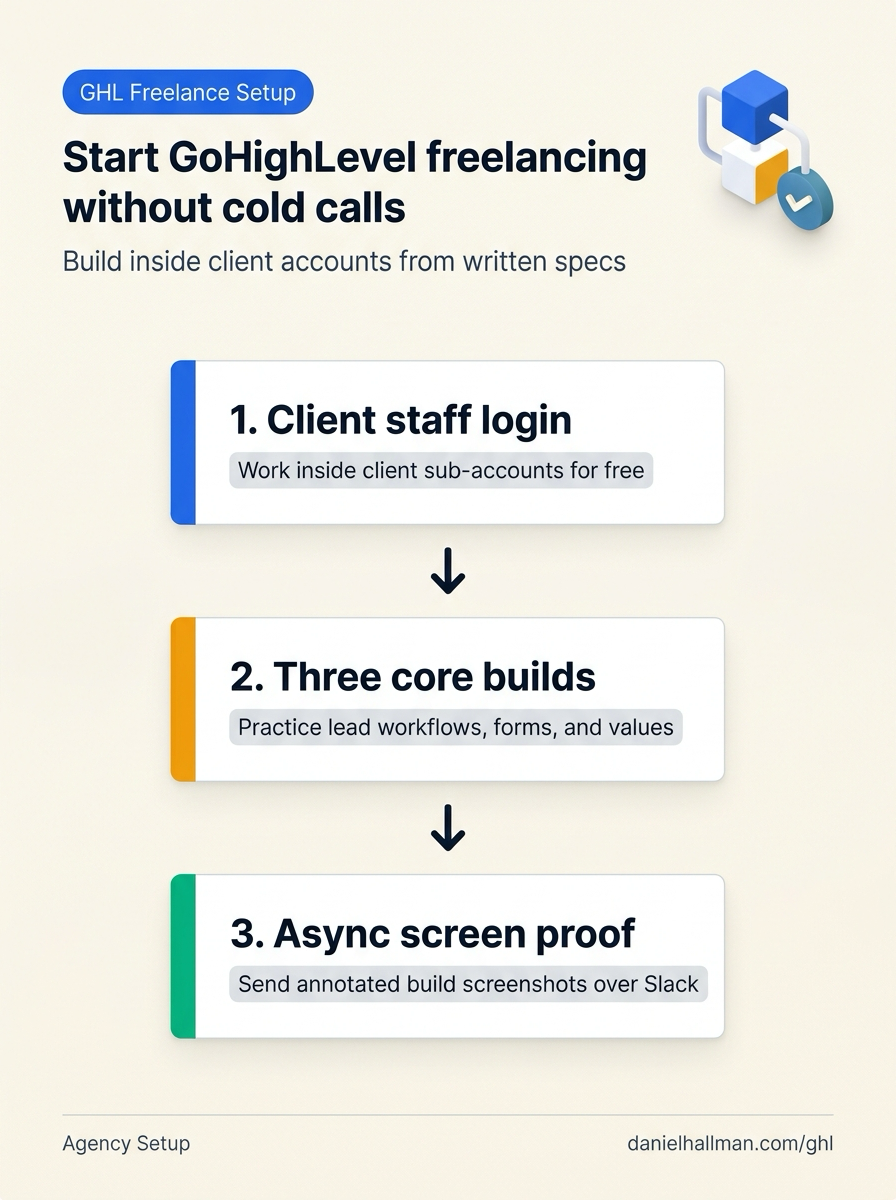
DEFAULT SETUP VS. AUTOMATED WORKFLOW
Operational Comparison
Manual Admin Work Per Client
Lead-to-Booked-Job Conversion
Related Questions
- What Tools and Technical Skills Should You Learn Alongside GoHighLevel?
- How Long Does a New GoHighLevel Account Take to Build With Automations?
- How do you set up GoHighLevel for a solo home service business without bloated agency snapshots?
- Can You Upgrade a GoHighLevel Free Trial to the Black Friday 50% Off Deal (And What Should You Check Before Your Trial Ends)?
BUILD FASTER IN GOHIGHLEVEL · FREE TRIAL BONUSES + MCP SERVER
Build this directly inside your GoHighLevel sub-account
Connect Claude Code, Cursor, or OpenAI Codex to our ghl-tools MCP Server & Rust CLI to build workflows, forms, and funnels from your editor, or start your GoHighLevel plan through our partner link to unlock $612+ in ready-to-import kits (including GHL Backend Builder & Custom Values Starter Pack) and weekly live clinics.