GOHIGHLEVEL ANSWERS & PROMPTS: PLAYBOOK T114 · DURABLE PENDING-ACTION ROWS, STATE RECHECKS & APPROVAL EXPIRY TIMERS
AUTHOR: DANIEL HALLMAN
KEYWORD: DURABLE APPROVALS
STEP-BY-STEP INSTRUCTIONS + ANNOTATED GHL SCREENSHOTS
Steps in GoHighLevel
-
STEP 1In Settings > Custom Fields, create durable approval fields (
pending_action_id,approval_amount,approval_snapshot_at, andapproval_status) so the exact refund or booking change lives on the contact or opportunity record instead of inside a running agent process.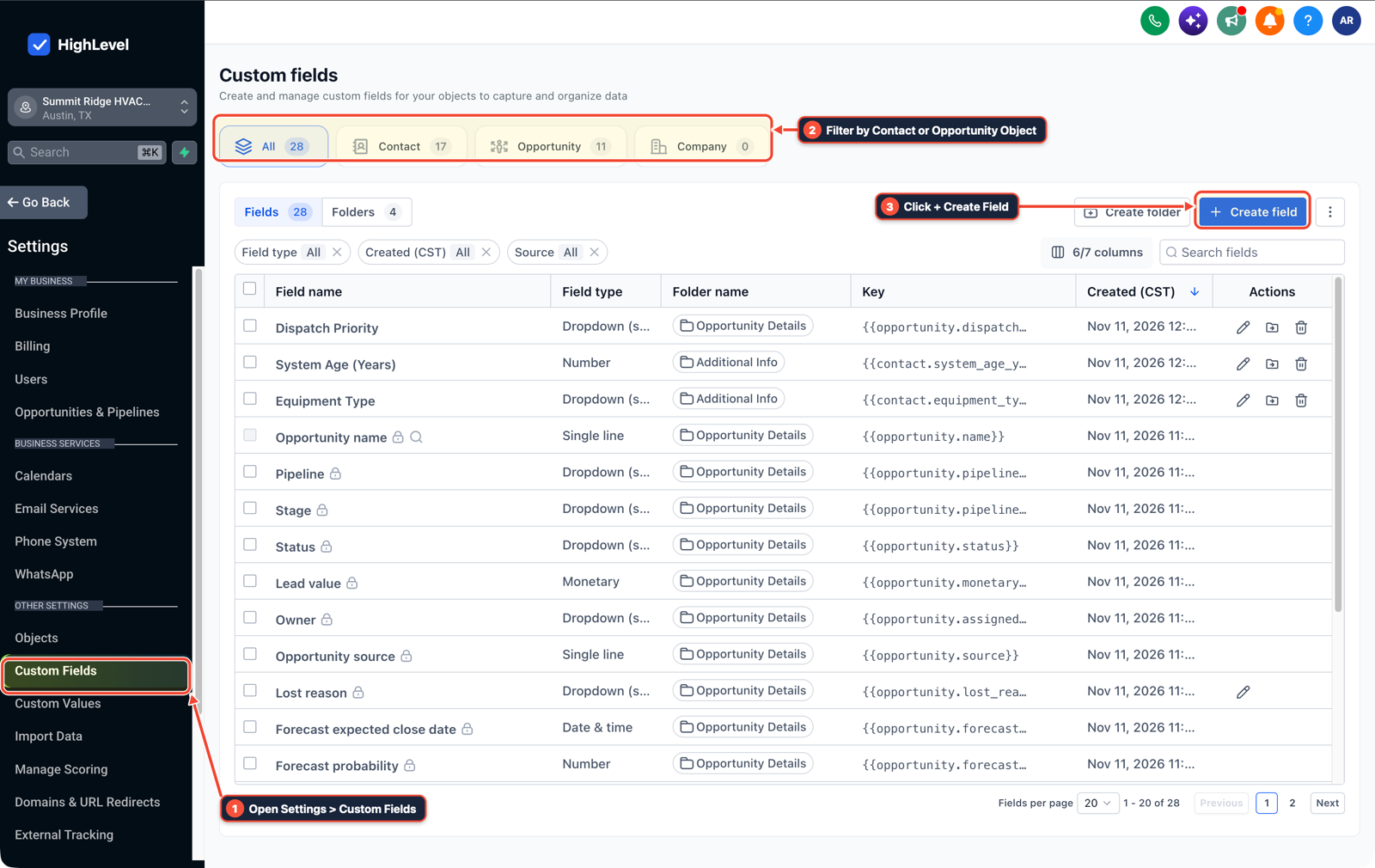
1Open Settings > Custom Fields 2Filter by Contact or Opportunity Object 3Click + Create Field -
STEP 2In Automation > Workflow Builder, trigger execution from the reviewer's approval click (not a resumed prompt loop), compare the current order amount and status against
approval_snapshot_at, and passpending_action_idas the idempotency key so a late retry cannot fire a second refund.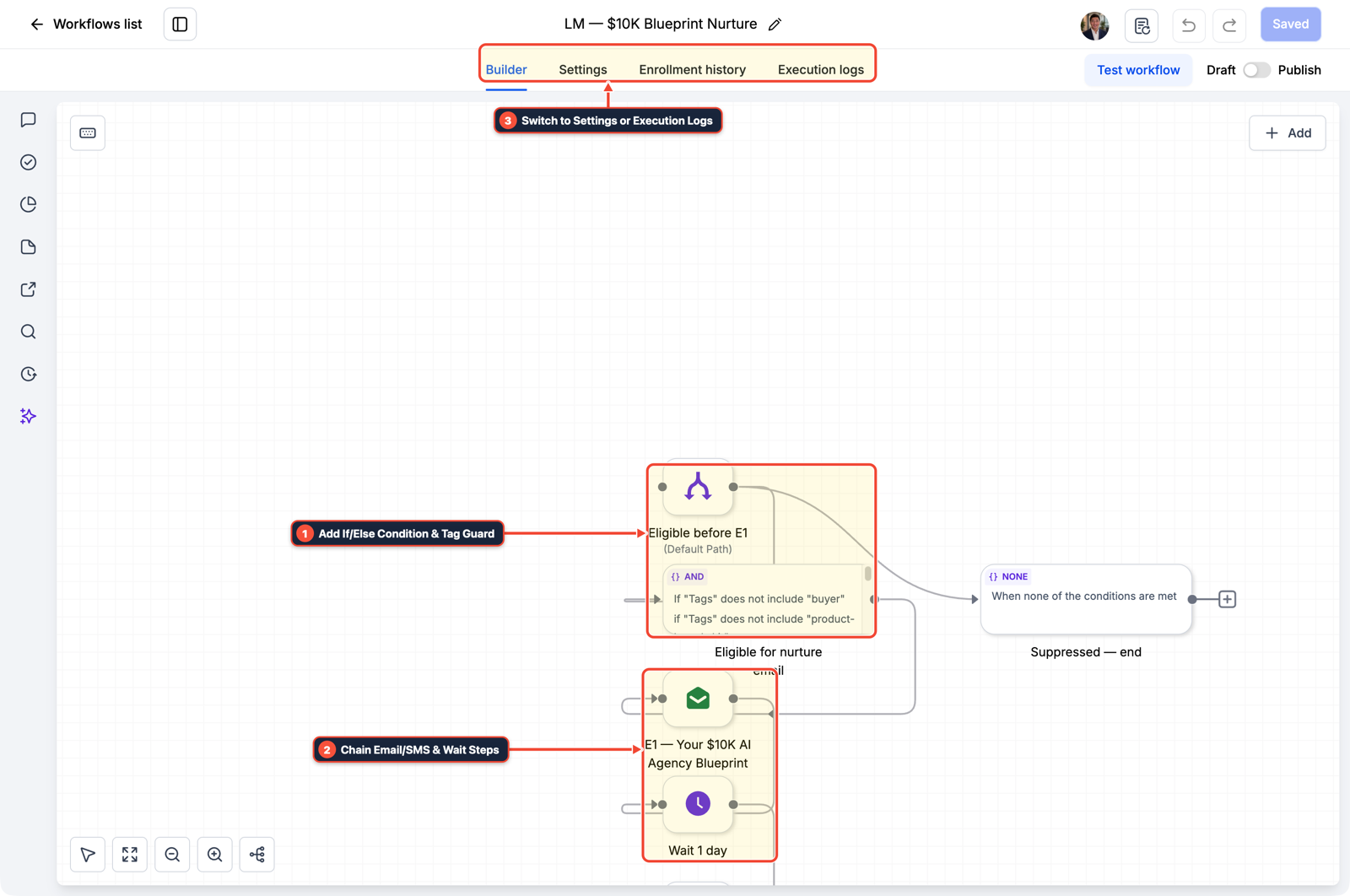
1Add If/Else Condition & Tag Guard 2Chain Priority & Wait Steps 3Switch to Settings or Execution Logs -
STEP 3In Workflow > Settings and your approval workflow, add a
24-hour Wait branch that marks untouched requestsexpiredand alerts a backup owner in Conversations > Team Inbox so stale approvals never sit open indefinitely.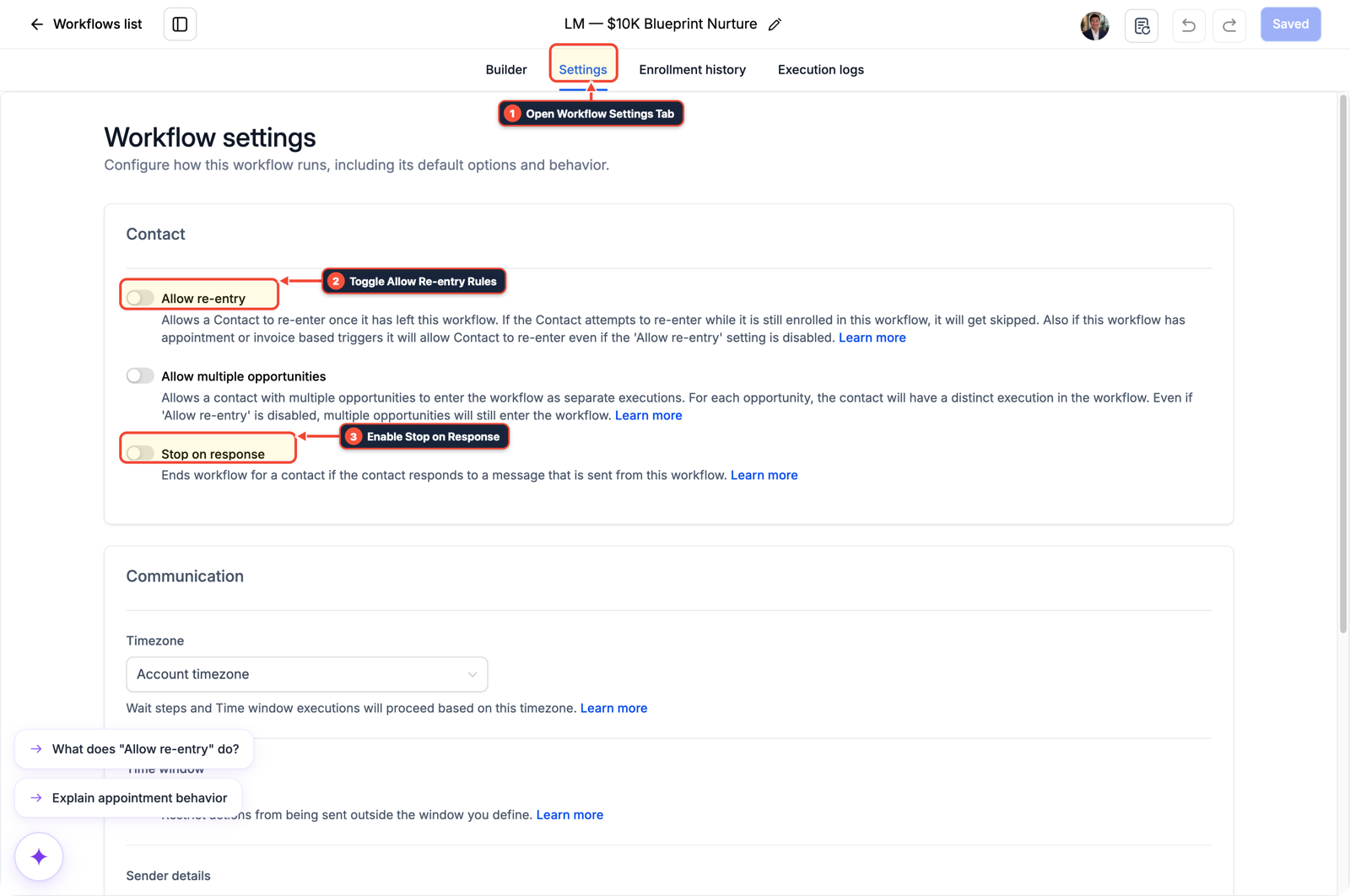
1Open Workflow Settings Tab 2Toggle Allow Re-entry Rules 3Enable Stop on Response
MODE: AGENT PROMPT
PASTE INTO CLAUDE CODE, CURSOR, CHATGPT, OR GOHIGHLEVEL ASK AI
AGENT PROMPT
Set up restart-safe human approval tracking in sub-account <YOUR_LOCATION_ID>:
1. Create custom fields for pending_action_id, approval_amount, approval_snapshot_at, and approval_status on the CRM record.
2. Run the approved refund or update from a fresh workflow trigger that compares live record state against approval_snapshot_at and enforces the idempotency key.
3. Add a 24-hour expiry branch that marks unanswered approvals expired and notifies a backup reviewer.
GHL-TOOLS MCP SERVER & CLI (DANIELHALLMAN.COM/MCP)
BUILDER + SUB-ACCOUNT TOOLS
# Inspect custom fields and approval workflows
ghl-crm custom-fields list --context <YOUR_CONTEXT> --location <YOUR_LOCATION_ID>
ghl-crm workflows list --context <YOUR_CONTEXT> --location <YOUR_LOCATION_ID>
Official GHL MCP vs. ghl-tools: HighLevel’s official hosted MCP (services.leadconnectorhq.com/mcp) covers public v2 CRM records (contacts, opportunities, appointments, conversations). ghl-tools MCP complements it with workflow graph inspection & recipes, funnel/form builders, DNS/BIMI checks, and ghl-crm doctor audits.
Cause
- In-memory pause-and-wait agent loops disappear on container restarts and deploys, leaving morning approvals pointed at dead processes or re-running payment and booking actions without checking whether the record already changed.
GoHighLevel Configuration
- Persist the exact pending action on the CRM record in Settings > Custom Fields, verify current state and idempotency keys on resume in Automation > Workflow Builder
- and set automatic expiration windows in Workflow > Settings.
GoHighLevel Menu Paths
| Step | Menu Path in GHL | Action |
|---|---|---|
| Step 1 | Settings > Custom Fields | Create durable approval fields (pending_action_id, approval_amount, approval_snapshot_at, and approval_status) so the exact refund or booking change lives on the contact or opportunity record instead of inside a running agent process. |
| Step 2 | Automation > Workflow Builder | Trigger execution from the reviewer's approval click (not a resumed prompt loop), compare the current order amount and status against approval_snapshot_at, and pass pending_action_id as the idempotency key so a late retry cannot fire a second refund. |
| Step 3 | Workflow > Settings | Add a 24-hour Wait branch that marks untouched requests expired and alerts a backup owner in Conversations > Team Inbox so stale approvals never sit open indefinitely. |
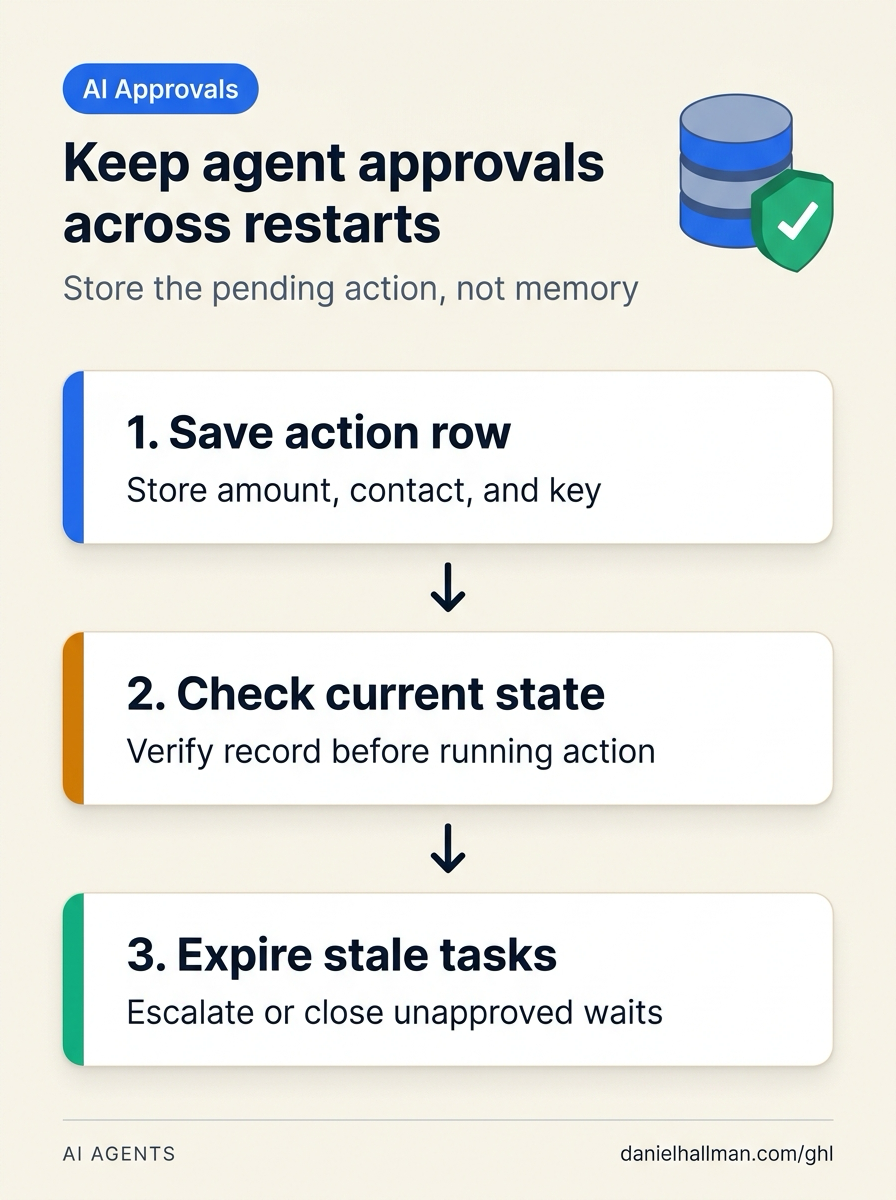
DEFAULT SETUP VS. AUTOMATED WORKFLOW
Operational Comparison
Speed to Lead & Callback Safety
Caller Reply & Booking Rate
Related Questions
- What Actions Should an AI Agent Never Take Without Asking a Human First in GoHighLevel and MCP Workflows?
- How Do You Use Rule-Based Approval Gates for AI Triage Agents in n8n and GoHighLevel?
- How Do You Prevent a One-Off AI Agent Mistake From Becoming a Bad Standing Rule in n8n and GoHighLevel?
- How Do You Stop WhatsApp AI Clinic Booking Agents From Sending Stale Appointment Times or Double-Booking in GoHighLevel and n8n?
BUILD FASTER IN GOHIGHLEVEL · FREE TRIAL BONUSES + MCP SERVER
Build this directly inside your GoHighLevel sub-account
Connect Claude Code, Cursor, or OpenAI Codex to our ghl-tools MCP Server & Rust CLI to build workflows, forms, and funnels from your editor, or start your GoHighLevel plan through our partner link to unlock $612+ in ready-to-import kits (including GHL & n8n Durable Approval State Kit) and weekly live clinics.