GOHIGHLEVEL ANSWERS & PROMPTS: PLAYBOOK T33 · GA4 VS CRM PIPELINE ATTRIBUTION
AUTHOR: DANIEL HALLMAN
KEYWORD: GA4 VS CRM
STEP-BY-STEP INSTRUCTIONS + ANNOTATED GHL SCREENSHOTS
Steps in GoHighLevel
-
STEP 1In Contacts > Smart Lists, filter leads from the last 30 days by
First Attribution UTM CampaignandDisqualified / Spamtag so the client can see exactly which GA4 'winning' campaign is padded with duplicate refreshes, bots, or out-of-area inquiries.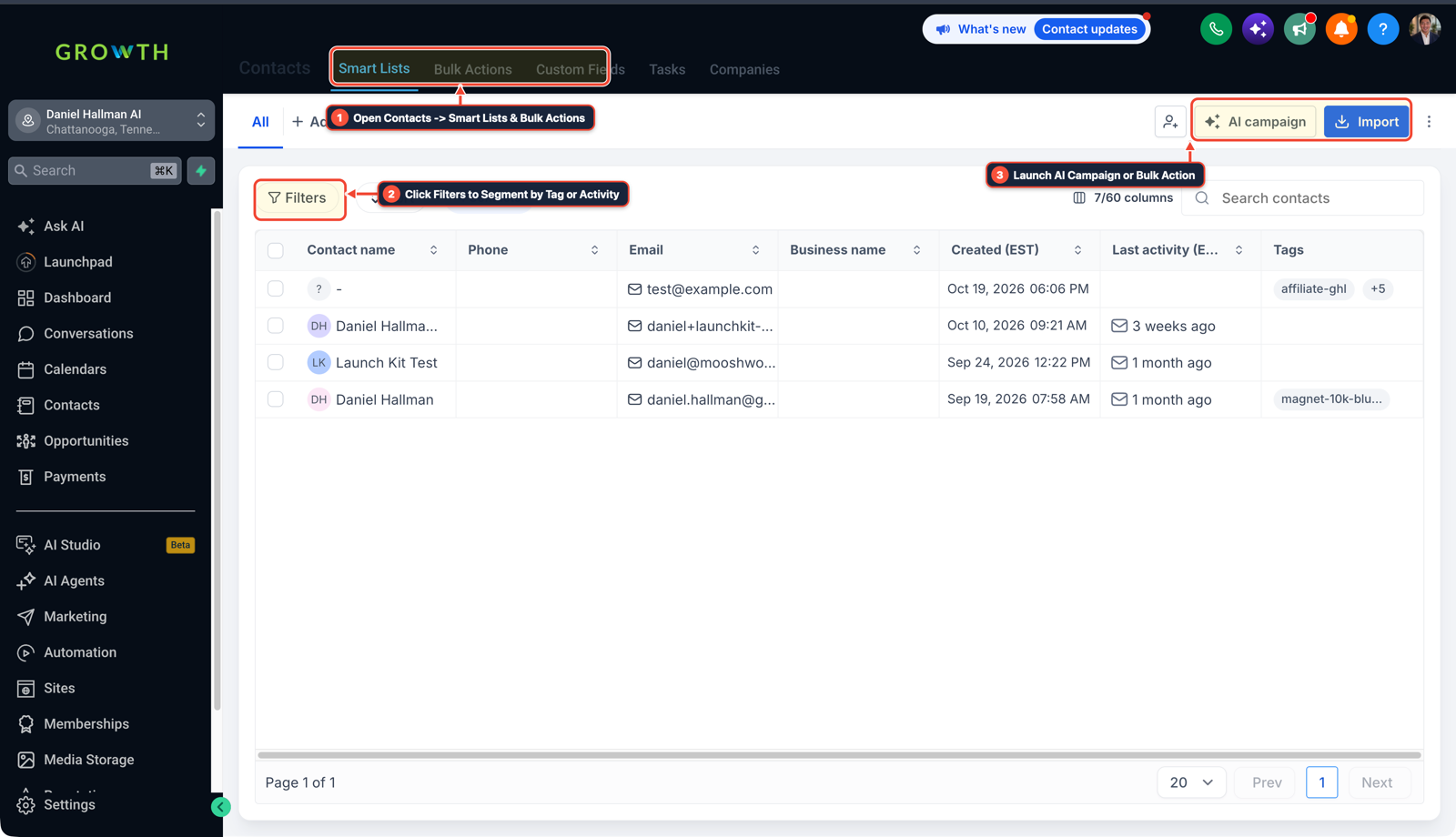
1Open Contacts > Smart Lists & Bulk Actions 2Click Filters to Segment by Tag or Activity 3Launch AI Campaign or Import List -
STEP 2In Opportunities > Pipelines (and Automation > Workflow Builder), create a workflow triggered on Opportunity Stage Changed to
Qualified,Appointment Booked, orWon, and fire the native Add to Google Ads (gclid) and Facebook Conversion API (fbclid) actions.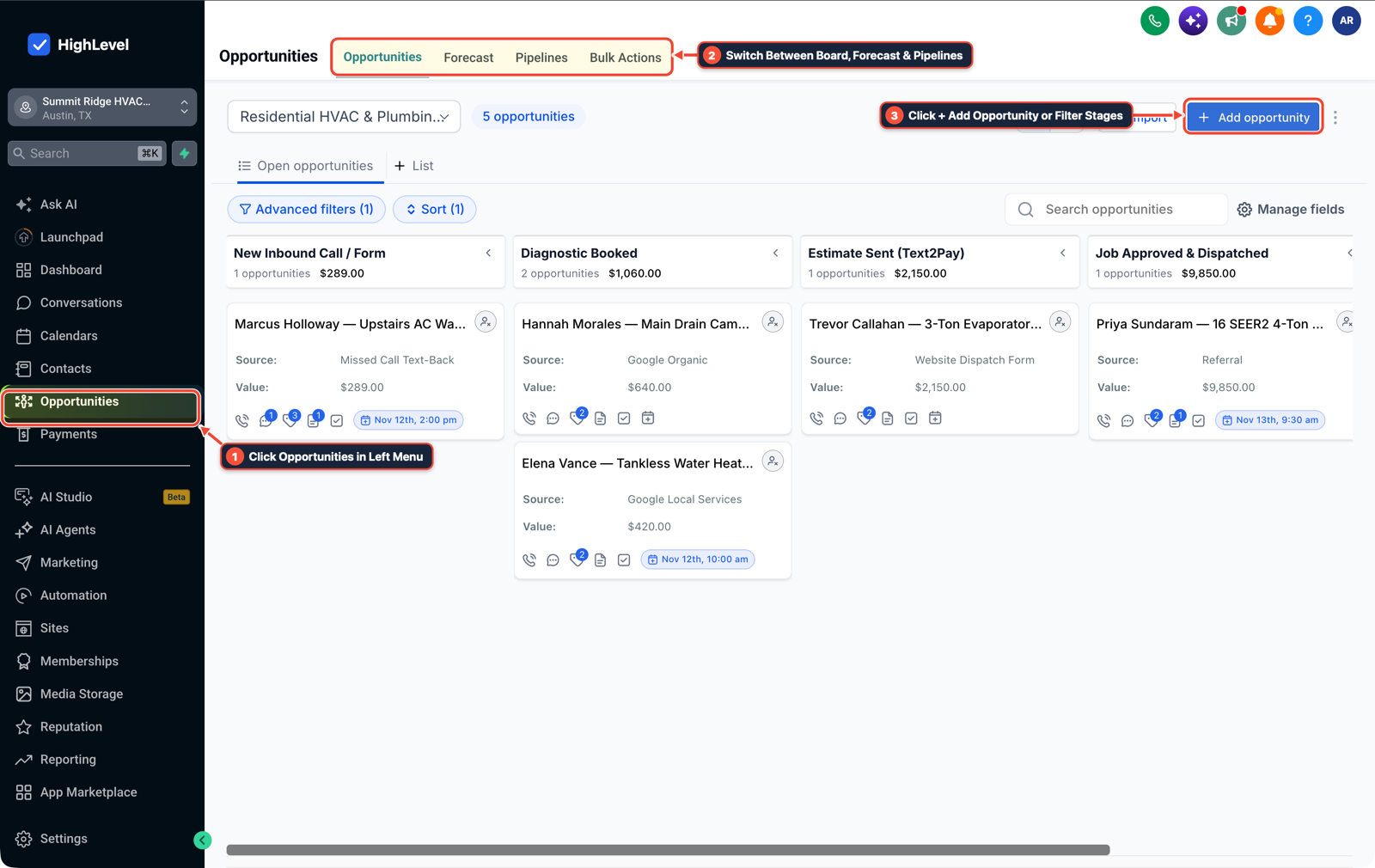
1Click Opportunities in Left Menu 2Switch Between Board, Forecast & Pipelines 3Click + Add Opportunity or Filter Stages -
STEP 3In Reporting > Attribution Report (and Call Reporting), compare Cost Per Raw Form Lead against Cost Per Qualified Opportunity over 14 days so budget shifts toward campaigns that close deals.
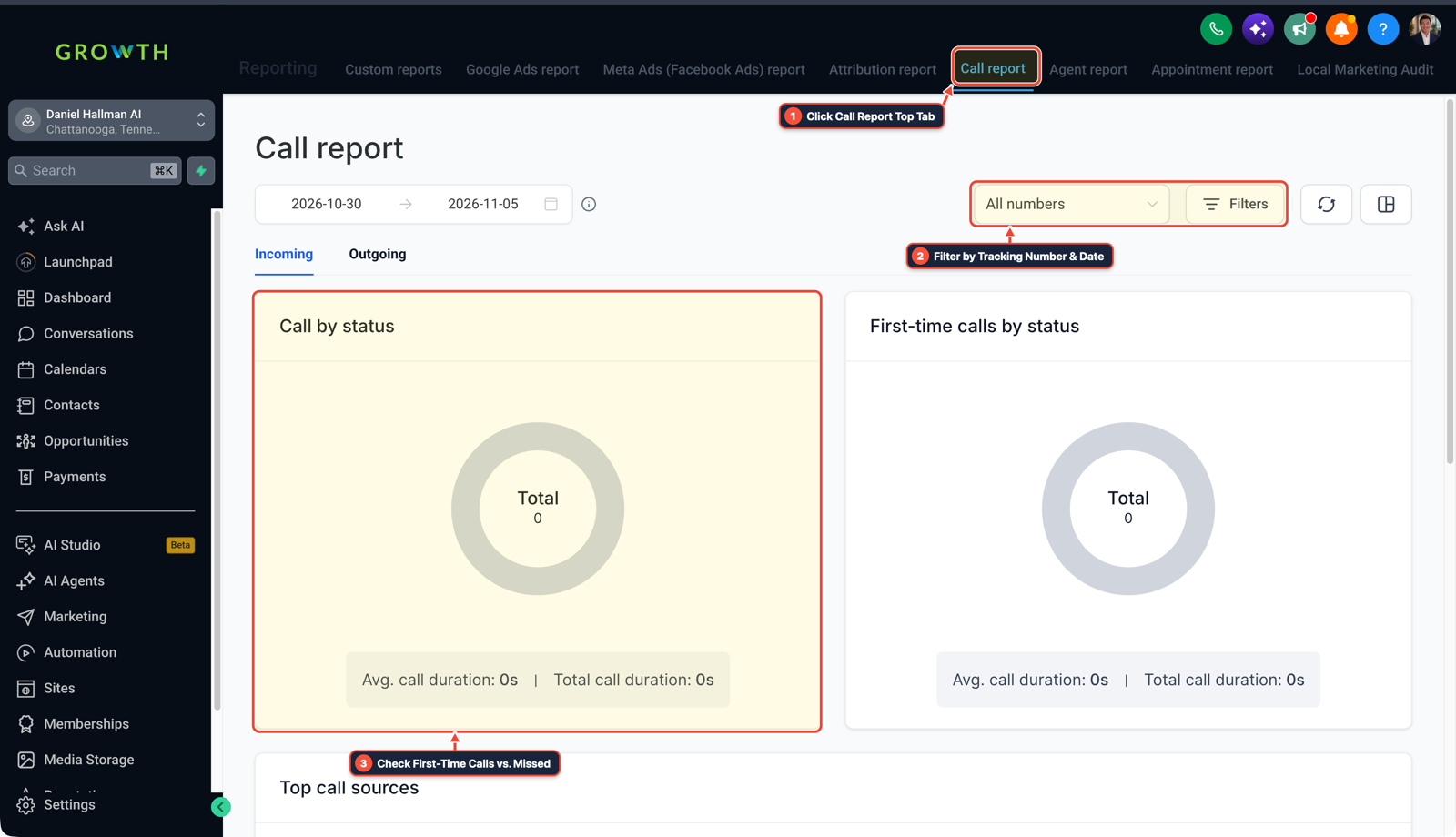
1Click Call Report Top Tab 2Filter by Tracking Number & Date 3Check First-Time Calls vs. Missed
MODE: AGENT PROMPT
PASTE INTO CLAUDE CODE, CURSOR, CHATGPT, OR GOHIGHLEVEL ASK AI
AGENT PROMPT
Fix GA4 vs GoHighLevel CRM attribution discrepancies in sub-account <YOUR_LOCATION_ID>:
1. In Contacts > Smart Lists, group the last 30 days of leads by UTM Campaign and compare total form submissions against opportunities reaching Qualified or Won.
2. In Automation > Workflow Builder, create a workflow triggered by Opportunity Stage Changed (Qualified / Booked / Won) that fires Google Ads offline conversion (gclid) and Facebook Conversion API (fbclid) actions.
3. In Reporting > Attribution Report, track Cost Per Qualified Opportunity alongside raw GA4 form conversion counts.
GHL-TOOLS MCP SERVER & CLI (DANIELHALLMAN.COM/MCP)
BUILDER + SUB-ACCOUNT TOOLS
# Inspect pipeline stages and offline conversion workflows in the sub-account
ghl-crm workflows list --context <YOUR_CONTEXT> --location <YOUR_LOCATION_ID>
ghl-agency custom-values-audit --context <YOUR_CONTEXT> --location <YOUR_LOCATION_ID>
Official GHL MCP vs. ghl-tools: HighLevel’s official hosted MCP (services.leadconnectorhq.com/mcp) covers public v2 CRM records (contacts, opportunities, appointments, conversations). ghl-tools MCP complements it with workflow graph inspection & recipes, funnel/form builders, DNS/BIMI checks, and ghl-crm doctor audits.
Cause
- Clients lose trust in reporting when GA4 claims
60conversions for the month while the sales team's GoHighLevel pipeline only shows38real leads - or when ad budget gets shifted into a campaign that generated cheap spam form submissions instead of actual booked jobs.
GoHighLevel Configuration
- Build a side-by-side campaign audit in Contacts > Smart Lists and Opportunities > Pipelines to show which campaigns produce real revenue, then fire native Google Ads and Facebook Conversion API workflow actions from Opportunity Stage Changed (
Qualified/Booked) rather than browser pageviews.
GoHighLevel Menu Paths
| Step | Menu Path in GHL | Action |
|---|---|---|
| Step 1 | Contacts > Smart Lists | Filter leads from the last 30 days by First Attribution UTM Campaign and Disqualified / Spam tag so the client can see exactly which GA4 'winning' campaign is padded with duplicate refreshes, bots, or out-of-area inquiries. |
| Step 2 | Opportunities > Pipelines | Create a workflow triggered on Opportunity Stage Changed to Qualified, Appointment Booked, or Won, and fire the native Add to Google Ads (gclid) and Facebook Conversion API (fbclid) actions. |
| Step 3 | Reporting > Attribution Report | Compare Cost Per Raw Form Lead against Cost Per Qualified Opportunity over 14 days so budget shifts toward campaigns that close deals. |
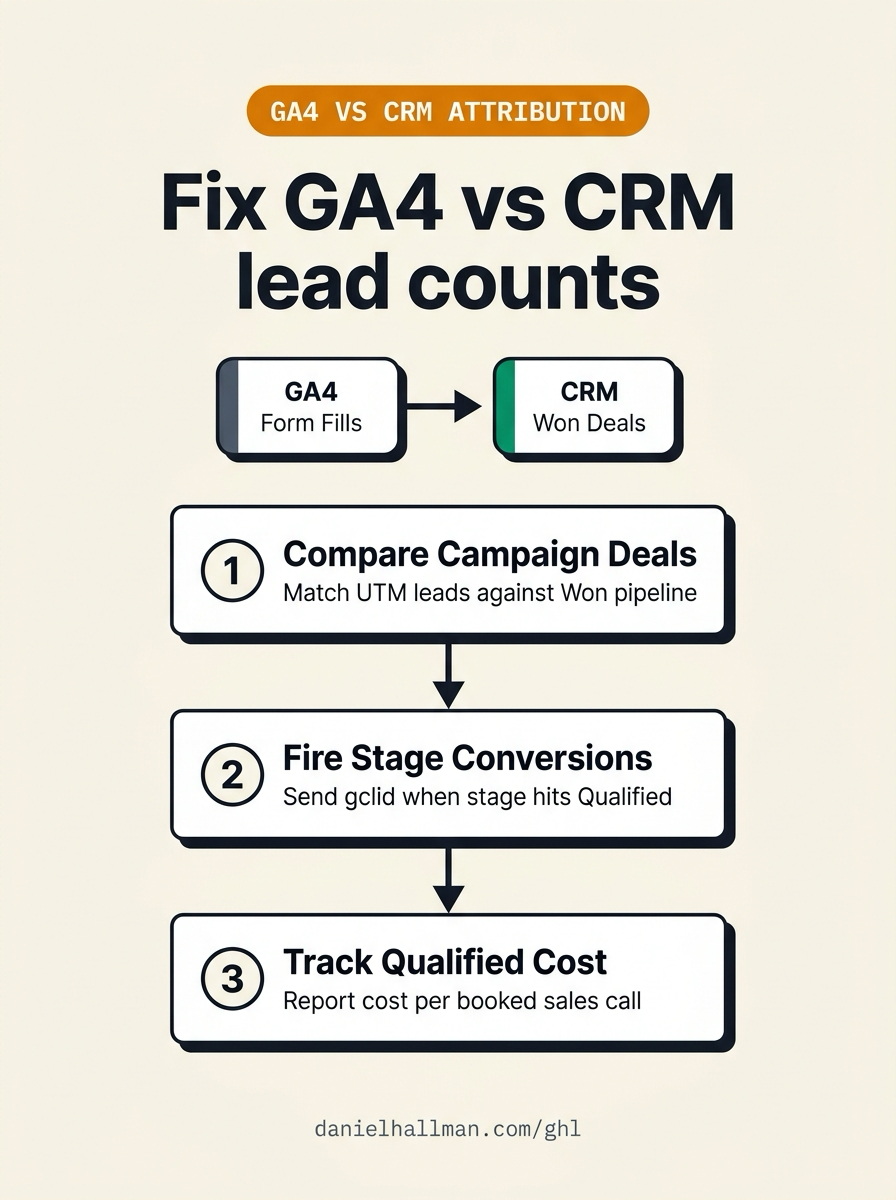
DEFAULT SETUP VS. AUTOMATED WORKFLOW
Operational Comparison
Manual Admin Work Per Client
Lead-to-Booked-Job Conversion
Related Questions
BUILD FASTER IN GOHIGHLEVEL · FREE TRIAL BONUSES + MCP SERVER
Build this directly inside your GoHighLevel sub-account
Connect Claude Code, Cursor, or OpenAI Codex to our ghl-tools MCP Server & Rust CLI to build workflows, forms, and funnels from your editor, or start your GoHighLevel plan through our partner link to unlock $612+ in ready-to-import kits (including GHL Offline Ad Attribution & Pipeline Pack) and weekly live clinics.